38 | PGC5000 GEN 2 | 892 J006 MNAH
4.2.2 Status subtab
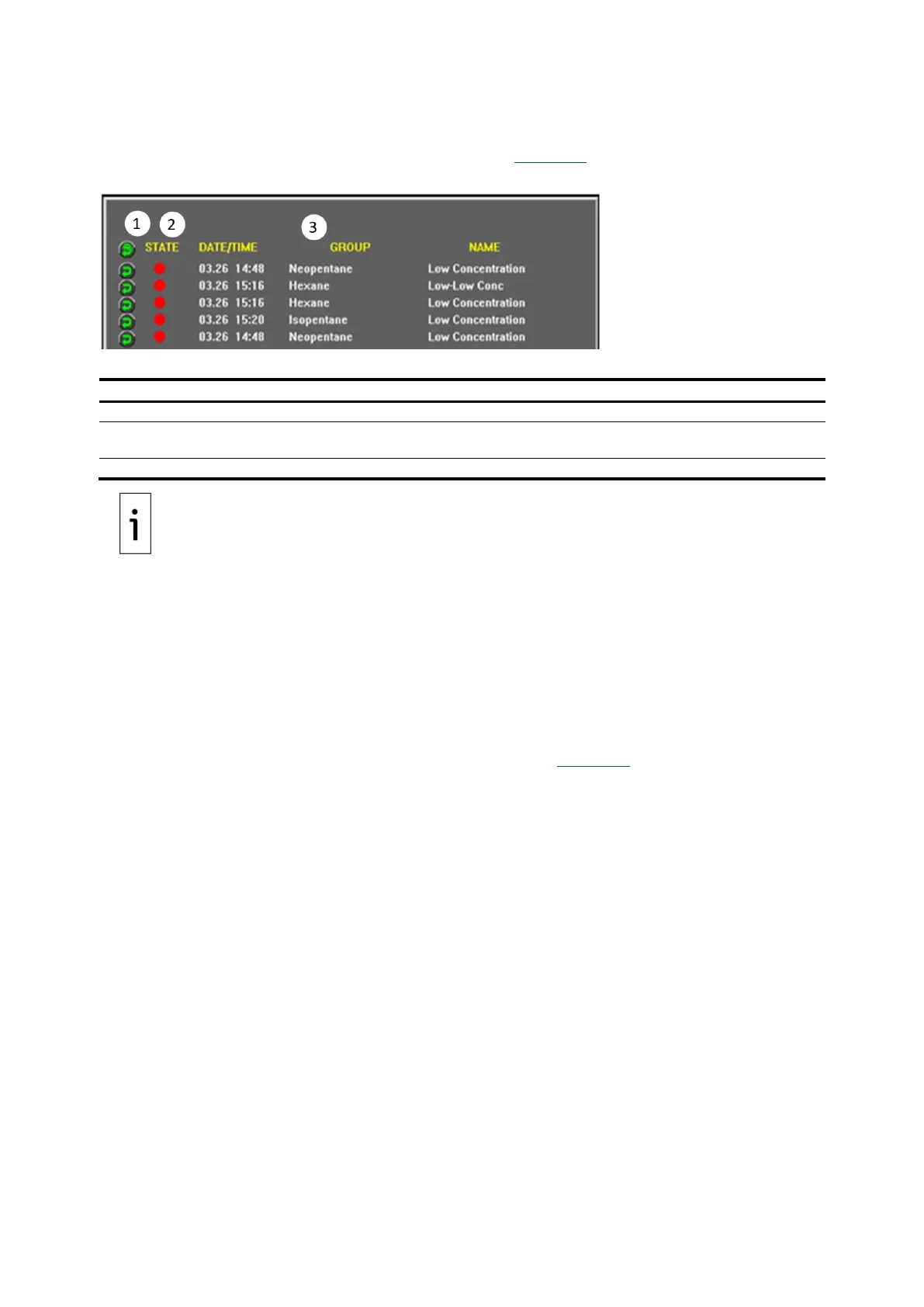
The Home>Status subtab displays all triggered active assigned indicators for the selected analysis
button, and the date and time the indicator triggered (see Figure 4-3).
Figure 4-3: Home>Status screen
Legend: Home>Status screen
Indicator Reset – Reset one or all displayed indicators.
Indicator State – The triggered indicator's alert level: green (normal), yellow (warning), red
(alarm), or blue (information only).
Information Area – Date and time indicator triggered, indicator group and name.
IMPORTANT NOTE: Only triggered indicators assigned to a stream, analysis or components are
displayed. The colored dot (light) represents the current indicator state and the date and time of
indication.
To reset an individual indicator:
1. Locate the indicator to reset.
2. Press the Indicator Reset button to the left of the indicator to reset.
If the indicator stays the same color but the date matches the current analyzer time, the condition
which triggered the indicator may still be present.
To reset all triggered indicators currently displayed, press the Indicator Reset button in the top row.
4.2.3 Report subtab
The Home>Report subtab displays the analysis information (see Figure 4-4).



 To Next Page