26 | PGC5000 GEN 2 | 892 J006 MNAH
3.2.4 System information bar
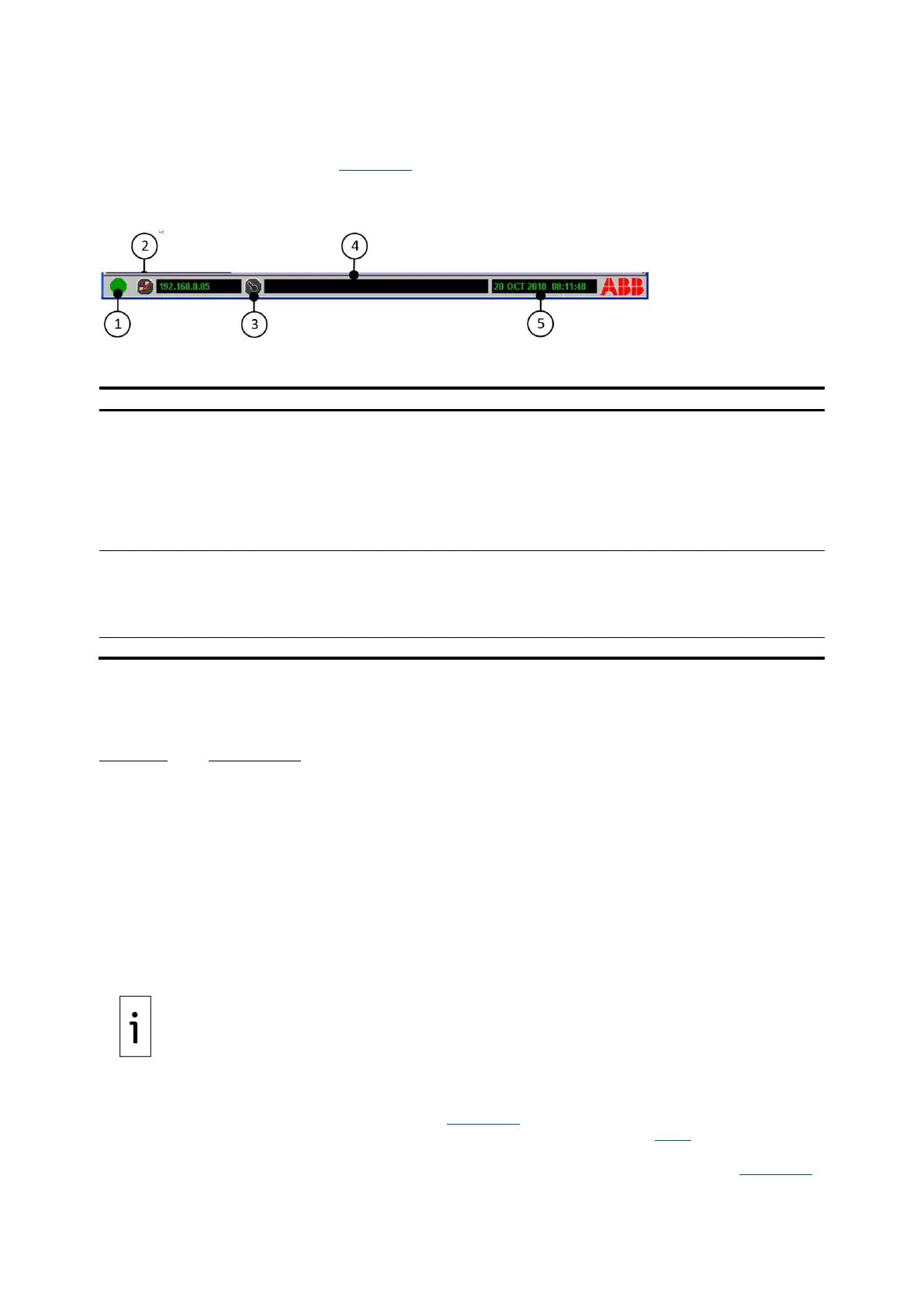
The System Information Bar (see Figure 3-3), located along the bottom of the screen, gives a variety
of information as noted in the following legend table.
Figure 3-3: System Information Bar
Legend: System Information Bar
System Status Indicator - Reflects the overall health
of the system. If the light is anything other than
green, check the Status tab. The indicator colors
signify the following:
⎯ Green = Normal
⎯ Yellow = Warning
⎯ Red = Alarm
⎯ Blue = Information Only
Information Area – Provides system
messages.
Network Connect Icon – Allows connection to a
Master Controller from the RUI or from the Master
Controller to another Master Control by entry of an IP
address or the selection of the name of a remote
Master Controller.
Date and Time – Shows date and time
information used in reports.
Security Login – For logging into the analyzer.
3.2.5 Naming conventions
The following special characters may not be used in any software edit fields (e.g., component names,
Master Controller name):
Character Identification
. Period
/ Forward Slash
\ Back Slash
& Ampersand
˜ Tilde
“ Double Quote (Quotation Mark)
‘ Single Quote (Apostrophe)
, Comma
? Question Mark
! Exclamation Point
@ At Symbol
$ Dollar Sign
IMPORTANT NOTE: When using the analyzer with a STAR server, all special characters other than
“_” (underscore), “-“ (minus or hyphen), or “+” (plus) will be converted to “_” (underscore) for
storage in the STAR server.
3.2.6 Keypad
The keypad is used for functions and inputs (see Figure 3-4). Use the arrows (item 3) or the
touchscreen on the left of the device for navigation on the screen (see section 3.2.1). The functions of
the keys are explained below. The touchpad navigation function has been disabled in later versions of
the PGC5000 analyzer. Use the touchscreen to navigate and move the cursor instead (see Figure 3-2).



 To Next Page