892 J006 MNAH | PGC5000 G EN 2 | 27
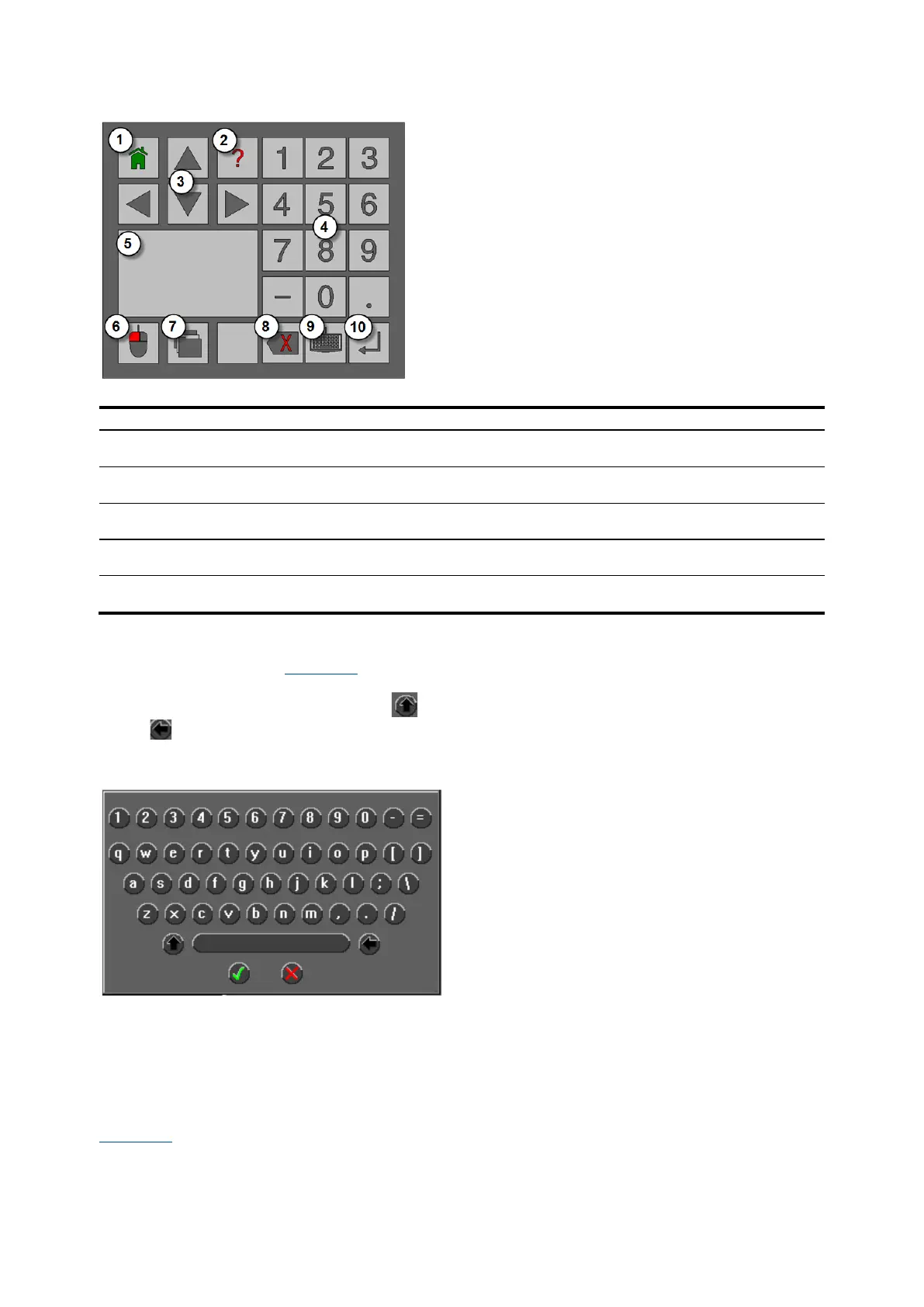
Figure 3-4: Master controller keypad
Legend: Master controller keypad
Destructive Backspace – Moves back one space at
a time, deleting characters.
3.2.7 Keyboard
The virtual keyboard (see Figure 3-5), accessed from the keypad, allows text input from the Local
User Interface. Use the touch pad to select individual letters and numbers. Uppercase letters are
available by pressing the Shift Up button on the left side of the space bar. Press the Go Back
button to delete characters. Press the Accept button to save the changes or press the Abort button
to cancel. The number of characters allowed differs depending on the field max.
Figure 3-5: Virtual keyboard
3.2.8 Master controller as a RUI
The Master Controller as an RUI contains many of the functions described above. However, since it
will not have ovens or Wago input/output modules attached, some of the functions and features will
not be available on the unit.
3.3 Oven controls and indicators
Figure 3-6 shows the controls and indicators for a typical oven. The Class B oven and the Class C oven
have the same controls and indicators.



 To Next Page