80 | PGC5000 GEN 2 | 892 J006 MNAH
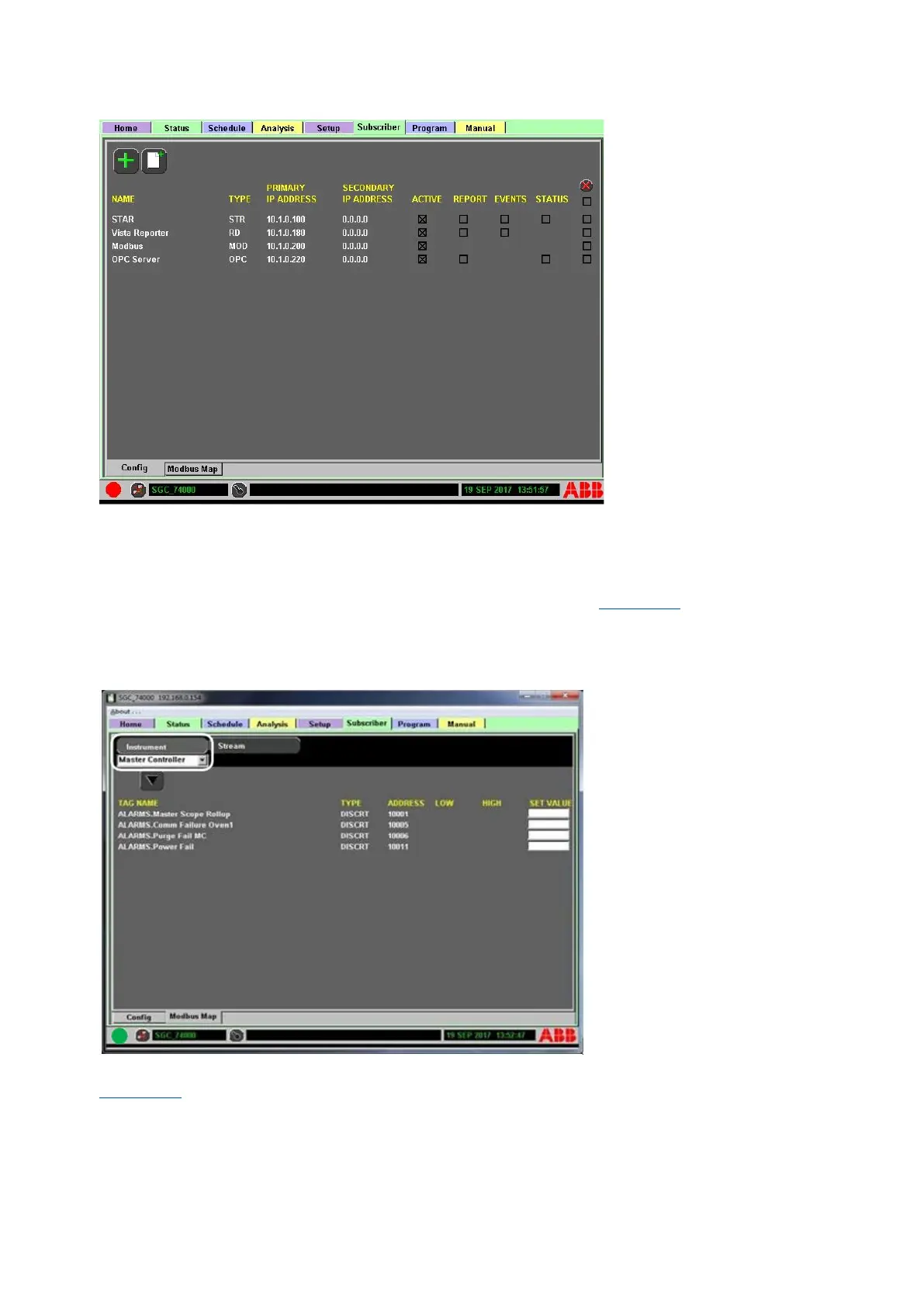
Figure 4-51: Subscriber added, MOD type
4.7.3 Modbus map subtab
The Modbus Map subtab (located at the bottom of the screen) under the Subscriber tab allows the
user to test the Modbus mapping on the PGC5000 as well as change ranges in the Modbus map. Check
or test the Instrument level data tags by selecting which Instrument’s tags to view from the drop-
down box below the Instrument tab on the top left side of screen (see Figure 4-52). To test the
Instrument level data tags, input a value into the SET VALUE box on the right side of the screen and
that value will be sent over the network to the Master device. If the value received by the Master
device matches the value input into the SET VALUE box, then Modbus is working for that data tag.
Figure 4-52: Subscriber tab showing instrument tag
Stream level data tags can also be viewed or tested by selecting the Stream tab at top of screen (see
Figure 4-53). Check or test the Stream level data tags by selecting which Stream tags to view from
the drop-down box below Stream tab at top of screen. Once the desired stream is selected, input a
value into the SET VALUE box at the right side of the screen for the given address and the value will
be sent over the network to Master device. If the user input value matches the value received by the
Master device, the Modbus mapping is working for the given Stream tag address.



 To Next Page