34 | PGC5000 GEN 2 | 892 J006 MNAH
When a remote connection is successful, the three Status LEDs on each of the associated PGC5000
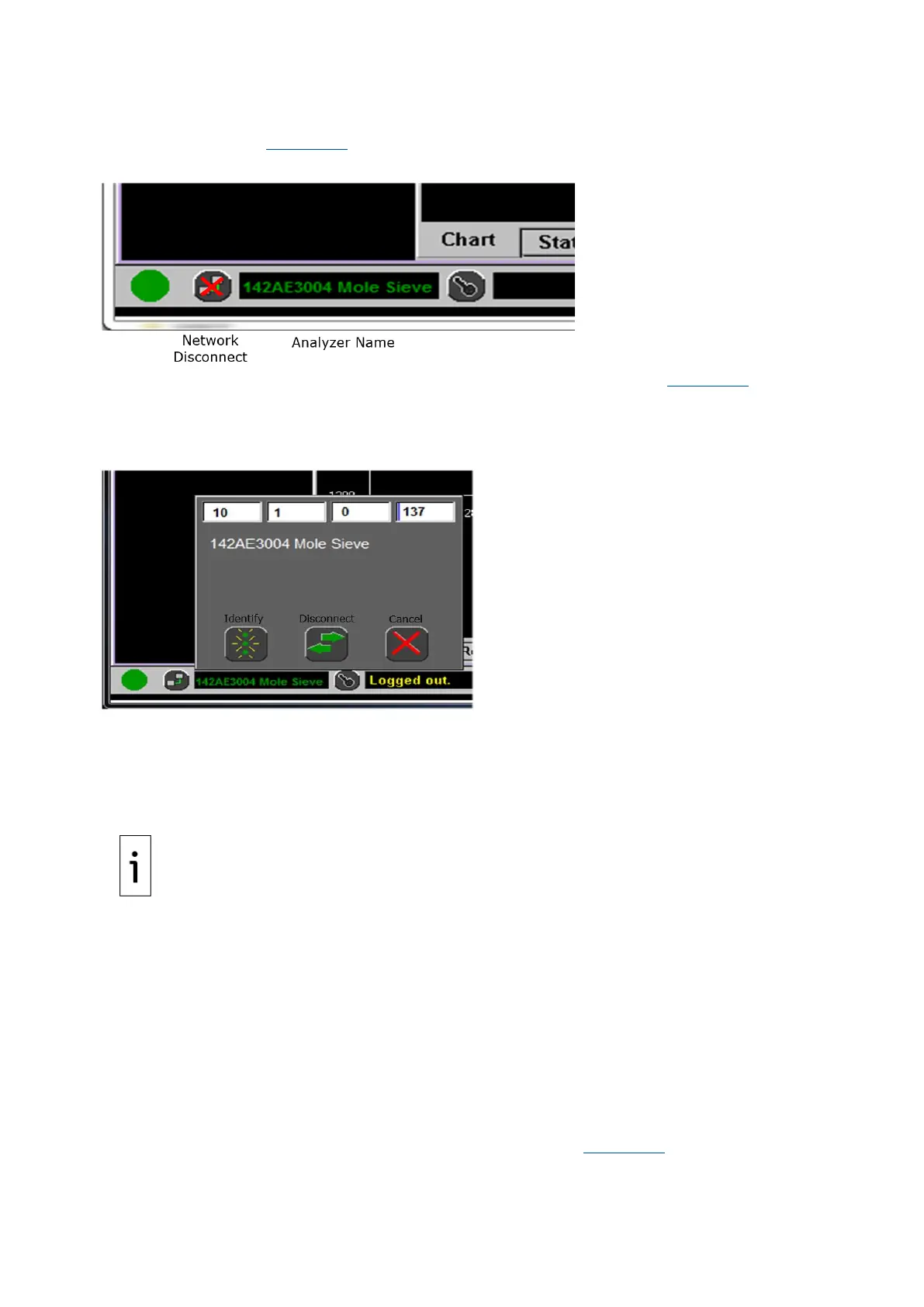
Smart Ovens will flash green five times in unison. If available, the Analyzer name will appear in the
Connected To box (see Figure 3-14) If the analyzer name is not available, the IP address will show.
Figure 3-14: Connect box, showing analyzer name
When you press Network Disconnect, the Disconnect dialog box appears (see Figure 3-15). Press
Identify and all three Status LEDs of the remotely connected oven will flash green five times in
unison. Press Disconnect to return to the local connection (when using the Local User Interface) or to
disconnect (when using the Remote User Interface). Press Cancel to close the dialog box.
Figure 3-15: Disconnect dialog box
3.7.5 Master controller as an RUI
When addressing a Master Controller as an RUI, the Status tab will not contain the idle stream button.
The Setup tab will only include the Network Adapters and Clock options. When the Network location in
the System Information Bar indicates “Local,” the Master Controller as an RUI is not connected to an
analyzer.
3.8 Access control list
When the analyzer is shipped from the factory, there are no users configured. If the analyzer is added
to an existing network with other PGC5000s or a STAR DMS, the analyzer’s access control list (ACL)
will be populated by another node in the network. If no other PGC5000s or STAR DMS servers exist in
the network, you can add a user if desired. The first user must be added as a Supervisor.
User passwords should be strong passwords. User names and passwords should be limited to English
keyboard characters, as some special characters are not visible on the LUI and RUI.
3.8.1 Log into the PGC5000 Generation 2 analyzer
Access to the analyzer is controlled by creating authorized user names with passwords. To log into the
analyzer through the LUI:
1. Press the Log In button and select a user name from the list (Figure 3-16).



 To Next Page