892 J006 MNAH | PGC5000 G EN 2 | 101
⎯ Do not configure the Modbus master to poll for large blocks of empty data. This is not an
efficient use of transactions.
5.8.4 MODBUS slave communication
The SBC can run as a MODBUS slave for communication to control systems. This allows a DCS to
connect through Ethernet TCP/IP and retrieve MODBUS data on demand, directly from the SBC. The
communication connection is established by using the assigned TCP/IP (Port 502) address of the SBC
and a MODBUS.csv file created by the user. The MODBUS csv file is created using the Client
Configurator software program.
5.8.5 Client configurator
Both the Communication Gateway and the SBC use the Client Configurator software to map analyzer
points to MODBUS coils and registers. The .csv file used on the Communication Gateway is
modbus_client.csv and on the GC is MODBUS.csv. When creating the files using the Client
Configurator, the correct protocol format option is selected at the top of the Client Configurator.
To create the modbus_client.csv file for the Communication Gateway, the MODBUS option is selected.
To create the MODBUS.csv file, select the PGC5000 or PGC5000 Generation 2 option.
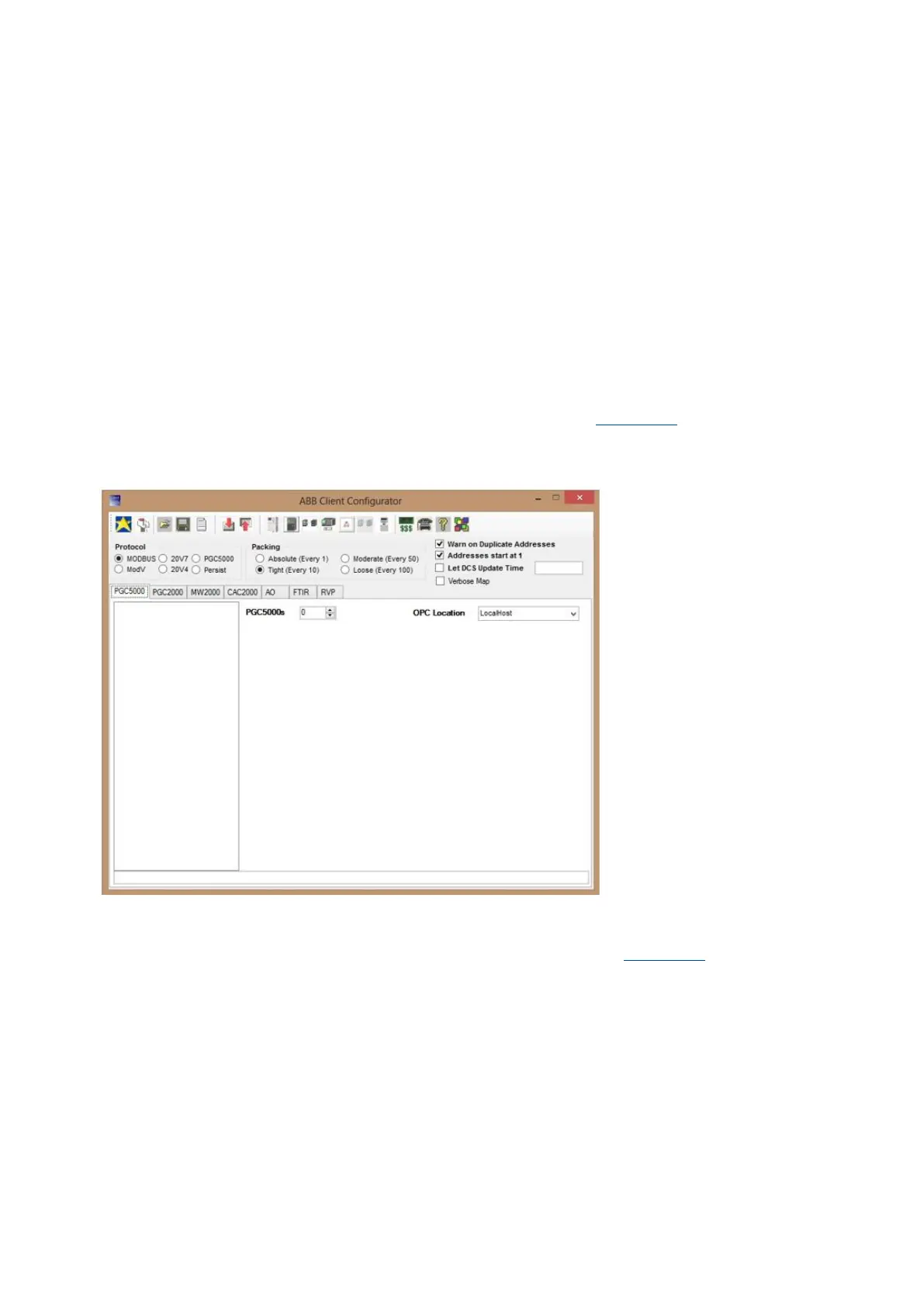
The Client Configurator’s main display is the Configuration Client (see Figure 5-13). From this screen
and its subordinates, you can perform the entire MODBUS configuration. The ABB Client Configurator
version 2.1.0.2 or later includes specific files needed for the SBC.
Figure 5-13: Version 2.1.02 ABB Client Configurator
The Client Configurator is a part of the STAR Software suite. For complete information and instructions
of setup and use, see the STAR Data Management System (DMS) Operating Instructions.
1. Create the MODBUS.csv file using the ABB Client Configurator (see Figure 5-14).



 To Next Page