892 J006 MNAH | PGC5000 G EN 2 | 135
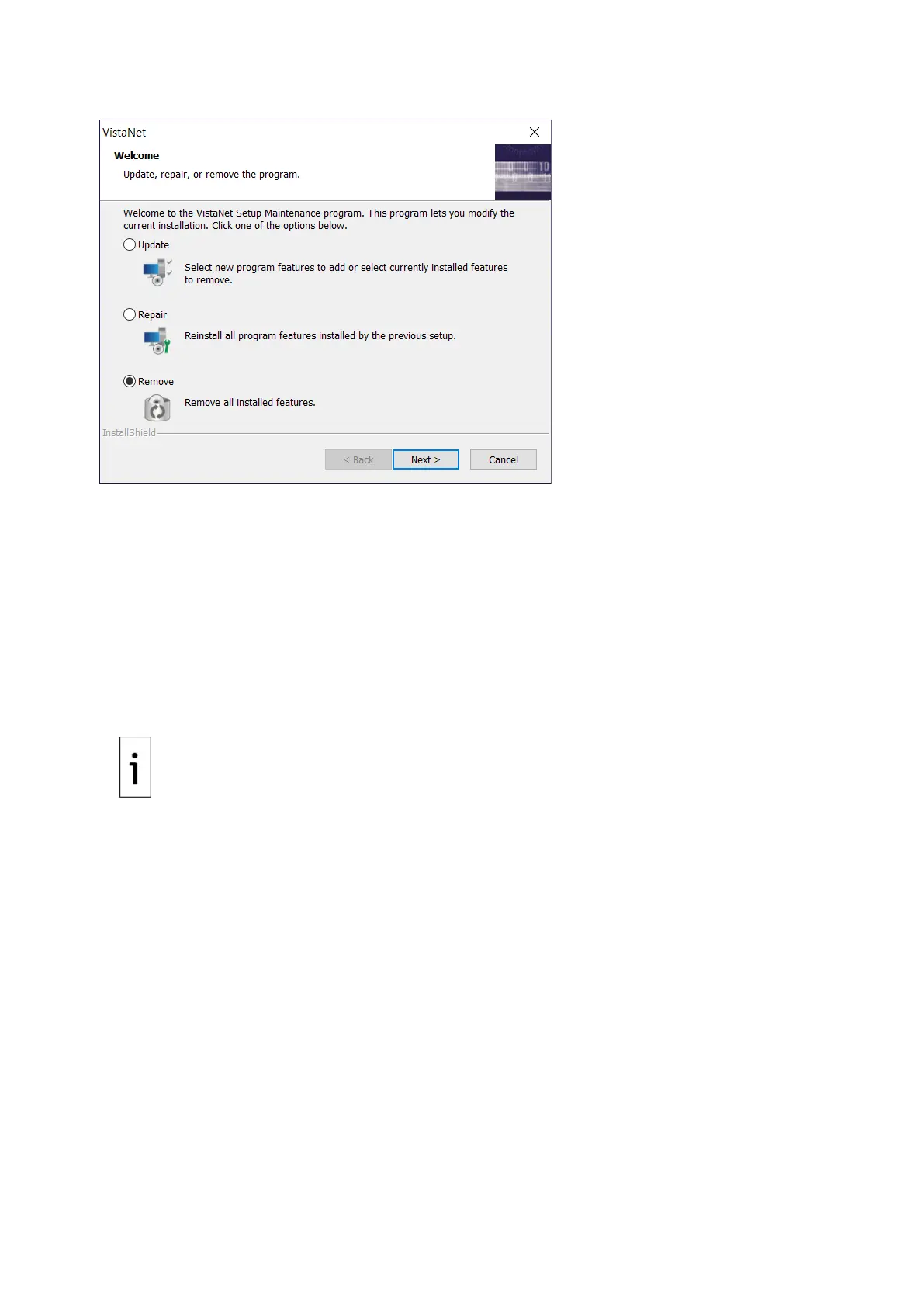
Figure 8-4: Remove Old Software
Be sure to select Remove before selecting Next.
Follow the Wizard prompts, selecting OK or Next as needed. After the process is complete, verify that
the VistaNET software no longer appears in the Control Panel/Programs.
After the old version of the VistaNET software has been uninstalled, if you plan to use an older version
of the RUI with an existing PGC5000, then you will need to copy the files and folder that were copied
to the temporary folder above back to C:\\Program Files\ABB\VistaNET 2.0.
At this point, installation of the STAR Core software can be performed on the PC per the STAR Data
Management System (DMS) Operating Instructions. Depending on the patch level of the Operating
System, the installation may require access to the internet to obtain the correct version of Microsoft
.NET Framework.
8.2 Communication STAR Gateway upgrade
IMPORTANT NOTE: During the upgrade process of the Communication Gateway, communications
to the DCS will be interrupted.
First, determine if the Communication Gateway you have can be upgraded. The following models of
Communication Gateway cannot be upgraded:
⎯ Power Edge 350
⎯ Power Edge 650
⎯ Power Edge 750
⎯ Power Edge 850
⎯ Power Edge 860
⎯ Power Edge R200
⎯ Power Edge R210
⎯ Power Edge R210 II
⎯ Power Edge R220
⎯ Power Edge R230
Any Communication Gateway running Windows 2016 or older cannot be upgraded.
These Communication Gateways must be replaced to work with software version 4 of the PGC5000 or
PGC5000 Generation 2. The Communication Gateway will only need upgrading if you intend to receive
data from a PGC5000 running version 4 or when connecting a PGC5000 Generation 2 to the system.
It is recommended to make an image of the Communication Gateway with the disk imaging software
provided in case something goes wrong in the upgrade process.



 To Next Page