892 J006 MNAH | PGC5000 G EN 2 | 33
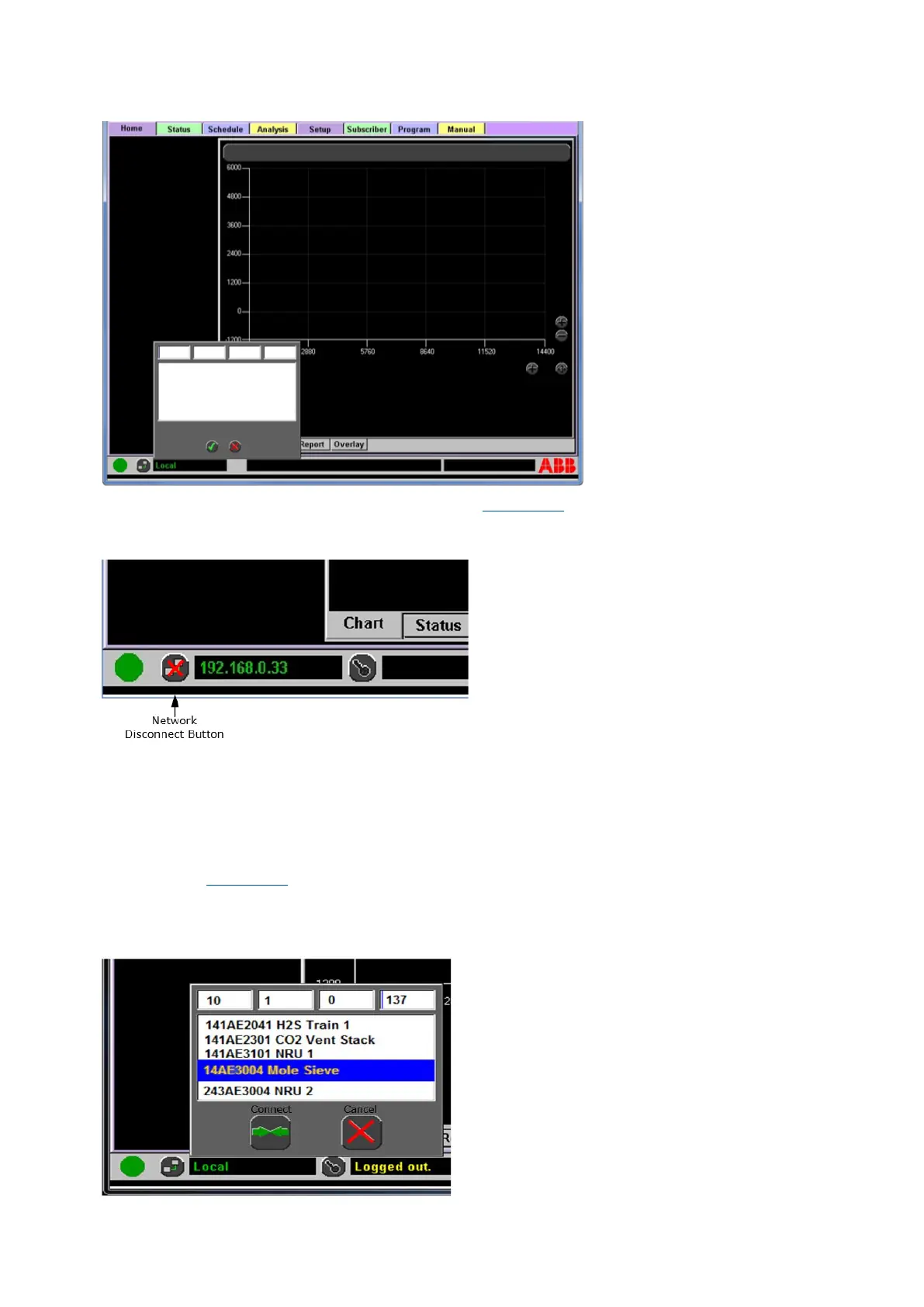
Figure 3-11: Home Screen, showing IP address dialog box
If you then press the Network Disconnect button (see Figure 3-12), you will see “Local” and a Logged
Out message.
Figure 3-12: Network disconnect button
3.7.4 Analyzers with version 4.2.1.14 and later
The Identify feature applies only to PGC5000 Generation 2 version 4.2.1.14 or newer. The OVEN LED
flashing feature will only work if the GC is equipped with the DTC2 and version 4 software. The
Identify feature requires an active connection between the PGC5000 Master Controller and the
associated PGC5000 Oven(s) and a list of compatible analyzers with version 4 software.
Press the Network Connect button and the Connect Dialog box will display a list of compatible
analyzers (see Figure 3-13). Choose an analyzer from the list to display its IP address. Optionally, an
IP address may be entered manually.
Press Connect to initiate a remote connection. Press Cancel to close the dialog box.
Figure 3-13: Connect Dialog Box



 To Next Page