4.6.4 Components
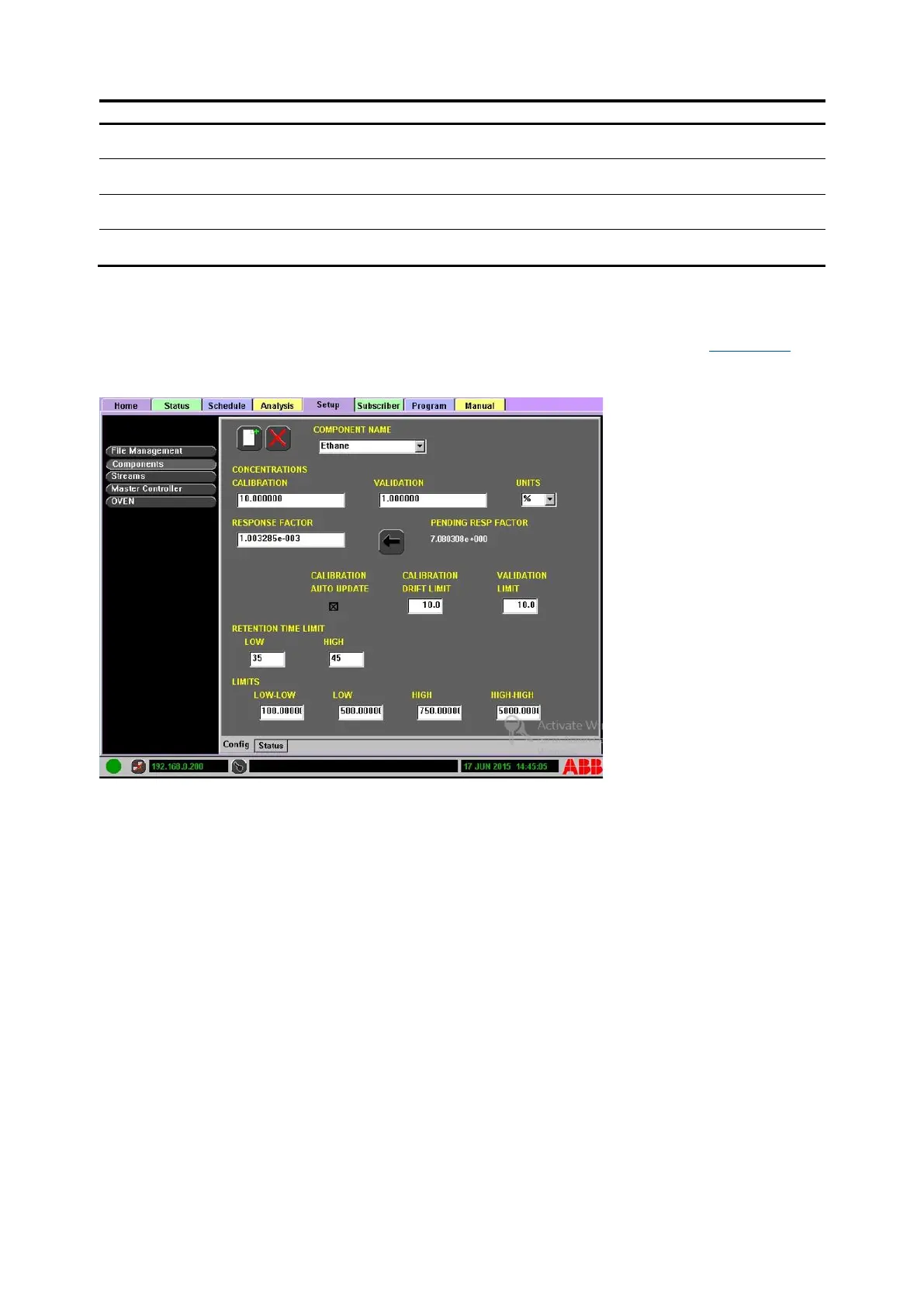
Select Components in the Function Select list to display component information (see Figure 4-27).
Components can be added, deleted or edited.
Figure 4-27: Setup>Components Configuration Display
To edit a component:
1. Navigate to the Setup tab and select Components in the Function Select List.
2. Select the Config subtab at the bottom of the display.
3. Select the Component to edit from the Component Name drop-down list.
4. Edit the component as necessary.
⎯ COMPONENT NAME: Component names must be unique to all configured components in the
analyzer and are selectable from the drop-down menu.
⎯ CONCENTRATIONS
• CALIBRATION: Numeric value representing the component's calibration concentration
• VALIDATION: Numeric value representing the component’s validation concentration
• UNITS: Unit of measure (%, ppm, ppb, calc, blank, none)
• RESPONSE FACTOR: Response factor relative to the selected component (may be entered
manually)
• PENDING RESPONSE FACTOR: Calibration stream calculation. Use the Go Back button to
manually replace the current Response Factor with the calculated factor.
⎯ CALIBRATION AUTO UPDATE: If the box is checked, the Pending Response Factor
automatically updates with the pending response factor if it is within the drift limits entered.
⎯ CALIBRATION DRIFT LIMIT: The maximum amount the calibration can drift since the last
calibration. The Response Factor will not update if the pending response factor exceeds the
drift limit.
⎯ VALIDATION LIMIT: Allowable percent of component concentration change while running a
validation.
⎯ RETENTION TIME LIMIT: Time into analysis (in seconds)



 To Next Page