Reviewing Results
AEROSET
®
Customer Training Guide 5-9
94858-103 — July 2003
Sort Options
There are four methods of sorting and displaying the samples in the
DATABASE screen.
• Sort by date and time ordered
• Sort by date and time completed
• Sort by carrier/position (C/P)
• Sort by Sample ID
To select the type of sort desired, perform the following procedure:
1. Select <Database> in the Information Access Area, if the screen is
not currently displayed.
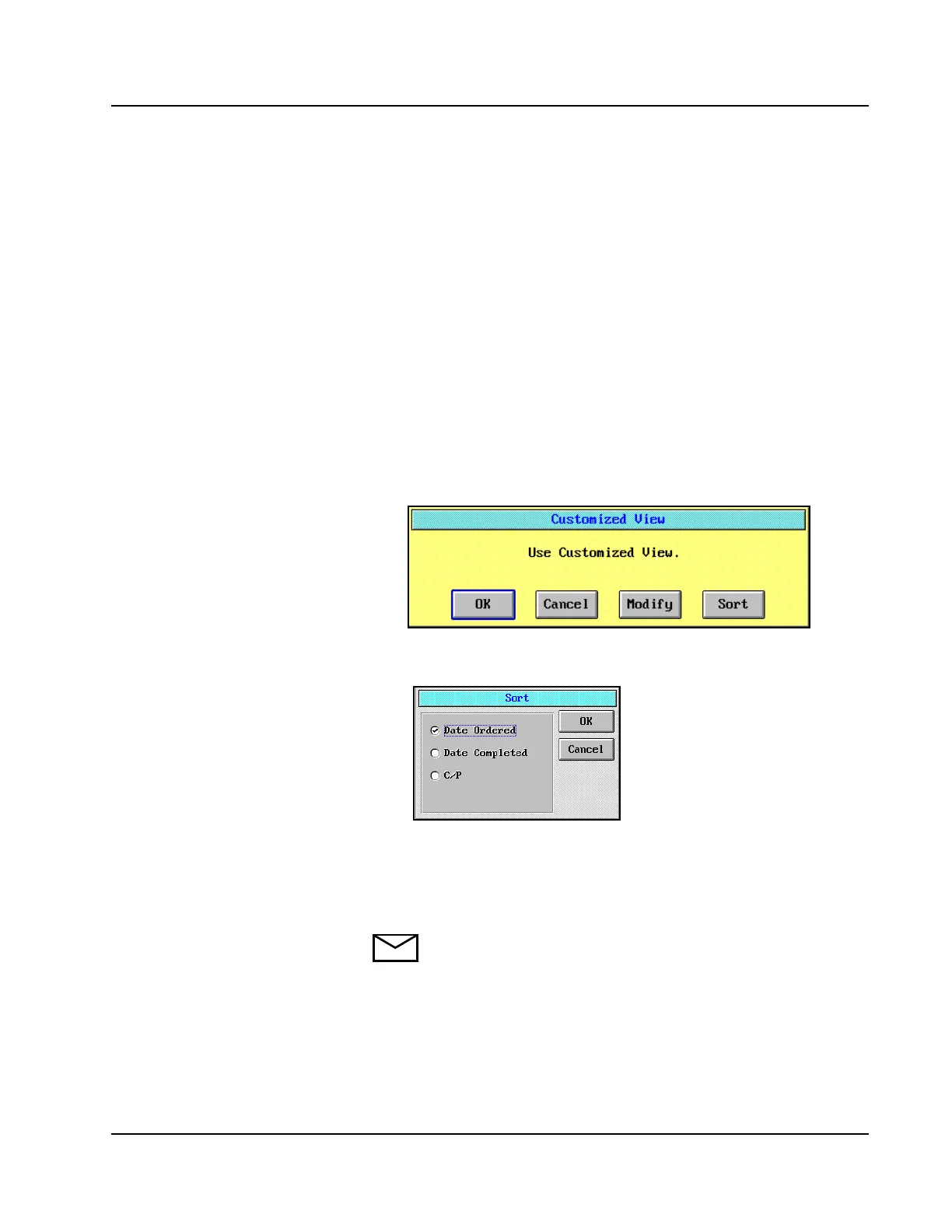
2. Select <Custom> at the bottom of the Display Area. The
Customized View dialog window displays.
3. Select <Sort> on the Customized View dialog window. The Sort
dialog window is displayed.
Figure 5.4: Sort Dialog Window
4. Select the Checkbox (5) next to the desired Sort option.
5. Select <OK> to save the settings.
NOTE: The Sample ID option is only available when the
Alphanumeric Sample ID option on the SYSTEM
CONFIGURATION screen is not selected.



 To Next Page