MODULE 6: CALIBRATION
6-16 AEROSET
®
Customer Training Guide
94858-103 — July 2003
Loading the Calibrators
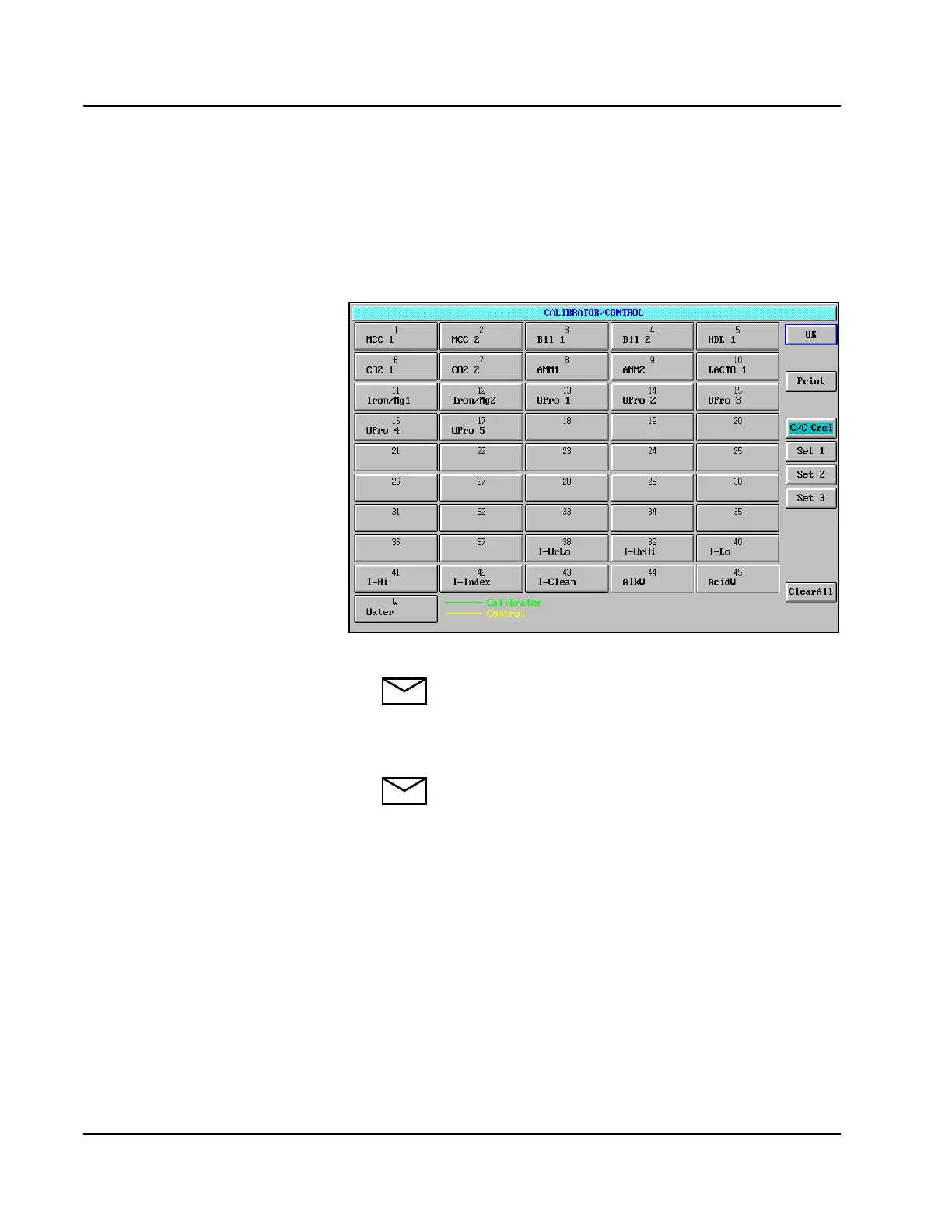
1. Select <Cal/Control> in the Information Access Area. The
CALIBRATOR/CONTROL screen is displayed. The calibrators
required to perform the selected assays are highlighted with a green
line under the Calibrator Name on each button.
Figure 6.4: CALIBRATOR/CONTROL Screen
NOTE: If the QC after Calib option has been selected, the
required QC samples are highlighted with a yellow line
under the QC name on each button.
2. Pipette the appropriate calibrator materials into sample cups.
NOTE: When water is defined for the blank, water is
dispensed by the System from the sample probe.
Therefore, water does not need to be loaded on the
Calibrator/Control Carousel.
3. Load the calibrators in the carousel positions defined on the
CALIBRATOR/CONTROL screen.
Show MCC’s
• A lot change in calibrators will have
a corresponding change in values.
• Point out the need to use AEROSET
values.
• MCC Calibrators expire 7 days after
opening.



 To Next Page