Calibration Review
AEROSET
®
Customer Training Guide 6-29
94858-103 — July 2003
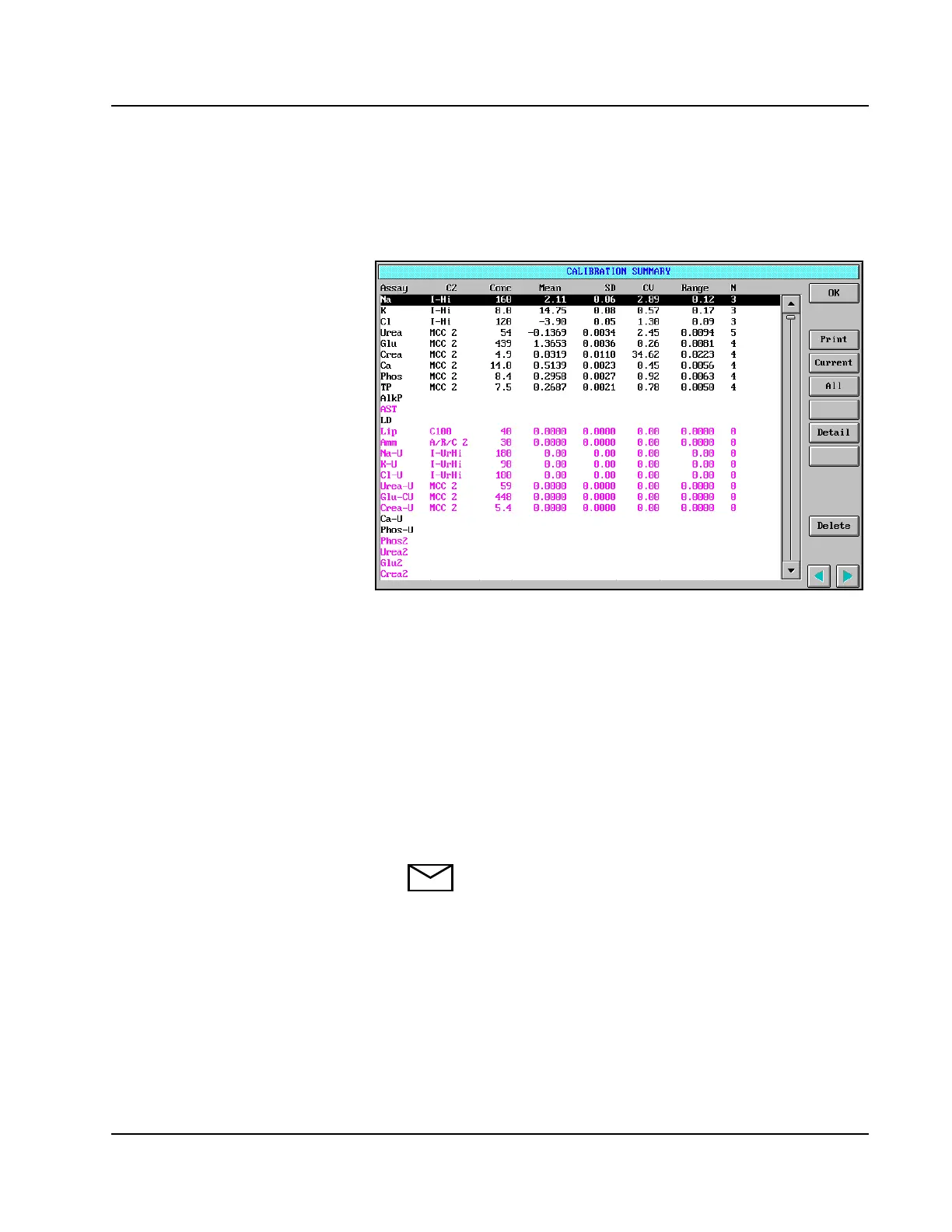
Viewing the Stored Calibration Data
To view the stored calibration statistics, select <Stored> in the right-
hand column of the CALIBRATION SUMMARY screen.
Figure 6.12: CALIBRATION SUMMARY Screen, Stored
Calibration Data
The following information is displayed for each calibrator level:
• Conc (concentration)
•Mean
• SD (standard deviation)
• CV (coefficient of variation)
• Range
• N (number)
NOTE: Assay-specific stored calibration averages can be
viewed on the Calibration Details screen accessed by
selecting <Detail> in the CALIBRATION SUMMARY
screen or by selecting <Calib> in the ASSAY STATUS
screen. The default view when entering the screen displays
absorbances of the blank. The other calibrators in the list
can be viewed by highlighting the average data for the
level on the Calibration Details screen.



 To Next Page