Reviewing QC Results
AEROSET
®
Customer Training Guide 7-23
94858-103 — July 2003
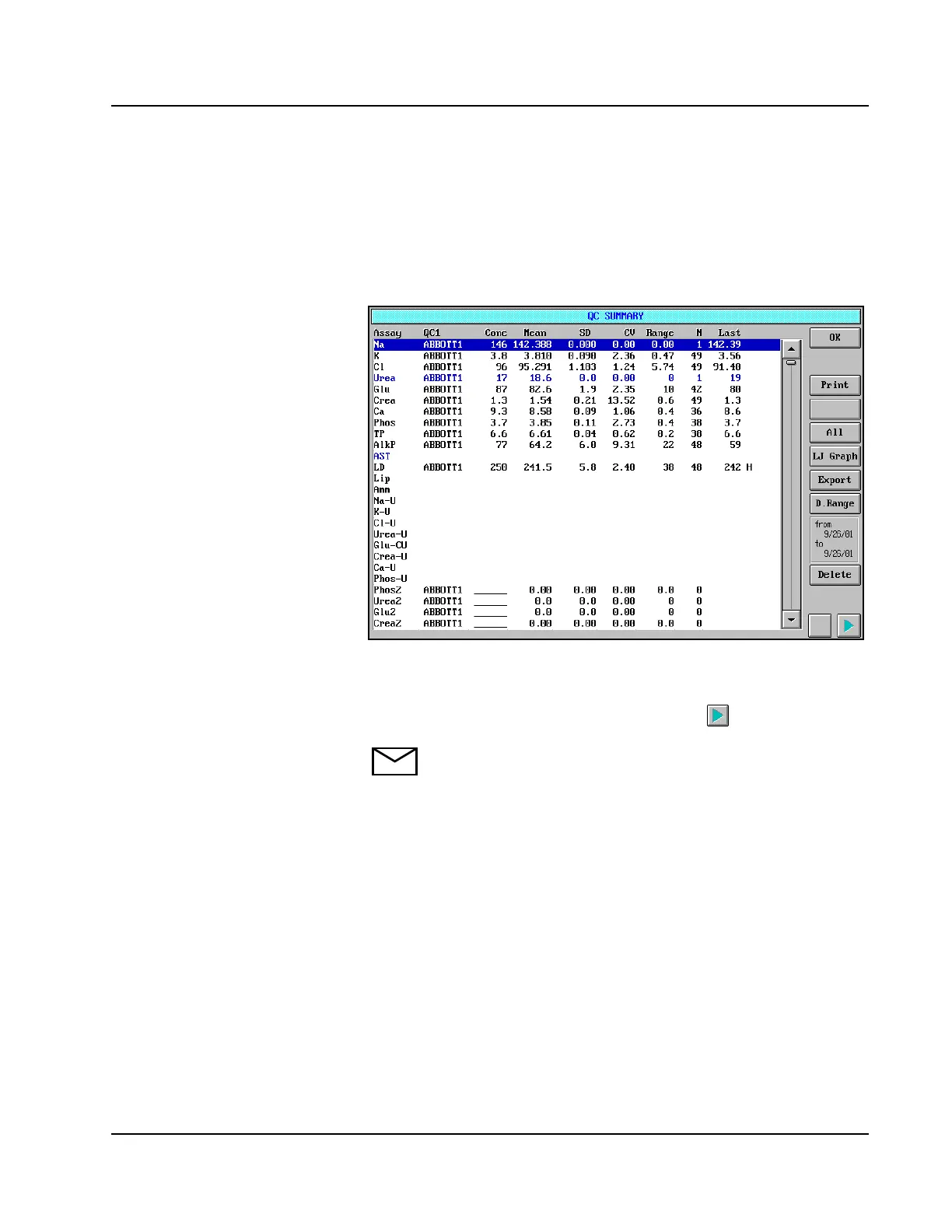
QC SUMMARY Screen
The QC SUMMARY screen displays the statistics for all assays and all
levels of QC. To view the statistics, select <QC Summary> in the
Information Access Area of the Main Display. The QC SUMMARY
screen displays.
Figure 7.13: QC SUMMARY Screen
The QC statistics for the first level (defined for each assay) display. To
view the statistics for other levels defined, select to scroll right.
NOTE: When the QC SUMMARY screen is displayed, an
Update button appears on the right-hand column of the screen
when a date range is activated or deactivated, new QC results are
complete or when QC data points are included or excluded on
the Levey-Jennings Graph screen. Select <Update> to add the
new results to the QC SUMMARY screen.



 To Next Page