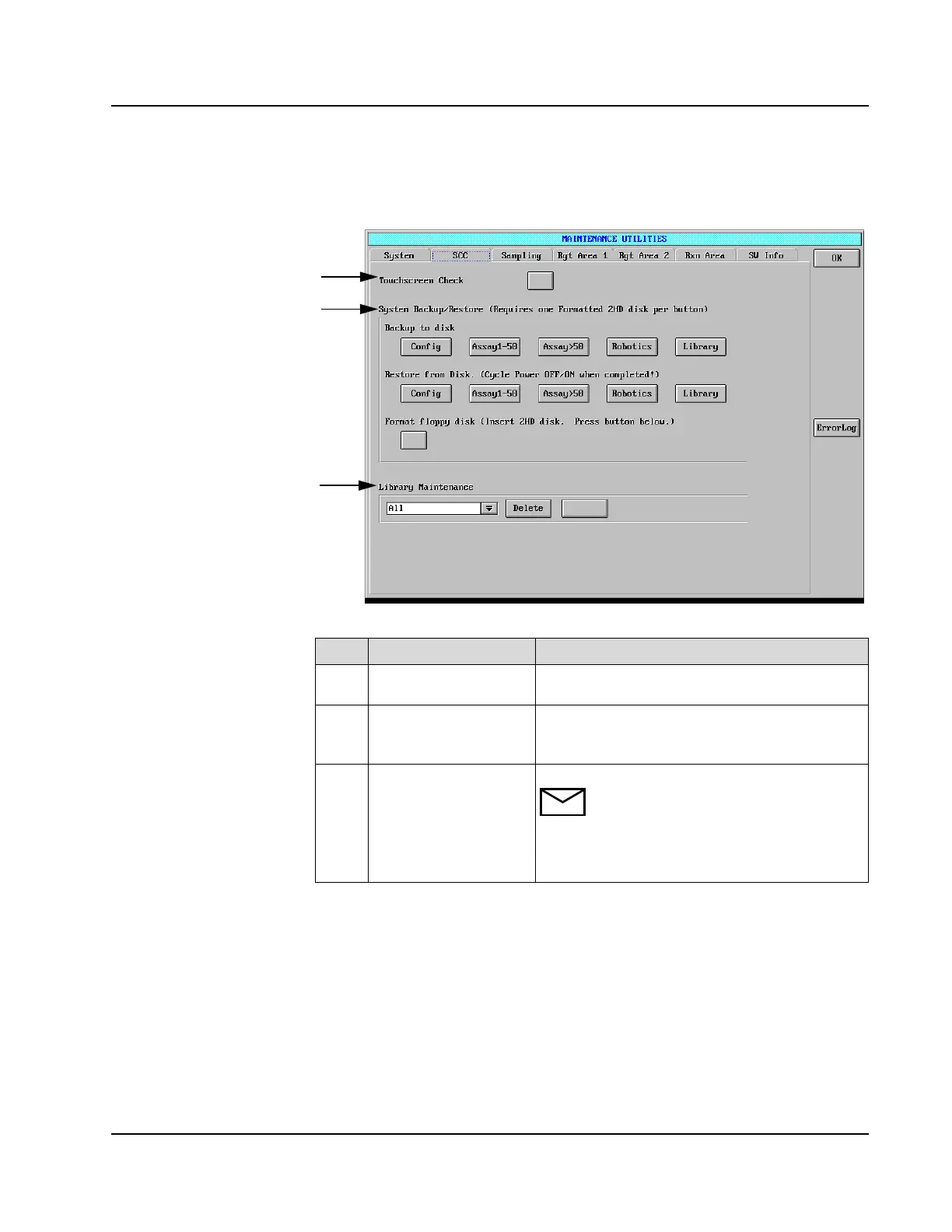
MAINTENANCE UTILITIES Screen
AEROSET
®
Customer Training Guide 11-15
94858-103 — July 2003
SCC Page
Figure 11.9: MAINTENANCE UTILITIES Screen, SCC Page
Item Field Allows the Operator to…
1
Touchscreen Check Used to determine the accuracy of the Touchscreen.
This is not an alignment procedure.
2
System Backup/Restore Perform the System Backup or Restore Procedure.
This portion of the screen also allows the Operator
to format a floppy disk.
3
Library Maintenance Delete files from the Library.
NOTE: The Library is space on the hard
drive which contains exported files. The
drop-down list box allows the Operator to
view and select types of files, e.g., Assay,
QC, etc., for individual deletion.
1
2
3



 To Next Page