MODULE 2: BASIC RUN
2-8 AEROSET
®
Customer Training Guide
94858-103 — July 2003
Reagent Details
Other Reagent Segment tabs in the REAGENTS screen can be selected
to view more details of each Reagent Supply Center segment. An
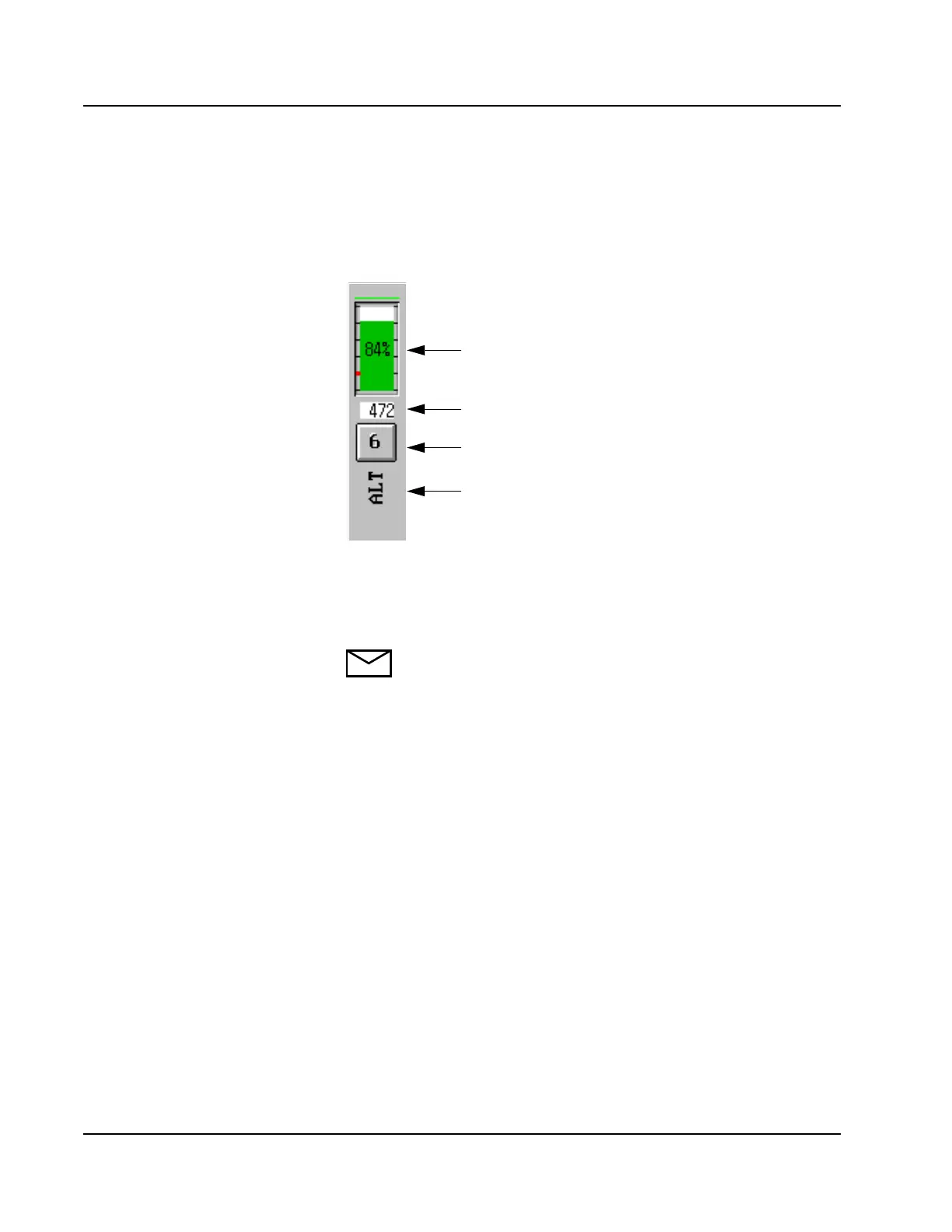
example of one reagent position is shown below.
The remaining reagent volume is indicated in % volume and by a colored
bar. The color of the bar indicates the same reagent status described in
the Reagent View section above.
NOTE: The remaining volume field displays NLLS (no liquid
level sense) for a new reagent cartridge. The volume updates
when the reagent probe senses fluid in the cartridge at first use,
and with each aspiration. For more information about loading
new reagent cartridges, refer to Loading Reagent Cartridges in
this Module.
The color of the reagent name indicates whether the reagent was
manually configured (black) or scanned in by the Reagent Supply Center
bar code reader (brown).
Estimated remaining volume (% volume)
Estimated remaining volume (number of tests)
Reagent Supply Center position
Reagent Name
(Brown Text = Bar Coded
Black Text = Manually Configured)



 To Next Page