ADPRO FastTrace by Xtralis Installation and User Manual
Doc 11168_12 91
To configure:
Activate a Control Output when sensors are active: Check this box to enable the feature.
Control Output: Select an unused control output for the output function from the drop-down list.
The control output will be marked as not-usable in the control output configuration.
Default State: This defines the state of the output when there are no active sensors, either
normally open or normally closed.
Note: The control output must not already be configured for use. Once a control output is
configured to indicate the active sensor, it is no longer available to be used as a
standard control output.
Note: An active detector will NOT prevent the FastTrace from being armed.
Note: The time interval that the control output is active for includes the detector(s) hold
times, and as such represents the system software transitions rather than the actual
underlying time the sensor is in the active state. For example, if an alarm input is
physically activated for 5 seconds and the alarm input has been programmed for a
10 second hold time, the Indicate Active Sensors Control Output will be active for 15
seconds.
4.3.18 Operational Behaviour
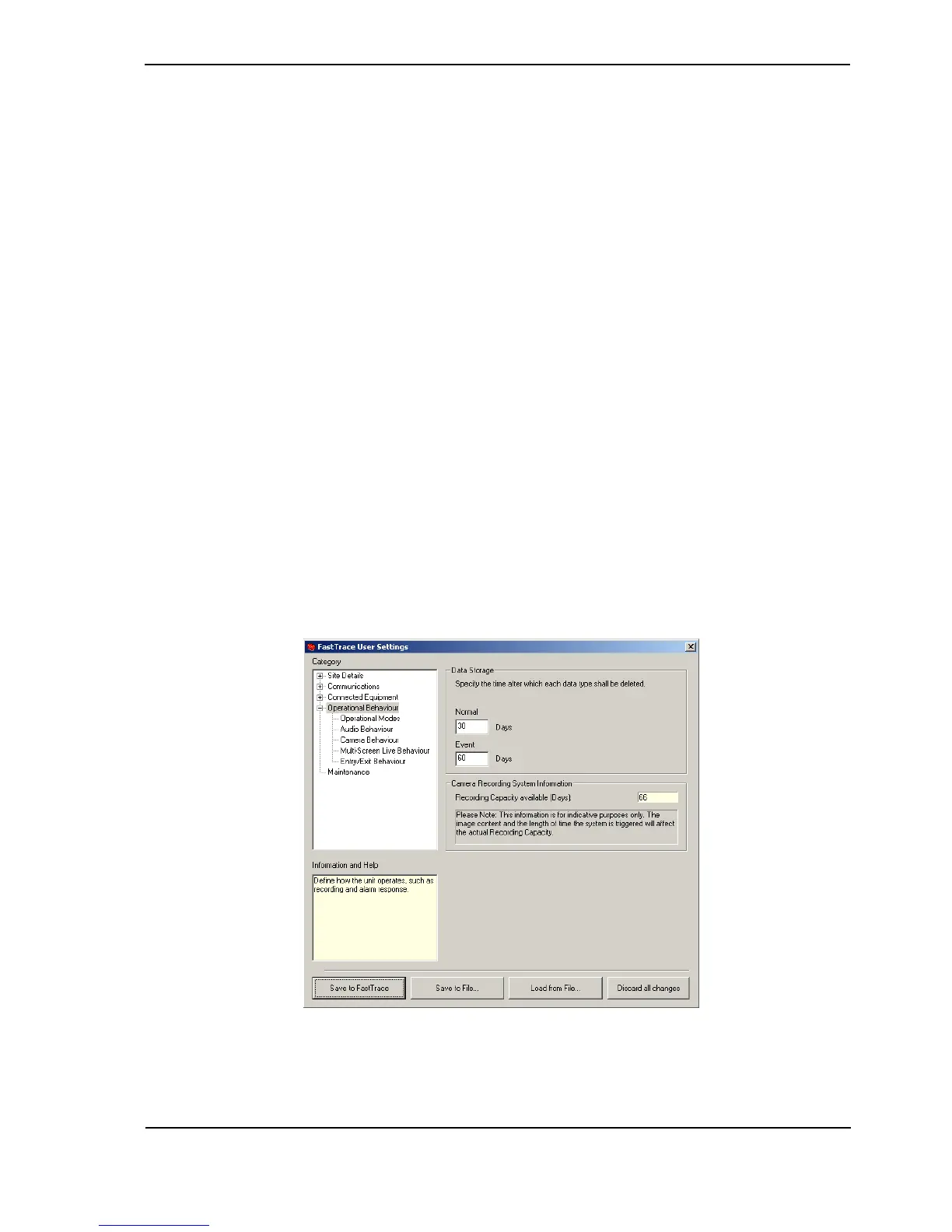
The Operational Behaviour section and settings defines how the system operates overall and
how different elements of the system relate, such as alarm inputs to camera views etc.
In the main Operational Behaviour screen, operators can select how long different types of
images are retained for before being erased from the hard-disk storage.
Figure 88: Operational Behaviour Menu



 To Next Page