Installation and User Manual ADPRO FastTrace by Xtralis
110 Doc 11168_12
Highlight the Alarm Input number or camera to be assigned to the Entry Path Zone in the left
pane, and then use the arrows to add or remove the zones in the Path pane on the right.
The Entry Delay is the maximum time allowed (in seconds) from triggering the Entry Path to
disarming the system before an alarm is generated.
Options: 0 - 300 seconds, where 0 disables the Entry Delay
Factory Default: 30 seconds
Specifying an Alarm Input on the Entry Path means that an alarm on this zone will start the Entry
Path Delay timer.
Important: An Entry Path must be specified to activate the Entry Delay timer.
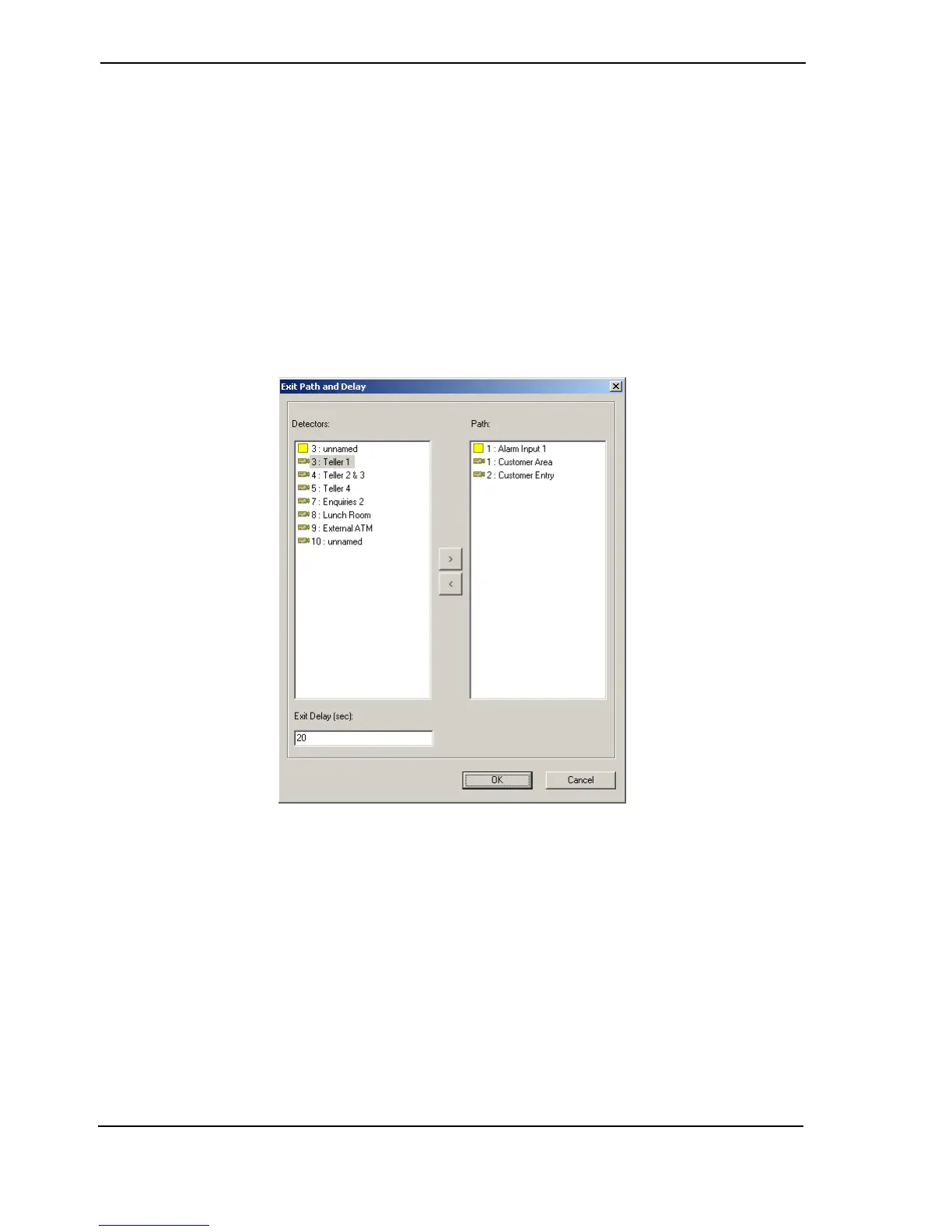
Exit Path and Delay
Figure 109: Exit Path and Delay Settings
When arming a site (i.e. set into the Secure Mode), alarms, and their associated images
originating from the Exit Path Zones are ignored until the end of the Exit Path Delay period,
allowing the user to exit the site.
Once the Exit Path Delay period expires, any Alarm Input will be processed immediately. In this
scenario, all pending alarms will also be processed immediately and the Exit Path Delay timer
cancelled.
Note that any other alarm originating from a zone that is not in the Exit Path Zones list, will be
processed immediately.
Exit Path Zone(s) create a controlled route between the location where the Fast Trace can be
Armed and an Exit Point. To create an Exit Path, a list of Exit Path Zones must be specified.
Up to ten zones can be designated on the Exit Path.



 To Next Page