ADPRO FastTrace by Xtralis Installation and User Manual
Doc 11168_12 35
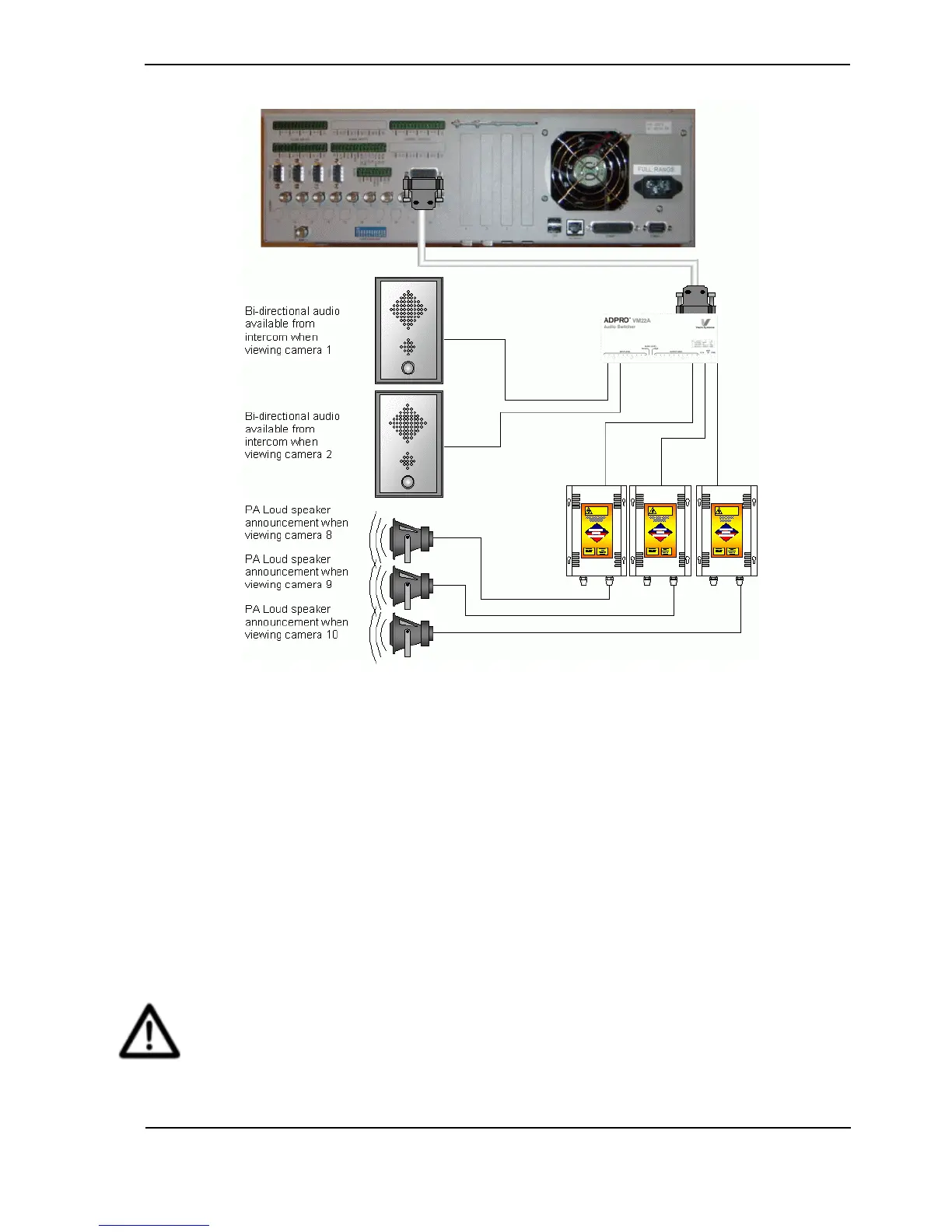
Figure 39: Zoned Audio Configuration
3.4 Video Input Connections
Depending on the model, up to 20 video sources can be connected via the female BNC sockets.
The sources should generate a 1.0-volt peak to peak composite colour or black and white video
signal when terminated with a 75-ohm load. A combination of colour and black and white
cameras can be used.
To ensure high picture quality, each video input must be terminated either at the chassis itself or
by other external equipment. The Camera Terminated option in the Connected Equipment /
Cameras screen (via the Connection menu / Installer Menu option) allows individual channels
to be terminated with 75-ohm or left un-terminated, for example, when the video signal is looped
out to other equipment such as a video monitor or video matrix switcher (refer to “Camera
Settings’ on page 73). The external equipment must provide the channel termination. The default
menu option is Camera Terminated.
Caution: Video terminations are OFF when power is removed.
The video terminators on the FastTrace will disconnect when power to the unit is
removed. If the video inputs are also connected to other equipment, the FastTrace
should NOT be used to provide a 75-ohm termination point.



 To Next Page