ADPRO FastTrace by Xtralis Installation and User Manual
Doc 11168_12 93
4.3.19 Operational Modes
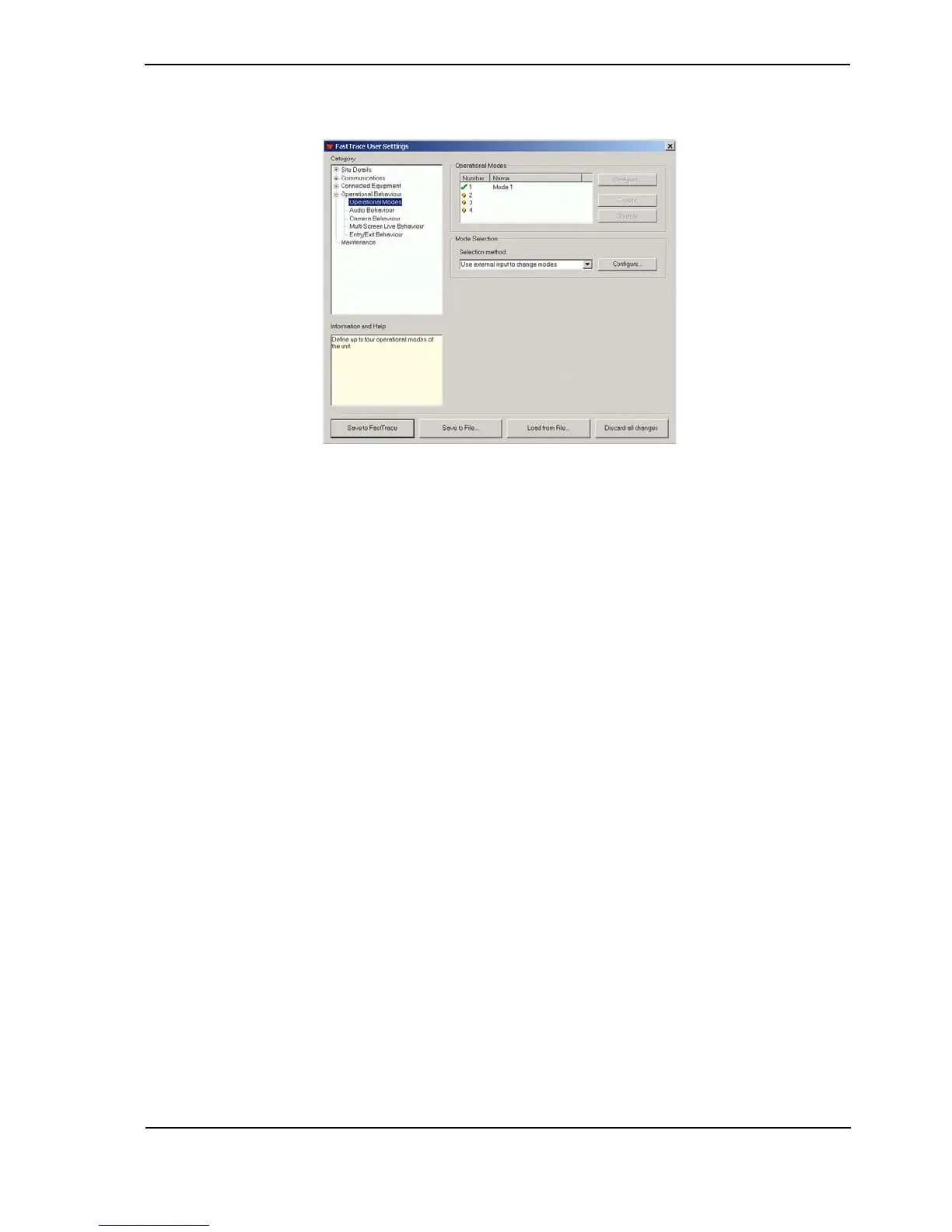
Figure 89: Operational Modes Menu
Up to four different modes can be programmed into the system. Numerous different operational
characteristics can be changed within the different modes such as:
• Rate and Quality of images being recorded for individual cameras.
• Event triggers associated with cameras.
• When a camera will dial an alarm out to the CMS.
• How audio is recorded.
Examples of how operational modes can be used:
Day Mode: Recording is focused primarily on the internal cameras within a building, whilst
external cameras have lower recording rates and qualities. A camera on the Front Desk is
associated with a Panic Button which will alert the CMS but no other alarms from around the
building will be triggered.
Night Mode: Recording is focused on the external cameras around the site, internal cameras are
not recorded until the external system is triggered. External alarm devices around the perimeter
of the site generate alarms to the CMS.
Note: The modes are defined in the following sections (i.e. Audio Behaviour, Camera
Behaviour etc).
Any previously entered mode names will appear next to an assigned number. To name a new
mode or change the name of a mode, highlight the Number and use the Configure button to
open the Mode Properties dialog box.
Recording Mode Name
Options: <name> Maximum 16 characters
Enter a descriptive name for this recording mode.



 To Next Page