ADPRO FastTrace by Xtralis Installation and User Manual
Doc 11168_12 75
Caution: Camera termination is only active whilst the FastTrace is powered. If, for any
reason, the power is removed from a FastTrace unit, any connected cameras will
become unterminated.
Use Activity Detection
The FastTrace can be setup to respond to changes that occur within the field of view of a
camera. This feature is used to trigger an alarm if activity is detected by a certain camera in an
area not normally expected to have activity.
To help configure the Activity Detection feature, the sensitivity to movement and the amount of
time that movement occurs can be programmed. This is done by selecting the Activity
Detection tab.
PTZ Settings
This Camera has a PTZ station.
Options: Yes, No
Default: No
Set the checkbox when this channel is connected to a camera with PTZ (Pan/Tilt/Zoom). The
type of PTZ equipment is set in the PTZ Settings option (refer to “PTZ Settings” on page 72).
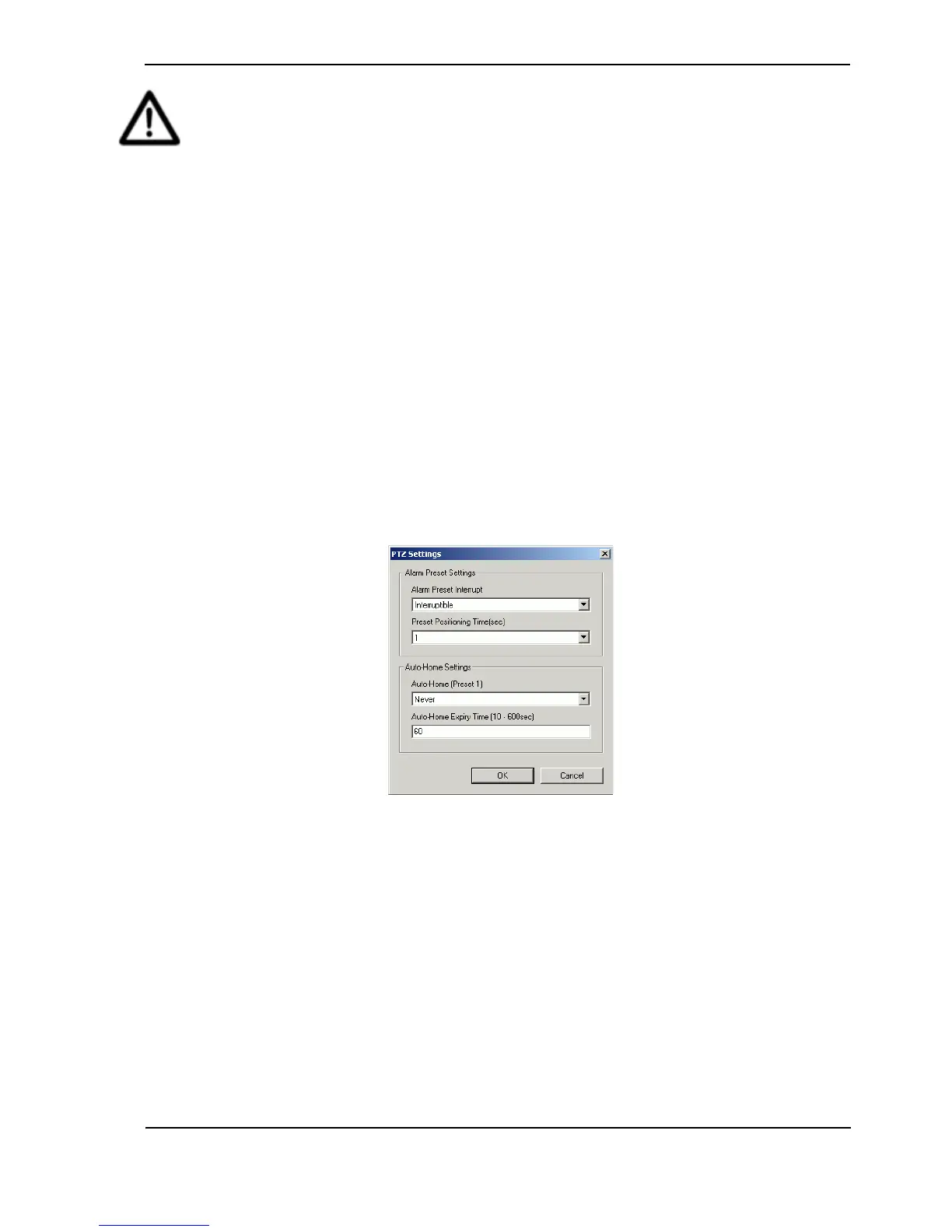
If checked, the Configure button will become available. By clicking on the Configure button, the
Alarm Preset Settings may be modified.
Figure 73: Camera Settings - PTZ
The PTZ Preset on Alarm feature allows the user to associate an alarm input, activity detection
on another connected camera or an ATM/EPOS transaction, to a preset camera position, so that,
in the event of an alarm, FastTrace will send the PTZ camera to a pre-programmed preset
position automatically.
The following parameters must be defined to use the PTZ preset on alarm feature:
• Time delay between QUAD images
• Alarm Preset Interrupt
• Time delay between Alarm Presets
• Enable Auto-Home
• Auto-Home expiry time
Time delay between QUAD images is described in the section above - refer to “QUAD Images
Interval” on page 74.



 To Next Page