ADPRO FastTrace by Xtralis Installation and User Manual
Doc 11168_12 81
The Connection Port drop down list displays the Data Port that is currently allocated in the
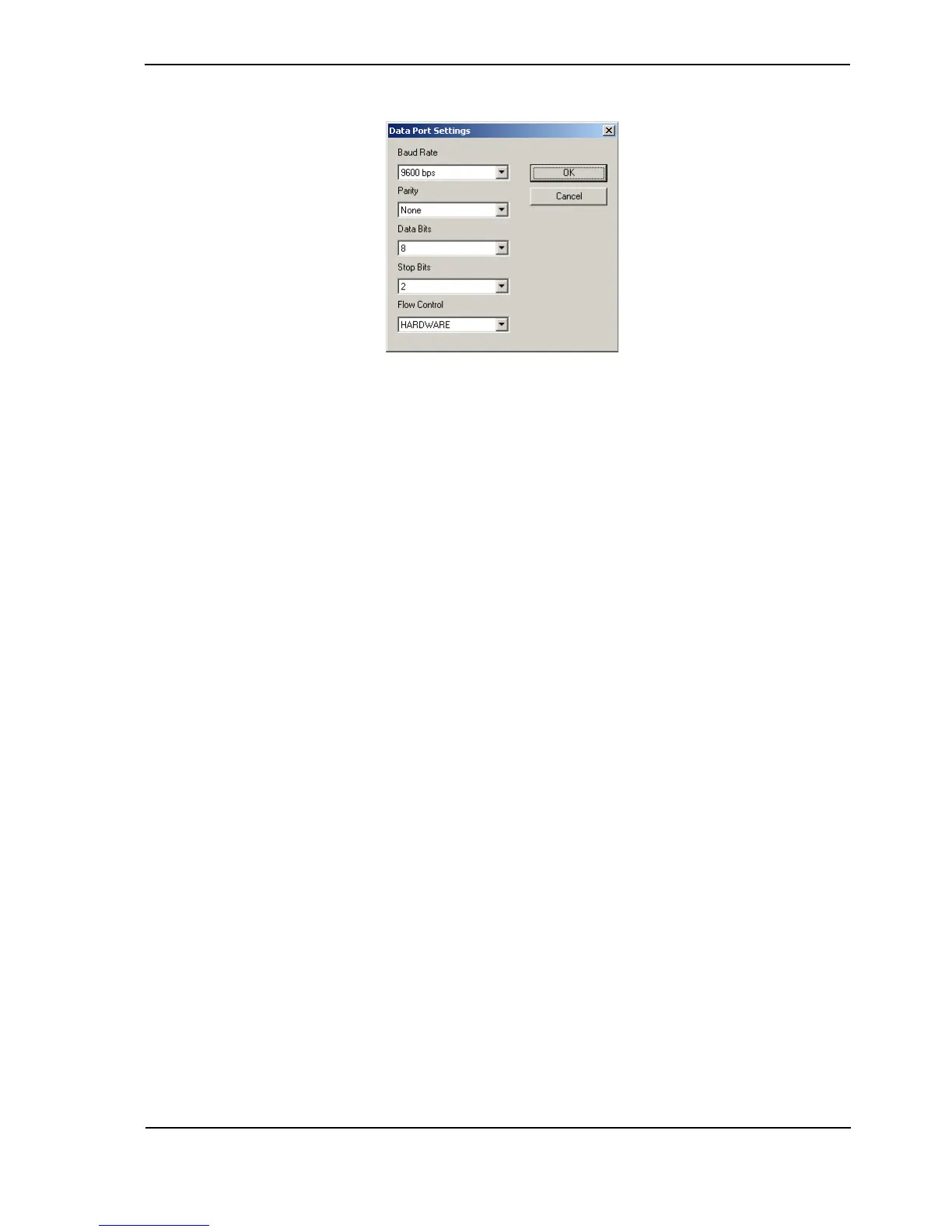
FastTrace system. Select the Configure … button and the following dialog is displayed.
Figure 79: Transparent Data Port Settings
Baud Rate
Options: 1200 bps, 2400 bps, 9600 bps, 19200 bps, 38400 bps, 57600 bps
Default: 9600 bps
When configuring the transparent data port, the Baud Rate setting determines the speed that
data will be transferred between the FastTrace and the RS232 device.
Parity
Options: None, Odd, Even
Default: None
Sets the Parity used when transferring data locally between the transparent data port and the
RS232 device.
Data Bits
Options: 5, 6, 7, 8
Default: 8
Sets the number of Data Bits used to transfer data between the transparent data port and the
RS232 device.
Stop Bits
Options: 1, 2
Default: 2
Sets the number of Stop Bits used to transfer data between the transparent data port and the
RS232 device.
Flow Control
Options: Hardware, None
Default: Hardware
Sets the type of Flow Control used to transfer data between the transparent data port and the
RS232 device.



 To Next Page