ADPRO FastTrace by Xtralis Installation and User Manual
Doc 11168_12 101
Select the type of Event Input (either Alarm Input, Activity Detection or Transaction Device) and
the Source (the Alarm Input Channel or Video Channel in the case of Activity Detection). Note
that any alarm input or activity detection on any camera channel can be used to trigger any
camera on the system.
The Source for an Event Input is defined by the settings in Connected Equipment / Alarm
Inputs (refer to Alarm Inputs on page 82).
Transaction devices are defined in Connected Equipment / Transaction Devices (refer to
Transaction Devices on page 79).
Caution: If a camera has an associated Alarm Input and the Alarm Input is triggered whilst
the camera is in the no video state, then no alarms are reported via dial out.
PTZ Preset Settings
Options: 1 - 99
Default: 1
If the camera is a PTZ camera, then Presets on Alarm can be used. For each event input, a
camera preset can be configured. The event input can be Alarm Input, Activity Detection or
Transaction Device, but it is not possible to assign presets on a PTZ camera for activity detection
occurring on the same camera.
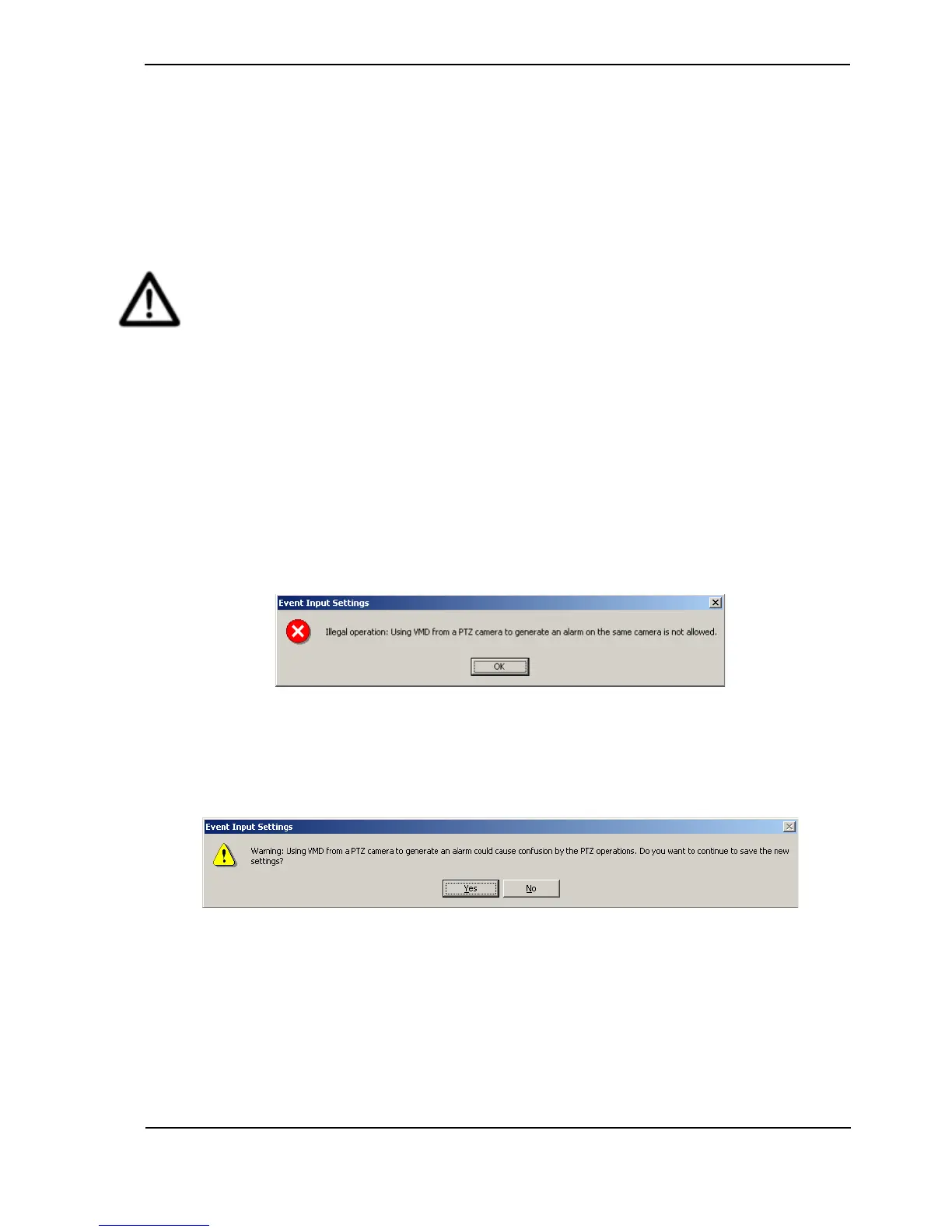
The PTZ Preset Settings will be unavailable if the Type is set to Activity Detection, and the
Source is an associating PTZ camera station. If the user attempts to use Activity Detection on a
PTZ camera, the following warning message will be presented.
Figure 98: Event Input Settings - Programming Error
Video Motion Detection (VMD) from a PTZ-equipped camera can specify a preset position when
used as an event trigger for another PTZ-equipped camera, however, since this is not normally
desired behaviour the following warning message will be displayed.
Figure 99: Event Input Settings Warning
VMD from a fixed camera (non PTZ-equipped) can specify a preset position when used as an
event trigger for a PTZ-equipped camera.
For a PTZ-equipped camera, the setup interface will not enforce that all triggers specify a preset
position; it is acceptable that for some PTZ-equipped cameras the user may wish not to specify
any presets. No warnings will be displayed in these configurations.



 To Next Page