Installation and User Manual ADPRO FastTrace by Xtralis
34 Doc 11168_12
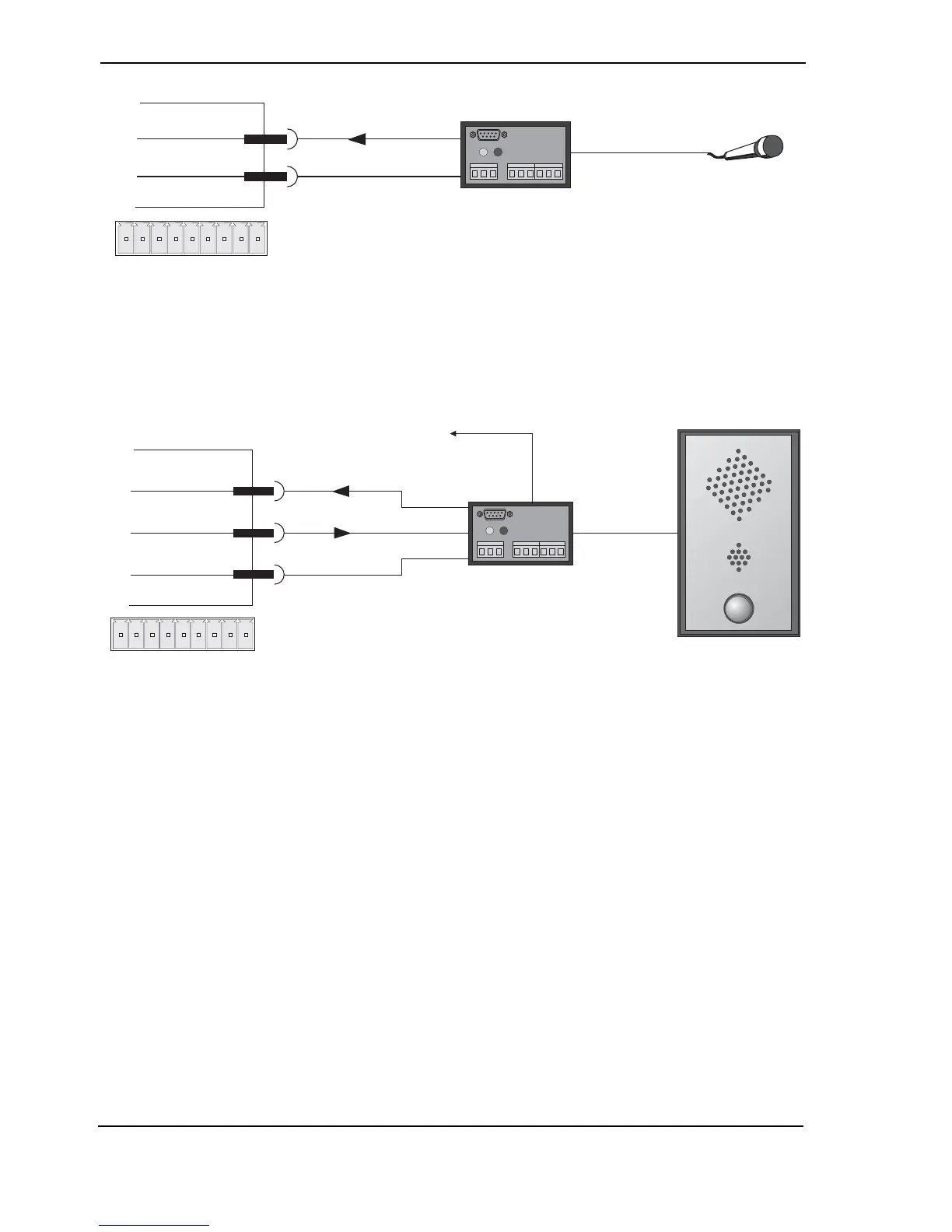
Figure 37: Microphone Connection
By using both the audio input and output, intercom systems and handsets can also be connected
to the FastTrace. When used in conjunction with the alarm inputs this allows the FastTrace to be
used for help points and door/gate entry systems.
Figure 38: FastTrace with Intercom
The FastTrace can send audio simultaneously with the video on PSTN, ISDN lines and over
Networks. This enables the central station to 'listen and talk' to activities occurring on the
monitored site.
3.3.4 Zoned Audio
The FastTrace has one audio input and output. If zoned audio is required, that is the ability to talk
out of individual speakers rather than making a global announcement, or if it is required to listen
to multiple microphones, a VM22A can be used. This also means a mixture of intercoms and
loud speakers can be used.
The VM22A audio switcher has ten audio inputs and outputs (one for each video input) and will
route the appropriate audio input and output to the FastTrace, depending upon which camera the
monitoring station is currently viewing.
Additional VM22As can be connected to the first VM22A to expand the audio channels to 20 (the
same number as number of cameras on a FastTrace 2020).



 To Next Page