Installation and User Manual ADPRO FastTrace by Xtralis
10 Doc 11168_12
2.7.4 Configuring the PC for Serial Connection
Note: The following procedure is only required if you have a null modem cable and do not
intend to use the crossover ethernet cable to connect to the FastTrace. (Refer to
Null-modem Cable Wiring on page 15 for wiring details for the null modem cable).
The serial comms (COM) port on the PC must be configured for operation as follows:
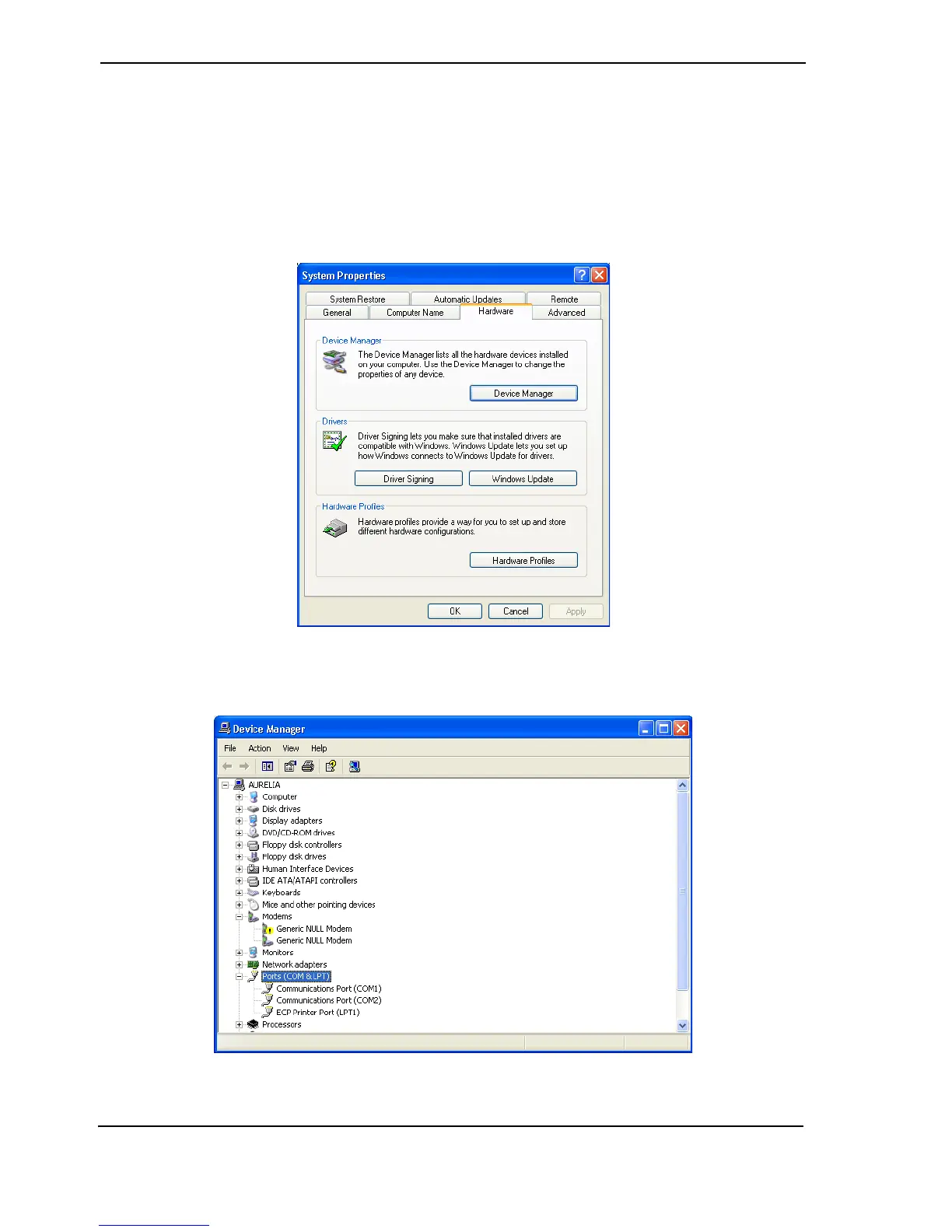
1. Select Control Panel / System / Hardware tab.
Figure 6: System Properties
2. Select Device Manager and expand the Ports (COM & LPT) selection.
Figure 7: Device Manager



 To Next Page