Installation and User Manual ADPRO FastTrace by Xtralis
52 Doc 11168_12
4.2.2 Setting the Telephone Connection
The basic information needed to use a telephone (dial-up) connection is entered via the
Database / Administration / Configure Sites menu. Select the Edit option, then highlight
PSTN or ISDN in the Communications section:
• Site ID: 9 characters (max)
• Password: 8 characters (max)
• Hunt Group: Select from the list (Note: Different modem types must be installed via the
Windows Control Panel)
• Phone Number: Enter the phone number of the modem connected to the FastTrace.
4.3 Entering the FastTrace Setup Screen
Note: Always use extreme caution when remotely programming Transmitter systems.
Changing connection parameters or passwords may result in the VideoCentral
system not being able to regain access, resulting in the need for engineering
attendance at the site to reprogram the system.
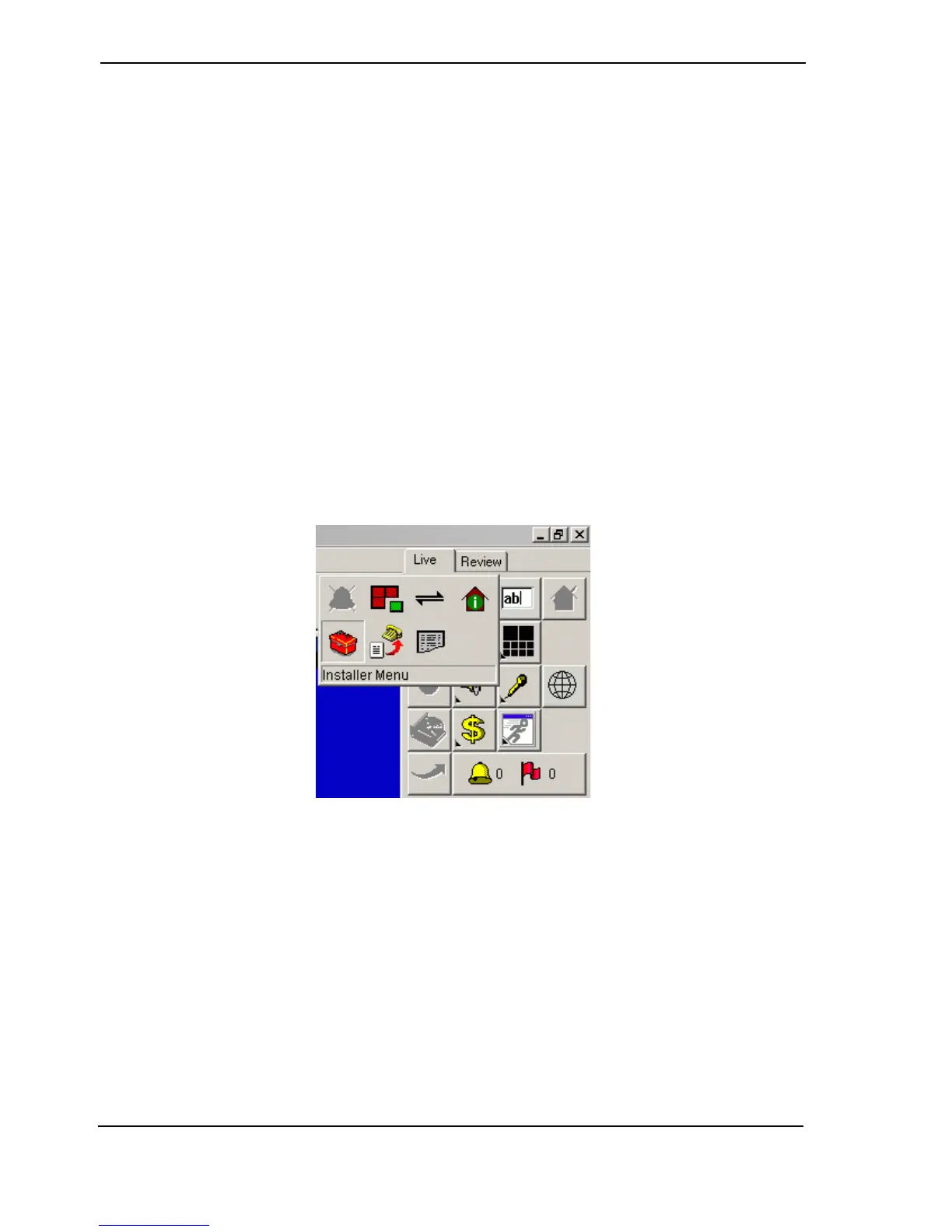
Remote programming of FastTrace systems is carried out via a screen as shown below. To start
the programming operation, click on the Installer Menu button behind the Site Actions button in
the main VideoCentral User Interface GUI:
Figure 55: Installer Menu Icon
Note: Only operators logged on to the system either as Administrators or Installers have
access to this icon. Users defined as Operators do not have access to this function.
If this icon does not appear or appears greyed out, log out the current operator and
log-on a new operator with the correct access rights.
The current settings within the FastTrace will be downloaded to the VideoCentral system and the
following screen will appear:



 To Next Page