ADPRO FastTrace by Xtralis Installation and User Manual
Doc 11168_12 109
Entry/Exit Path
By specifying alarm inputs or Activity Detection channels as Entry/Exit Path Zones, users can
define the route used to enter or exit an area protected by the FastTrace.
General rules for configuring alarm sources on Entry/Exit Paths when using FastTrace:
• An alarm input must be associated with a camera.
• Associated cameras must have a valid recording mode enabled, i.e. not ‘do not record’.
• Dial out on event must be enabled for that camera.
• Dial out only in secure must be enabled for that camera.
• An alarm input or camera must be associated with the Entry/Exit path.
• Alarm inputs of type Duress must not be on the Entry/Exit Path.
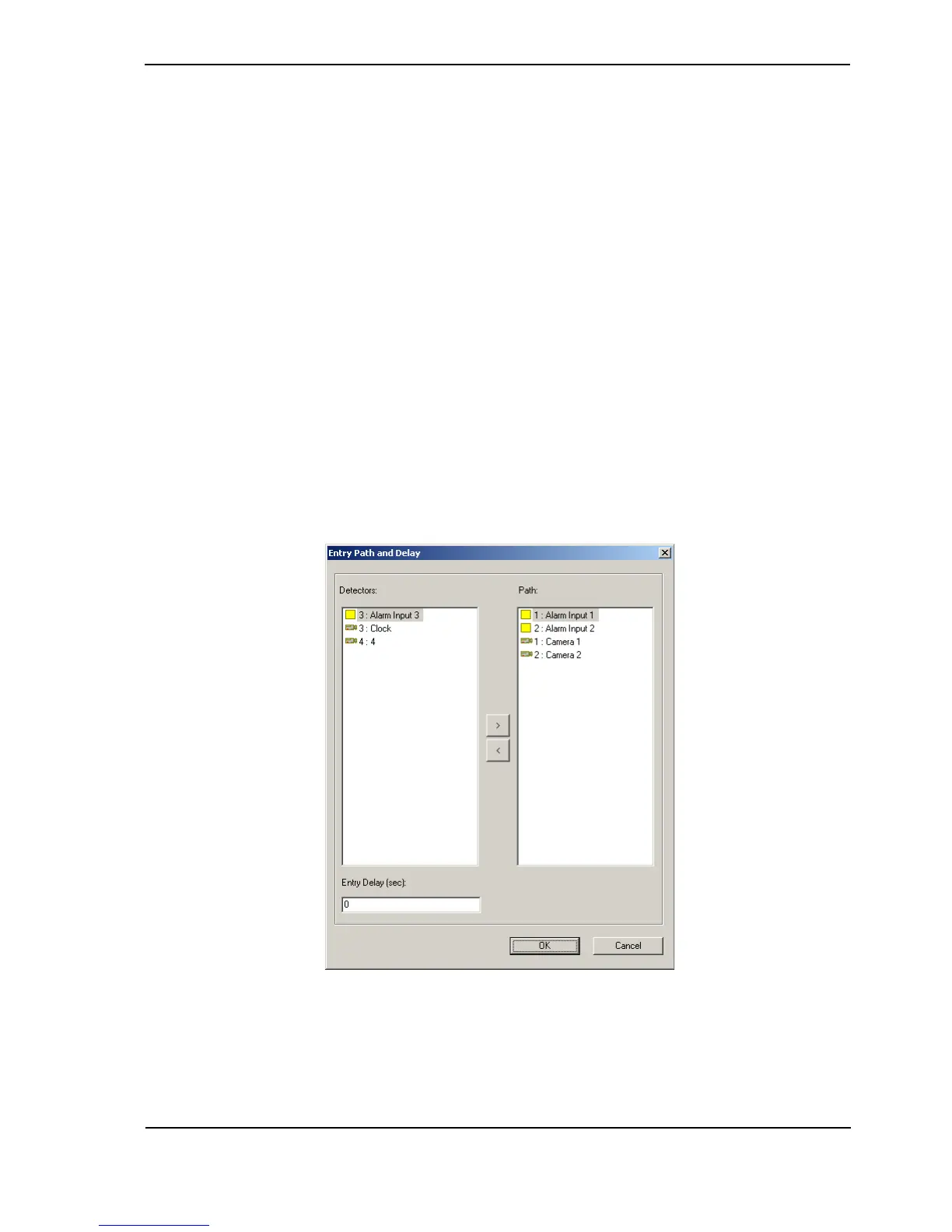
Entry Path and Delay
On entering a site, alarms, and their associated images originating from the Entry Path Zones
are held as pending. If the system is disarmed before the Entry Path Delay expires, they are
discarded.
If the Entry Path Delay expires before the system is disarmed, then any Alarm Input or Activity
Detection will be processed immediately.
Note that any other alarm originating from a zone that is not in the Entry Path Zones list, will be
processed immediately. In this scenario, all pending alarms will also be processed immediately
and the Entry Path Delay timer cancelled.
Figure 108: Entry Path and Delay Settings
Entry Path Zone(s) create a controlled route to a location where the Fast Trace can be disarmed.
To create an Entry Path, a list of Entry Path Zones must be specified. Up to ten zones can be
designated on the entry path.



 To Next Page