ADPRO FastTrace by Xtralis Installation and User Manual
Doc 11168_12 127
8 Upgrading the FastTrace Software
The FastTrace software can be upgraded via VideoCentral or FastTrace Viewer software running
on a PC or laptop. The software can be upgraded over any communications network, as long as
a connection can be established between the FastTrace and PC. The time for the upgrade to
occur will vary depending on the communication speed of the link.
8.1 Software Upgrade Process
The process to upgrade the FastTrace software is as follows:
1. From VideoCentral or the FastTrace Viewer, connect to the FastTrace to be upgraded. The
CMS password must be used to gain access to the upgrade capability, so ensure that in the
Site List the CMS password is entered. Also ensure that no alarms are pending.
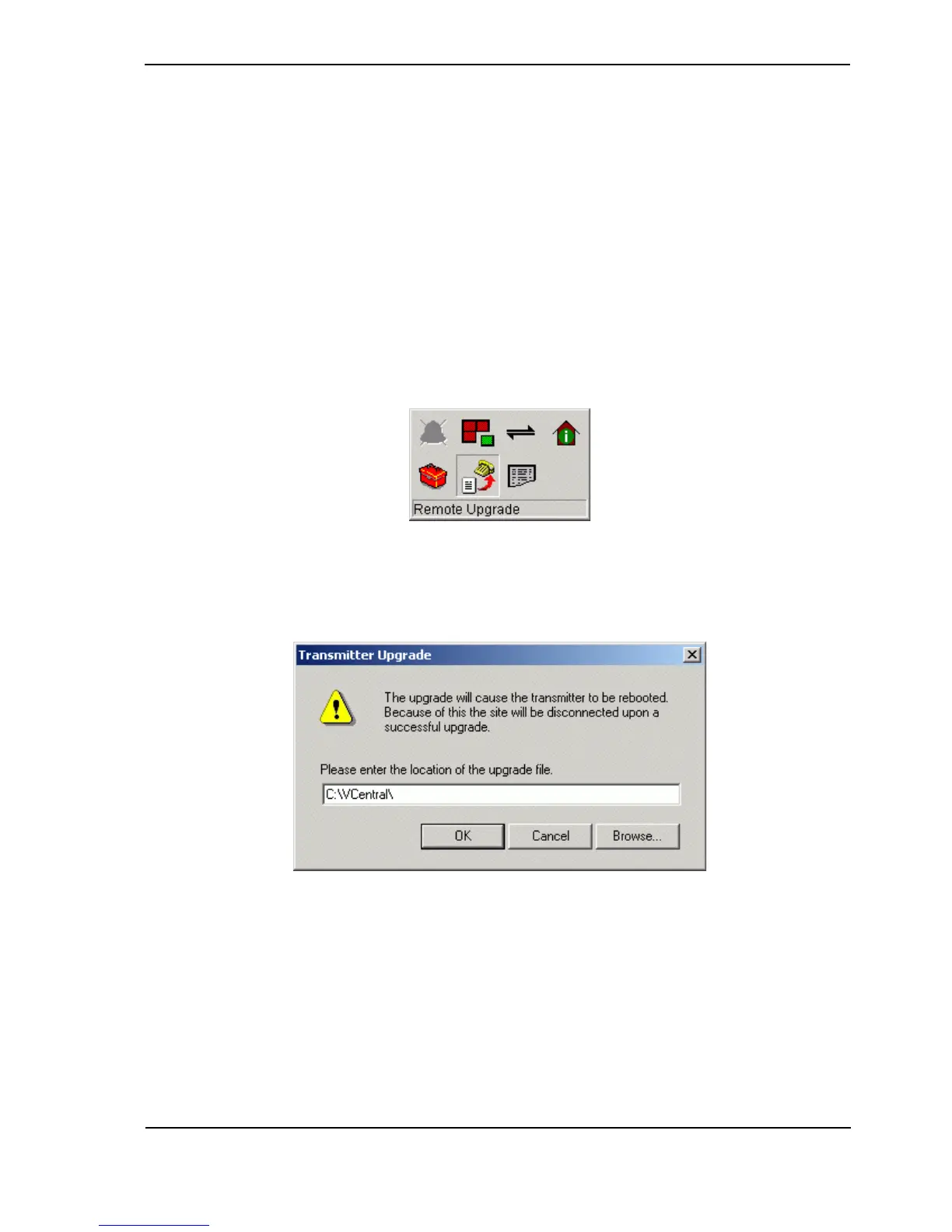
2. Select the Remote Upgrade icon as shown below from the Site Actions flyout:
Figure 119: Upgrade Icon
3. The upgrade file selection dialog will appear. Select the file via the Browse function and
click OK.
Figure 120: Upgrade Dialog
4. Select Yes from the confirmation dialog. The 'flying papers' popup will now appear.



 To Next Page