ADPRO FastTrace by Xtralis Installation and User Manual
Doc 11168_12 37
Maximum Camera Input Cable Length
The maximum cable length that can be used from a camera before cable compensators are
required is dictated by the desired quality of the video picture. Generally, the shorter the cable
between the camera and the FastTrace the better the video picture quality.
Use the following information as a guide for RG59 type coaxial cable (75 ohm nominal
impedance):
• In a monochrome system, depending on the resolution required, the cable length should be
restricted to 500 metres (1600 feet) before cable compensators are installed.
Signal degradation due to the coaxial cables characteristics has a far greater effect on colour
video. In a colour system, the coaxial cable length should be limited to 250 metres (800 feet)
before cable compensators are installed. Again the length is dependent on the required picture
quality.
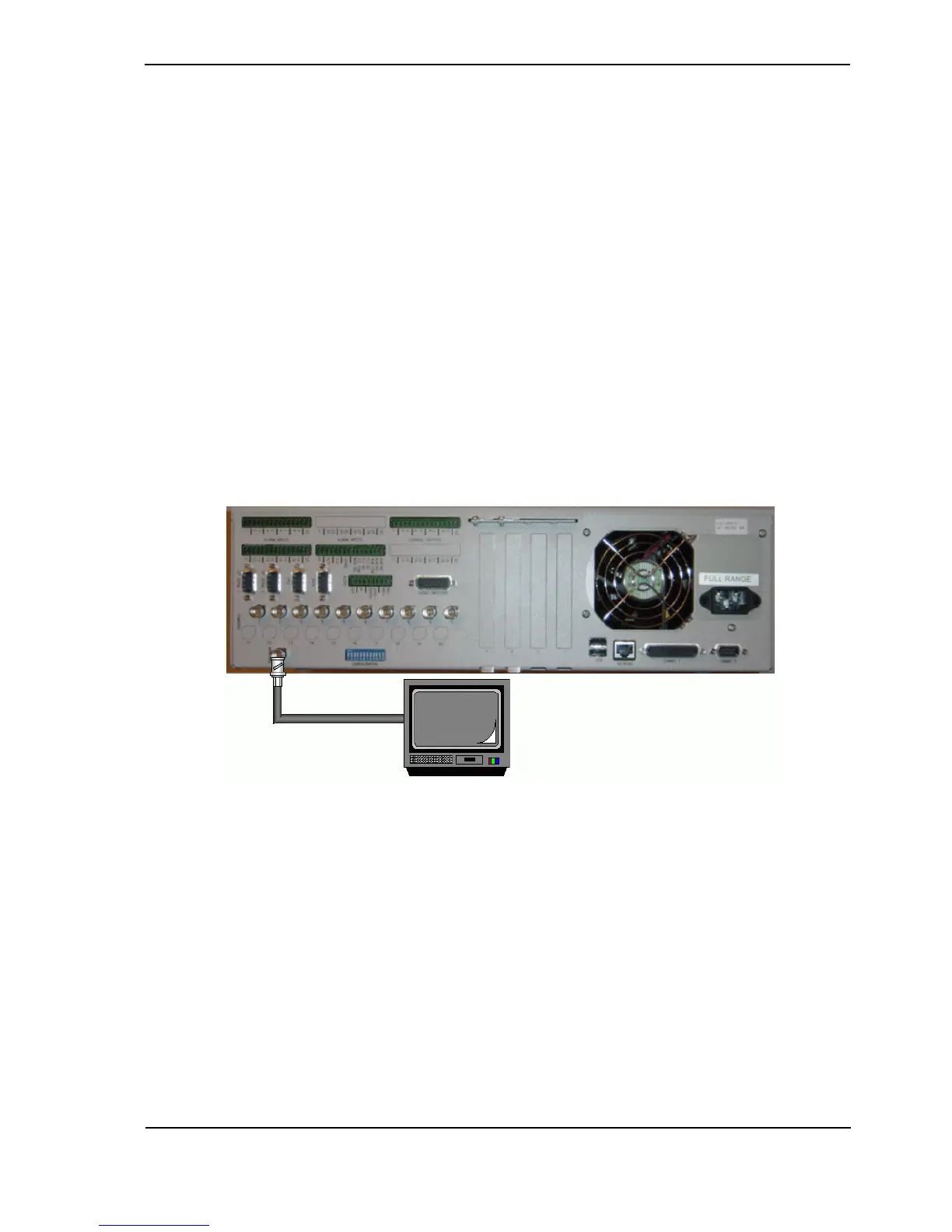
3.5 Video Output
The video output of the FastTrace is normally connected to a colour or monochrome monitor
capable of receiving composite video signal to the required TV standard (PAL/CCIR or NTSC/
RS170). The composite video output is designed to drive a 75ohm load.
Figure 41: Video Output Configuration
The video output cannot be controlled under normal day to day operation and will provide a
sequence of images as defined in Monitor Settings, refer to Monitor Settings on page 79. This
may be used in environments such as entrances to buildings etc, where CCTV is being used, to
act as a deterrent.
3.6 Configuration Switches
Some of the FastTrace settings and functions are set by the configuration switches on the rear
panel.
Settings shown in bold are the factory default positions.



 To Next Page