ADPRO FastTrace by Xtralis Installation and User Manual
Doc 11168_12 11
3. Double click on the required communications port (COM1 or COM2).
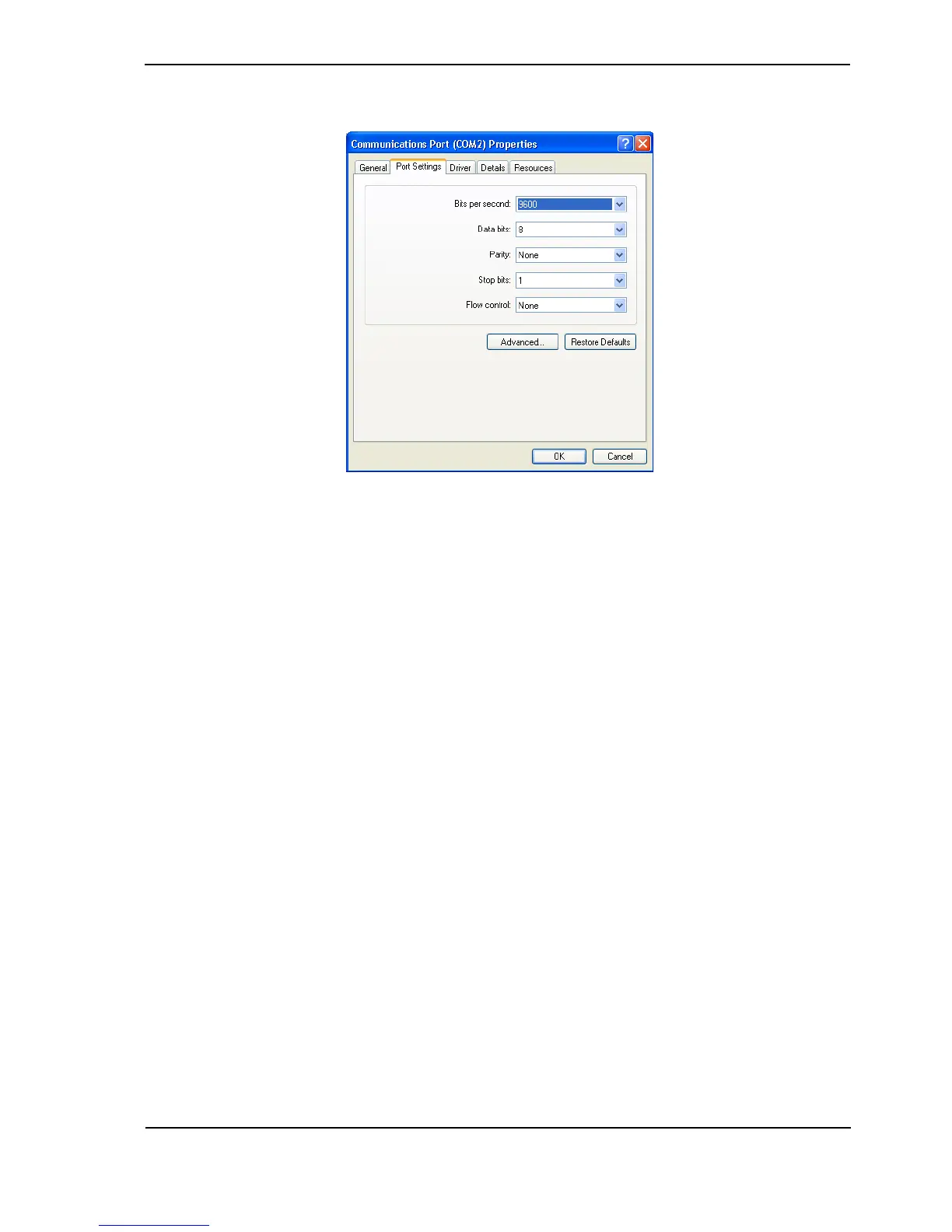
Figure 8: COM Port Settings
4. Select the Port Settings tab and enter the following settings:
- Bits per second = 115,200 bps
- Data bits = 8
- Parity = none
- Stop bits = 1
- Flow control = hardware
5. Ensure the FastTrace is free-standing with no obstruction to airflow (cooling fan at rear).
6. Connect the cable between the FastTrace COMMS 2 port and the PC's serial port.
Installing the Null Modem Driver
If you are using the Null-Modem cable connection method to connect to the FastTrace, you must
install the Null-Modem driver in Windows. This step is NOT necessary if a Null-Modem driver has
already been installed on the PC, or if you are using an Ethernet connection to FastTrace.
To install this driver:
1. Insert the ADPRO VideoCentral Lite CD in the CDROM Drive.
2. If necessary enter an Area code in the Dialing Rules tab.
3. Click the Windows Start button and select: Control Panel / Phone and Modem Options.



 To Next Page