Installation and User Manual ADPRO FastTrace by Xtralis
74 Doc 11168_12
General Tab
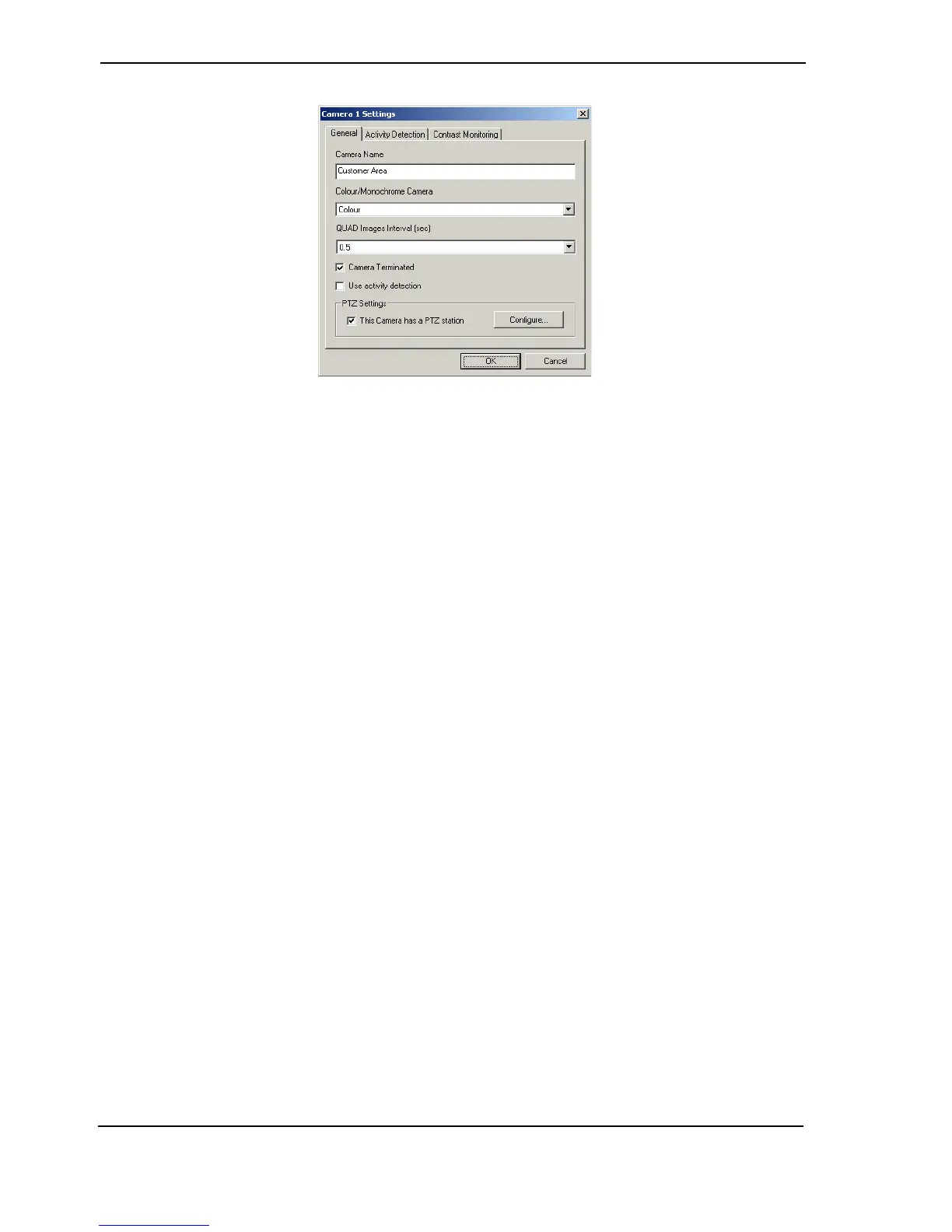
Figure 72: Camera Settings - General Tab
Camera Name
Option: 16 characters maximum.
Type the name to be associated with this camera. Hint: Try to use names that make the camera
location and the channel number to which it is connected, easily identifiable. For example,
CAM07 LIFT LOBBY, REAR DOOR CH15 or CH09 ATM#3 EAST.
Colour/Monochrome Camera
Options: Colour, Monochrome
Default: Colour
This option is useful if monochrome cameras are being used on the system. When a particular
camera is defined as monochrome only (black and white), the processing hardware is able to
‘sharpen’ the images by bypassing some of the colour filter processing normally performed on
the signal.
QUAD Images Interval
Options: 0.2, 0.3, 0.4, 0.5, 1, 2, 3, 4, 5 seconds
Default: 0.5 seconds
This option allows the user to define the required interval (in seconds) between images being
captured after an alert is generated, for the quad alarm sent to VideoCentral. This is separate to
the record rate for the camera.
Camera Terminated
Options: Yes, No
Default: Yes (ticked)
Use the checkbox to define whether the selected channel (camera output) is terminated with a
75 ohm resistance. By default all channels are terminated.
Clear the checkbox when the video cable from the camera is to be connected to the FastTrace’s
video input via a ‘T-Connector’. In this case, the video may be fed to another piece of equipment,
for example a video switcher or a CCTV monitor.



 To Next Page