ADPRO FastTrace by Xtralis Installation and User Manual
Doc 11168_12 55
4.3.3 Site Details
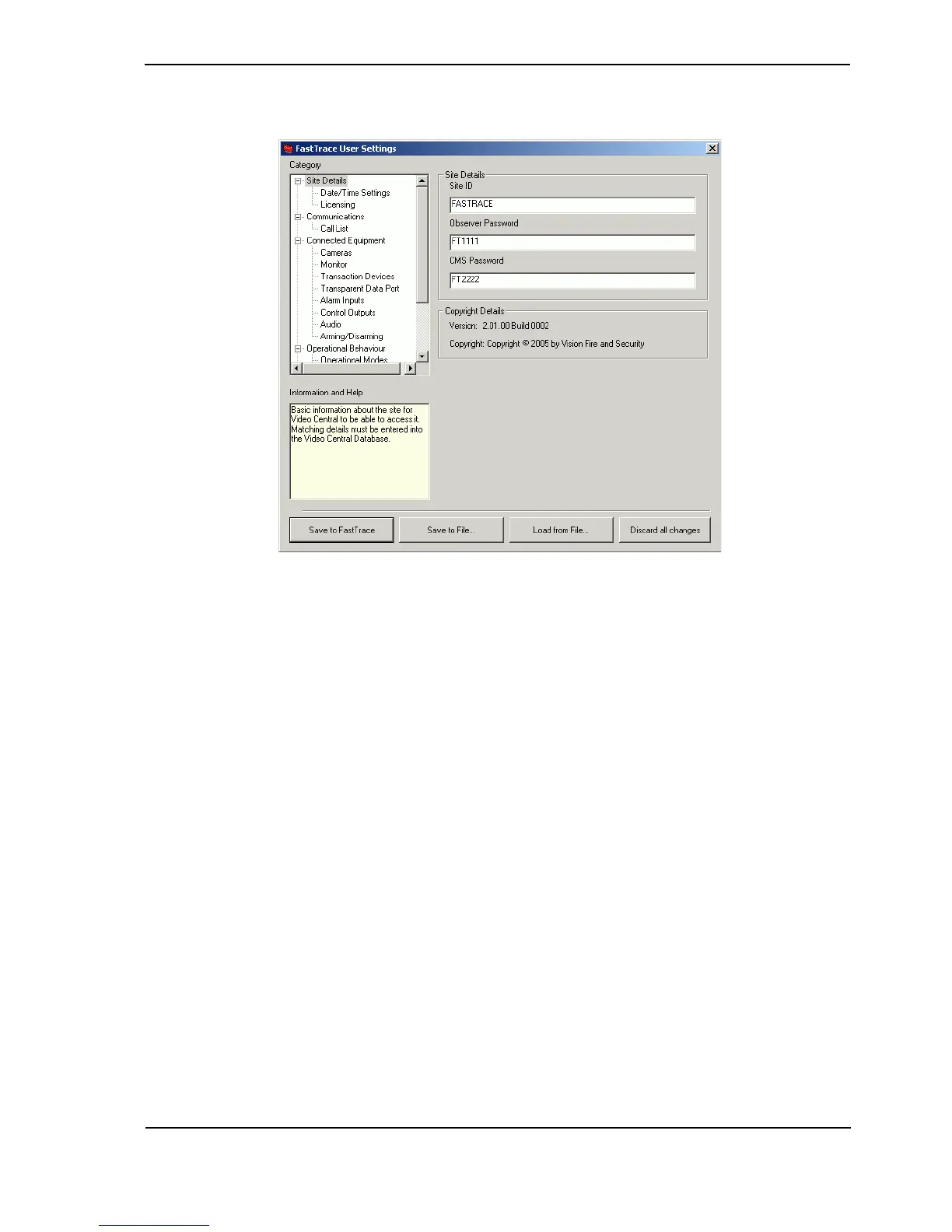
Figure 59: Site Details Menu
Site ID
Each ADPRO transmitter must have a unique site ID. The maximum site ID alpha-numeric length
is 9 characters. Note that the ‘local’ site ID entered here must match a site ID entry in the
VideoCentral Site List (Database / Administration / Configure Sites).
The default site ID is Fastrace.
Passwords
VideoCentral may be installed as a CMS system, which will receive alarms (VC Gold or VC Lite
with dongle), or as an Observer, which will not receive alarms (VC Lite without dongle). When
configuring sites in VideoCentral (Database / Administration / Configure Sites / Edit) either
the Observer password or CMS password must be entered, depending on the type of
VideoCentral installation. This ensures that when online, FastTrace will only send alarms to a
VideoCentral CMS system (and not to an Observer).
Both the Observer and CMS password fields must be entered at the FastTrace so that both user
types can connect to the site, while ensuring only a CMS user has alarm images sent to them.
The default CMS password is FT2222.
The default Observer password is FT1111.



 To Next Page