Installer manual AlphaVision ML Rev. 3.60 01-01-2015 116
APPENDIX H Installing the FLASH program
To flash new firmware into the AlphaVision ML you need to use a software utility to flash the file into the
microprocessor. The software utility is free of charge and is supplied to Alphatronics by the manufacturer of
the microprocessor. The flash tool can be downloaded from the Alphatronics website
(www.alphatronics.eu). The software can be downloaded from the password protected area of the website
under service & support.
Installing the flash software utility is very easy. Install the fdt_3_06.exe file on your computer or laptop.
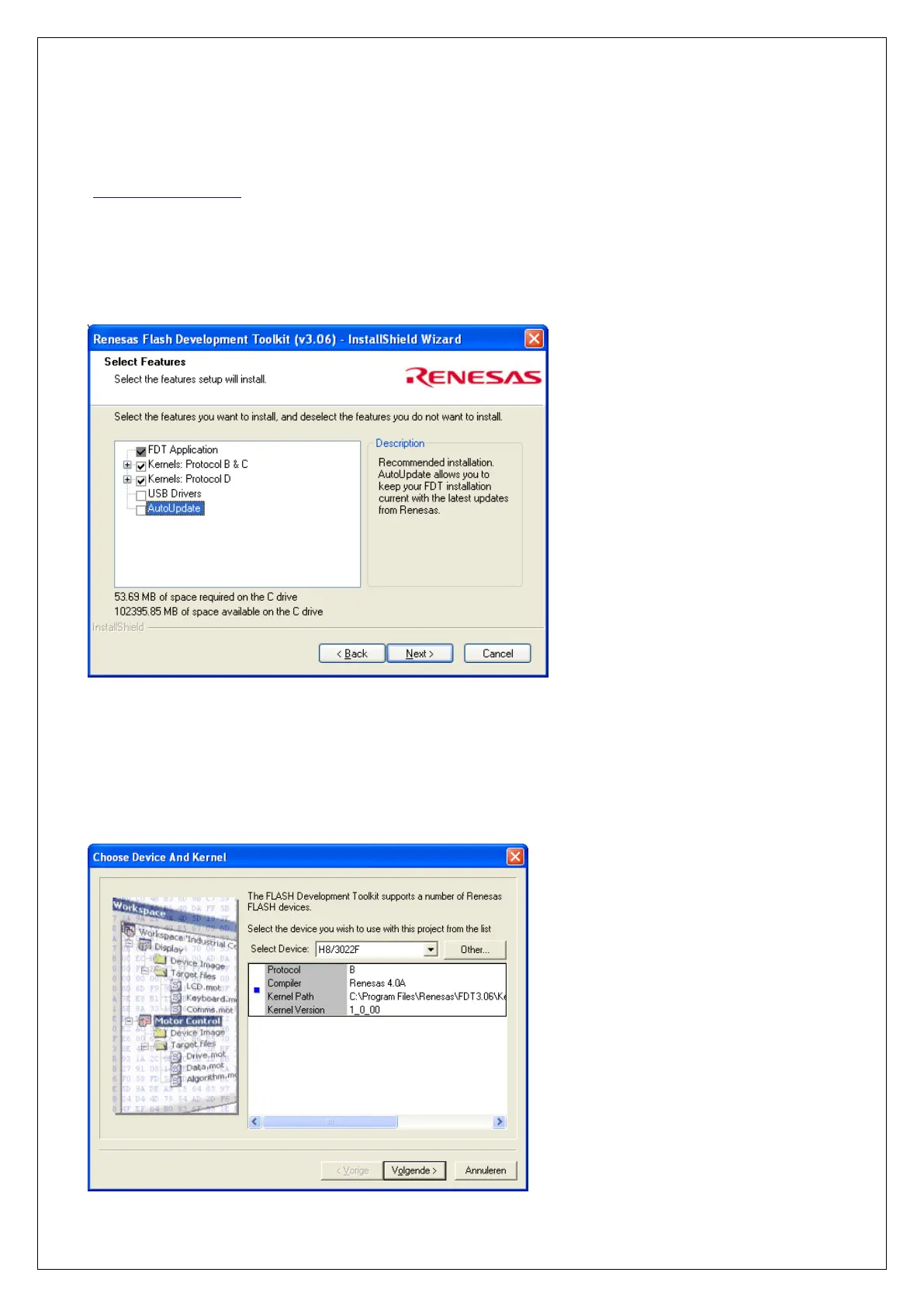
Choose for standard installation and choose to install an icon on your desktop. When the window below
appears on your screen, make sure the boxes USB Drivers and AutoUpdate are not selected.
Start the Flash Development Toolkit Basic 3.06 software, after the installation procedure has been
completed. If there is no icon on your desktop, you can find the software by going to start/program
files/renesas etc.
The procedure below only needs to be performed once after the program starts up. The next time you start
the program the settings are known. After start up the following screen will appear:



 To Next Page