Installer manual AlphaVision ML Rev. 3.60 01-01-2015 79
Central station settings
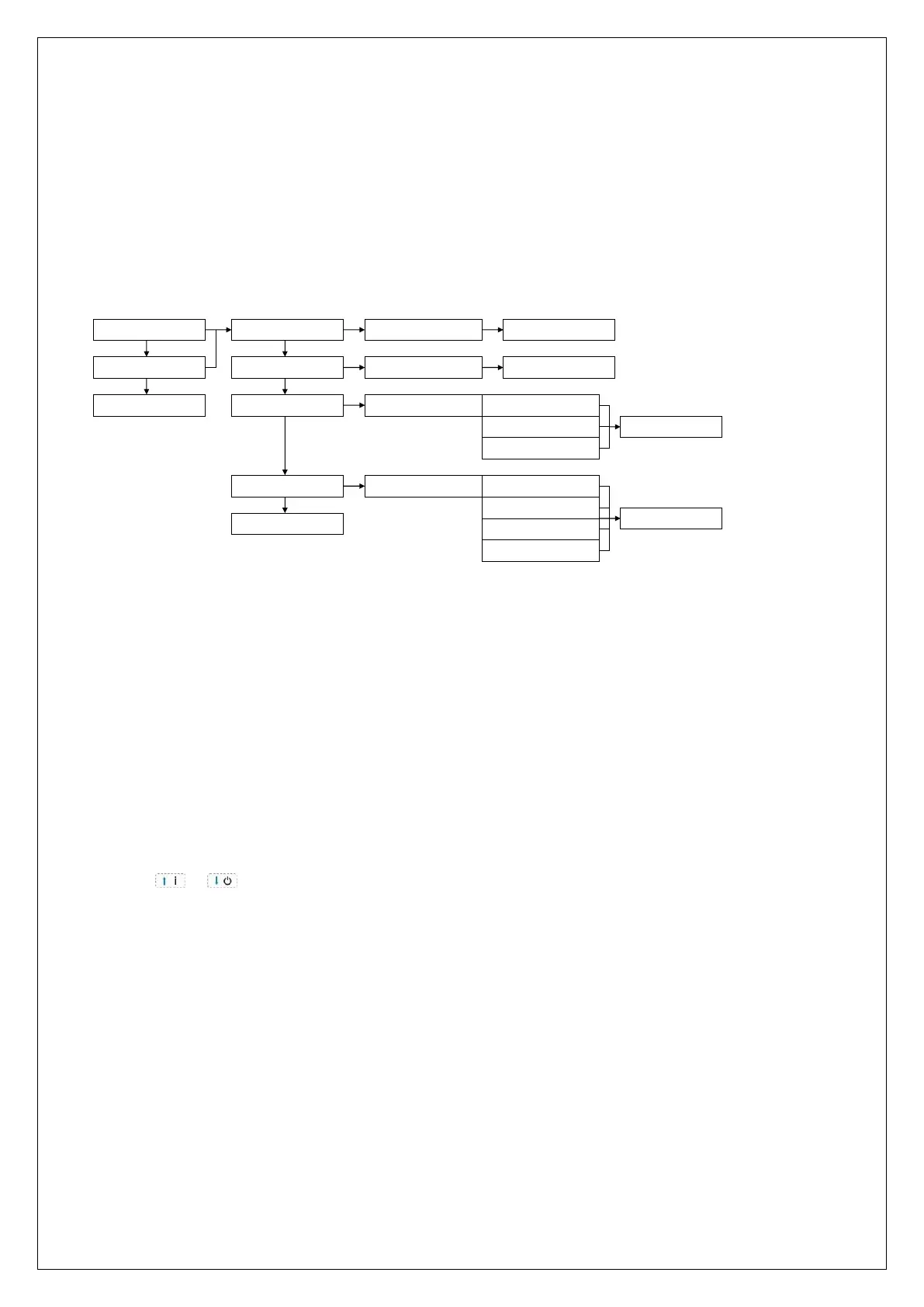
The ‘CENTRAL STATION SETTINGS’ submenu allows for programming of the options for reporting to a central
station. The following options can be set:
Central station 1 or Central station 2
Telephone number
Account number
Protocol
Dial attempts
Central station reporting 1 / 2
TELEPHONENUMBER
ACCOUNT NUMBER
PROTOCOL
DIAL ATTEMPTS
TELEPHONENUMBER:
ACCOUNT NUMBER:
SAVED
SAVED
CHOOSE PROTOCOL CONTACT ID
SIA LEVEL-2
XSIA
SAVED
DIAL ATTEMPTS: DO NOT CALL
1 DIAL ATTEMPT
x DIAL ATTEMPTS
9 DIAL ATTEMPTS
SAVED
TO PREV. MENU ?
ok ok
ok ok
ok
ok
ok
ok
CENTRAL STA. 1
CENTRAL STA. 2
TO PREV. MENU ?
ok
First select for which monitoring station the options need to be changed. Next, all underlying options can be
programmed.
Central station telephone number
In this programming option the telephone number of the central station’s receiver card can be
programmed. This telephone number is provided to you by the central station. Besides digits 0-9, two
special characters can be programmed:
w (or W) wait 2 seconds and dial without dial tone detection
- (dash) wait until a dial tone is detected
Default is that the control panel picks up the line and waits for a dial tone. When a dial tone is not detected
within 10 seconds, the PSTN dialer hangs up and tries again. The special characters can be programmed by
using the or keys on the keypad.
Account number
In this programming option the account number (customer number) at the monitoring station can be
programmed. Account numbers can be requested from the monitoring station.
Protocol
In this programming option the requested protocol can be programmed. Programmable options are:
Contact ID, SIA Level 2 and XSIA. A list of the SIA and Contact ID codes can be found in the appendices of this
manual. SIA Level 2 and XSIA use the same SIA codes. XSIA also reports the zone names and user names to
the monitoring station.
Dial attempts
In this programming option the numbers of dial attempts (0-9) is programmed. This can be programmed for
each telephone number.



 To Next Page