Installer manual AlphaVision ML Rev. 3.60 01-01-2015 40
PROGRAMMING
The AlphaVision ML is entirely freely programmable via an LCD or LCD/PROX keypad. The control panel can
also be programmed locally/remotely using a PC/laptop with the AlphaTool software.
The Alpha Vision ML has a user friendly menu structure. The four buttons on the right hand side of the
keypad serve as navigator keys < , , and > during programming. Using the navigator keys
you can browse through the various menus and programming options.
If AlphaVision ML installation uses wireless components then it is recommended to enroll the wireless
components piece by piece. After enrolling each component, the battery must be removed before the next
component is enrolled (see "Enrolling Zones and keyfobs). Use the tables in Appendix A and B to write down
all programming options for zones and keyfobs.
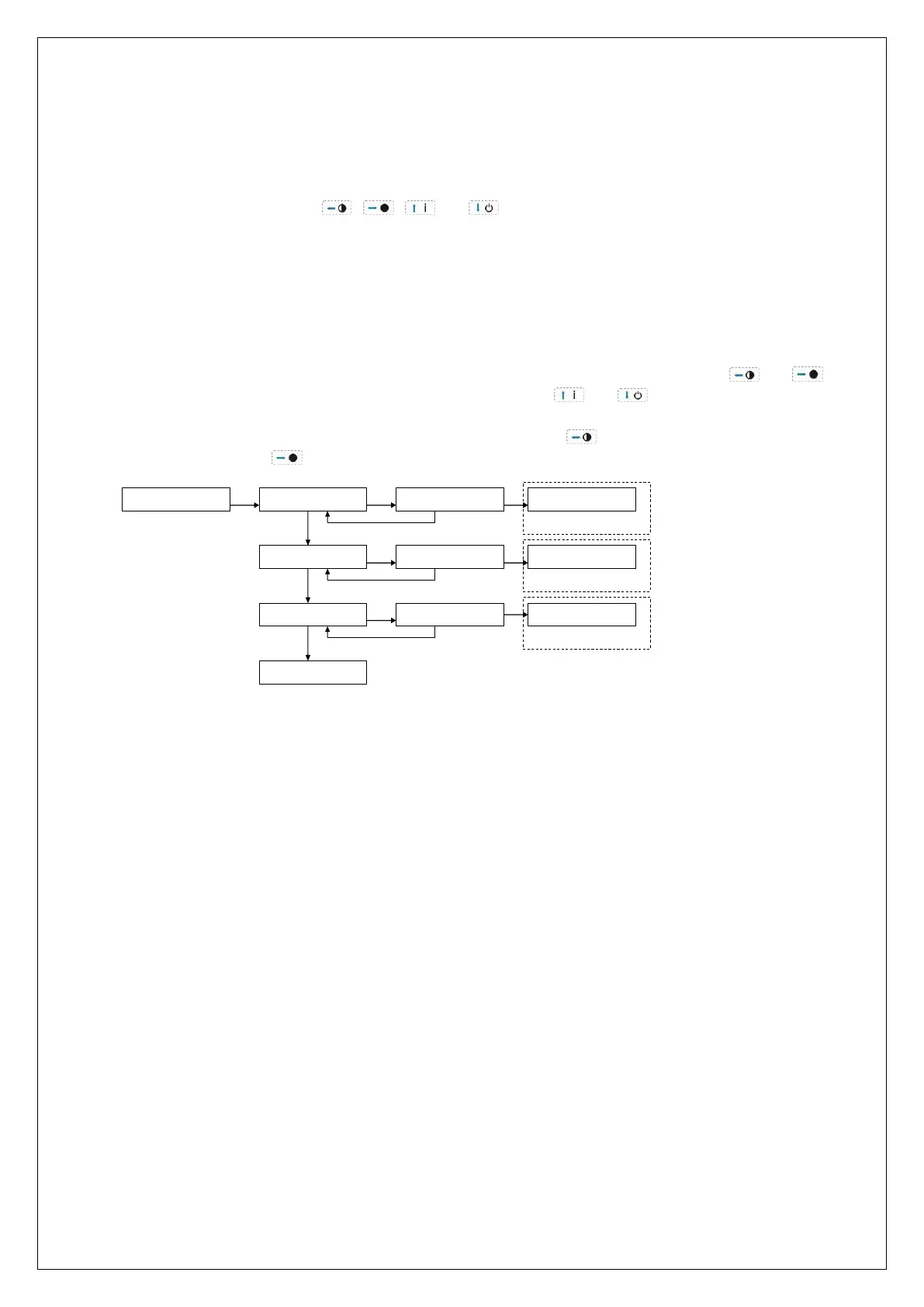
Press the <# / OK> button to access the menus, and / or confirm a programming option. The and
keys are used to move the cursor forward (right) or back (left). The and buttons are used to scroll
between the menus and programming options. The <*> button is used in some programming options to
delete a character. To exit a programming option or menu, press the button. To leave the programming
menu’s entirely, press the button followed by the <#/OK> button.
START
OK
USER MENU
OK
ENTER CODE:
DATE AND TIME
correct code
wrong code
INSTALLER MENU
ENTER CODE:
INPUTS
correct code
wrong code
DISPLAY LOGBOOK
ENTER CODE:
correct code
EVENT 250
wrong code
PREVIOUS MENU
User menu
Installer menu
Log menu
OK
OK
The user menu is only accessible with the supervisor code, the factory code is:
445566. Use this code only the first time and change it immediately
The installation menu is only accessible with the installer code, the factory code is:
123456. Use this code only the first time and change it immediately
►! From firmware V2.01 and above, the use of 4-digit codes is possible. If it is selected then 4-digit
codes apply to all codes including the installer code.
The log menu is accessible by both the supervisor code and the installer code. The menu structure of the
AlphaVision ML is divided into three main menu’s, each with its own submenu’s:
View log (also accessible for
supervisor)



 To Next Page