Installer manual AlphaVision ML Rev. 3.60 01-01-2015 36
additional actions that should be carried out depend on the level that is associated with the user
code.
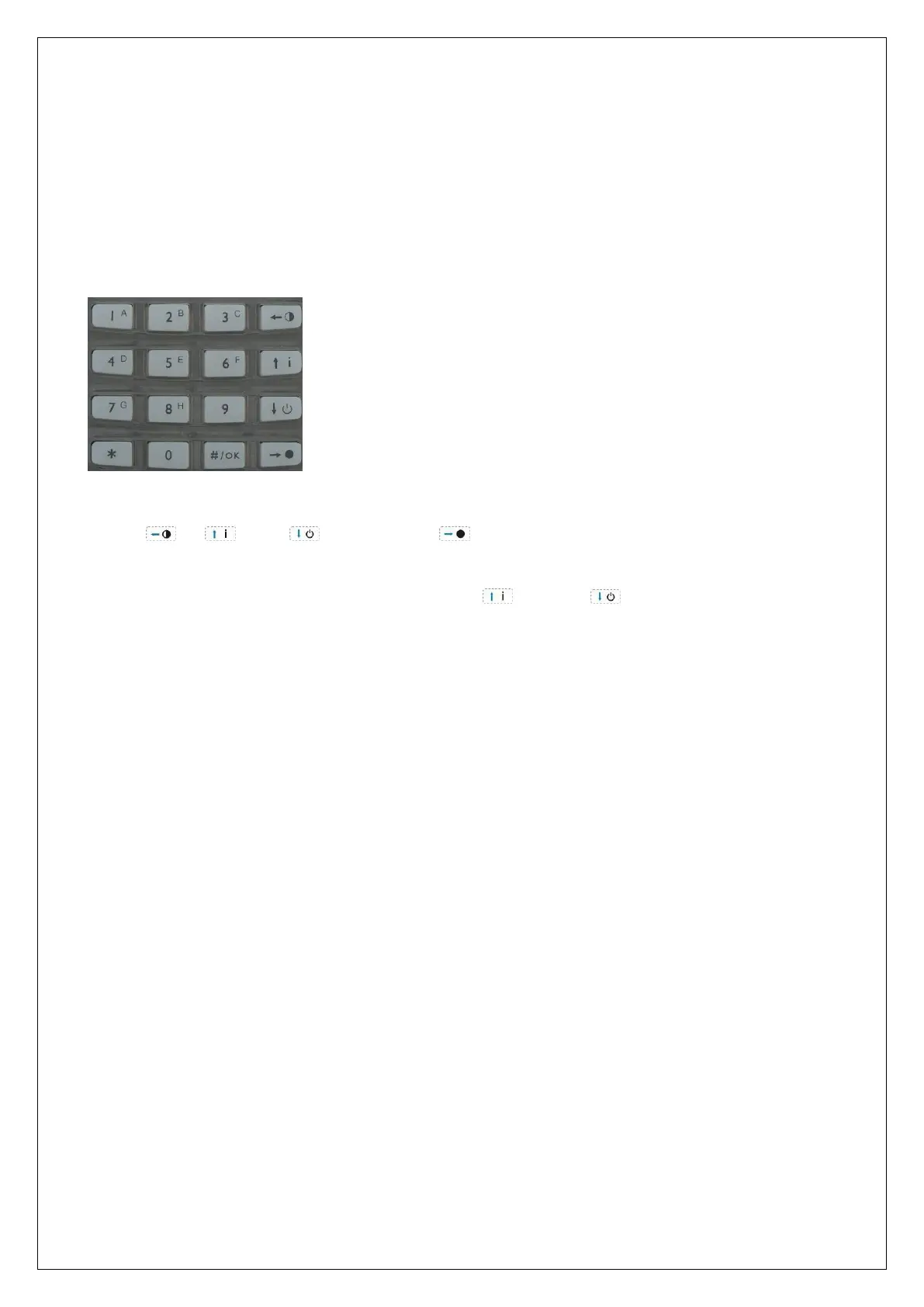
2) Arm and disarm the system by using the navigator keys on the keypad. The navigator keys can be
used to arm the system partially, disarm the system or arm the system totally. The fourth key is to
consult the information present. Which section(s) will be armed during partial and total arming is
defined in the system programming under PARTIAL and TOTAL.
During programming, the navigator keys have an entirely different function. They are used for navigating to
the left , up , down and to the right .
To enter the programming menus, you must first disarm the system completely and then press the <# / OK>
key, the display will now show "USER MENU. Use the Up and Down arrow keys to select the menu
display and press the <# / OK> key again.
To activate the user menu press the <# / OK> key, the display shows "USER MENU, press the <# / OK> key
again and enter the 4 or 6 digit supervisor code. For information about options in the user menu see
chapter "USER MENU”.
Incorrect or incomplete code (V2.00 and above)
Conforms European standards the AlphaVision ML contains a security mechanism for entering an incorrect
or incomplete user code. If an incorrect user code is entered ten (10) times the keypad will be locked for 90
seconds. Also entering an incomplete code, for example 3-digit and then nothing counts as incorrect user
code.
After the next (2
nd
) cycle of ten (10) incorrect or incomplete user codes the keyboard will be locked again for
90 seconds but will also send a message (SIA code ‘JA’) to the central station (if applicable).
If in the meantime one (1) correct code is entered, the "wrong code" counter mechanism will be reset.
Entry/Exit mode (V2.00 and above)
The Entry/Exit mode is special software functionality added in accordance with EN50131 guidelines to
reduce false alarms. Explanation about the Entry/Exit mode can be found in the user manual.
Arming/disarming: Programming:
= Arming (partial) = left
= Information present = up
= Disarming = down
= Arming (total) = right



 To Next Page