Installer manual AlphaVision ML Rev. 3.60 01-01-2015 99
RESET INSTALLER AND SUPERVISOR CODE
The installer (and from firmware V2.0 and above also the supervisor) code of the AlphaVision ML can be
reset to the default code by performing the following actions:
Open the cabinet of the AlphaVision ML and make sure that the tamper switch is open (not depressed).
Short circuit the reset pins on the AV-ML mainboard for a few seconds. Wait until the red Buffer light
illuminates (from version 1.10 and above) and then press the tamper switch three (3x) times within 5
seconds. This will reset the installer code to 123456 and the supervisor code to 445566.
DIAGNOSE TOOL
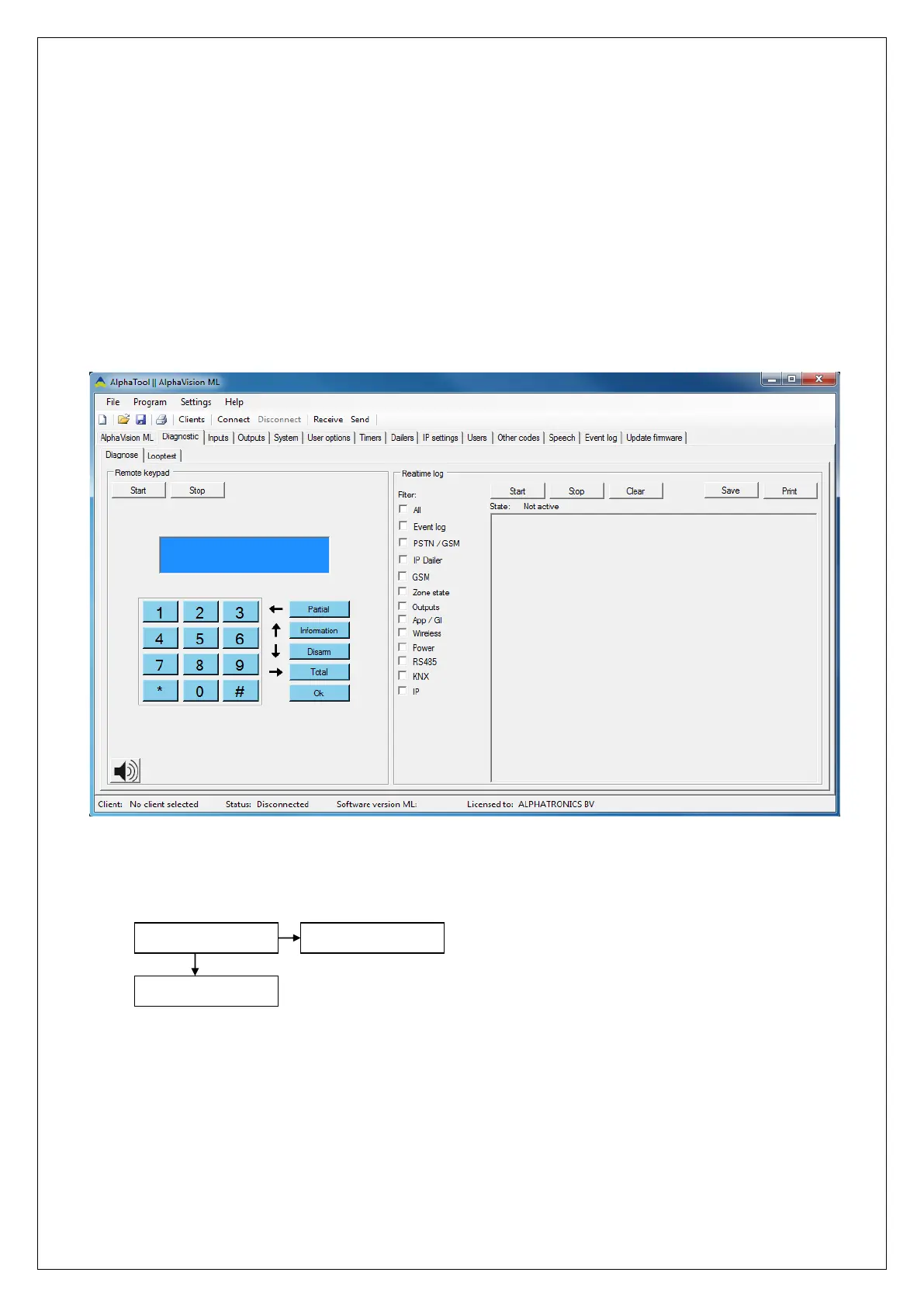
In AlphaTool software version 3.5.0 and higher a new Diagnose tool has been added which makes it possible
to do extensive checking and testing of certain devices and processes of the AlphaVision ML, all on the
AlphaTool screen. The various dialers (IP, PSTN and GSM) can be tested, but also view the zone status of the
inputs or activate outputs on the system. The function speaks for itself.
EVENT LOG
The event log function shows the last 250 events. The event log is accessible for both the installer as the
supervisor (level 7 codes).
DISPLAY LOGBOOK
PREVIOUS MENU
DISPLAY LOG
ok
The event log stores the last 250 events. The LCD display shows the event on the top line and the date and
time on the bottom line.
Arming/disarming events are only stored in the event log when this is programmed in the system
programming at option ‘Arming/Disarming in log’.



 To Next Page