Installer manual AlphaVision ML Rev. 3.60 01-01-2015 91
Connecting to the APP (V3.00 and higher)
With the aid of a mobile application (APP), a connection with the AlphaVisin ML (firmware version 3.00 and
higher) can be established. The APP is very user-friendly and offers the end-user the possibility to perform
all actions on the APP identical to the operations that can be performed on the keypad. The end user can
arm/disarm the AlphaVision ML control panel, check the status of the system and perform various
operations such as creating/modifying PIN-codes if he / she has sufficient authorization.
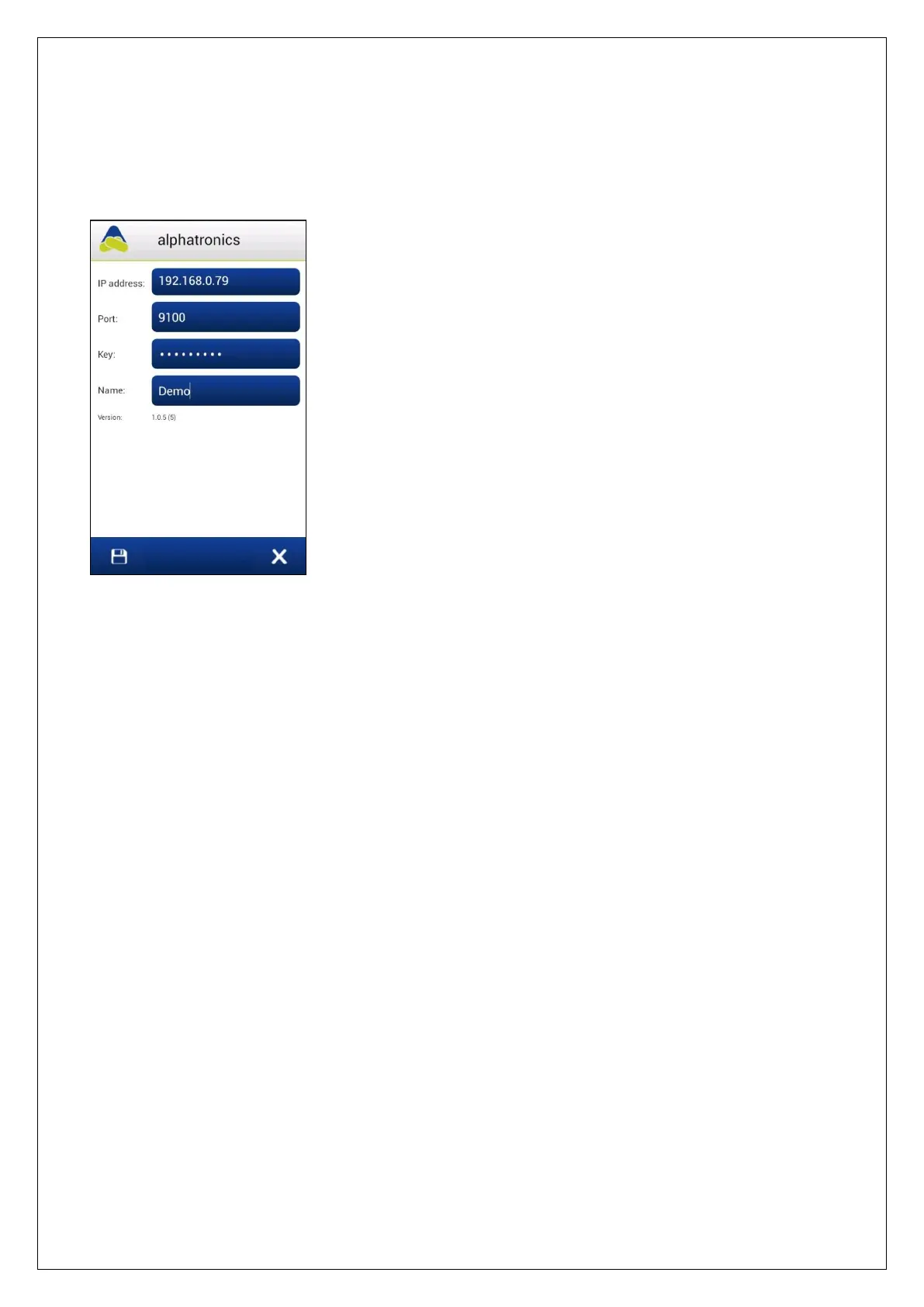
In the settings screen (accessible via the left button) of the APP certain
information must be entered. The 'Port' and 'Key' data must be
programmed exactly the same in the APP and the AlphaVision ML control
panel, as described above.
When using the APP functionality it is recommended to use a fixed IP
address (or perform a DHCP reservation in the router) in the AlphaVision
ML control panel, by default this is a dynamic (DHCP) IP address.
The 'IP address' that must be entered in the APP depends on whether the
APP is only used within the protected premises (via a WIFI connection) or
must also function outside the protected premises.
Within the protected premises you can simply program the internal IP
address of the Alpha Vision ML. Outside the protected area, the external
IP address of the modem / router of the customer must be entered and
the programmed "Port" must be forwarded in the modem / router of the
customer.
NTP Server
Under NTP1/2 IP ADDRESS an IP address of a NTP-server can be entered which is used to synchronize the
date and time in the AlphaVision ML. From firmware 3.30 and higher DNS support has been added and it is
possible to enter a name string, for example ntp.planet.nl. The AlphaVision ML will then be able to connect
at regular intervals to the NTP-server to automatically update its own date and time. It is recommended to
only use the NTP-server IP-address of the internet provider used by the end- user, in order to avoid
synchronization problems.
SMTP IP-address
When using e-mail notification (private protocol) to end-users it is necessary to program some basic settings
to make it possible to send an email from the AlphaVision ML. The SMTP IP-address is necessary to send an
email. The SMTP IP-address used should be the same as the SMTP IP-address used by the end-user to send
his own emails, this data is provided by the internet provider of the end-user. . From firmware 3.30 and
higher DNS support has been added and it is possible to enter a name string, for example smtp.planet.nl.
SMTP Port Number
Along with the SMTP IP-address also a SMTP port number is necessary. The SMTP port number used should
be the same as the SMTP port number used by the end-user to send his own emails, this data is provided by
the internet provider of the end-user.
Own Email Address
When using 'Email' notification as private reporting it is necessary to fill in a sender email address. Ask the
end-user which email address should be entered.
Email Indentity
Together with the ‘Own Email Address’ an Email Indentity can also be programmed. The Email Identity will
be visible for the recipient as the sender of the email. Ask the end-user which Email Identity should be
entered.



 To Next Page