Installer manual AlphaVision ML Rev. 3.60 01-01-2015 14
INSTALLATION
Mount the control panel in the fusebox or in a suitable location
(within a protected area) to a steady background. Install the
AlphaVision ML near to an electrical outlet and a network
connection or analog phone line depending on the selected alarm
transmission. Take into consideration any sources of electrical
disturbances which could influence the AlphaVision ML.
The AlphaVision ML control panel must have a 230V mains supply
and if required an IP or PSTN telephone connection. The
AlphaVision ML is equipped with an integrated IP dialer. If the IP
dialer is used it should be connected to a free network (LAN)
connection as close to the modem / router as possible. The
AlphaVision ML also has the possibility to transmit alarms via PSTN,
GSM or GPRS. Here an additional PSTN plug-on dialer or GSM /
GPRS plug-on dialer is required
Installing the AlphaVision ML control panel
To mount the casing of the control panel the lid must be removed first.
Remove the 4 screws / bolts on the lid of the plastic / metal casing. Put
the lid aside.
The control panel casing can be mounted to a flat stable surface in a
secured (fusebox) area. The plastic casing has a slot at the back of the
casing where a K25 duct can be installed for cable entry. The metal
cabinet is raised from the wall which makes it possible to place cables
behind the cabinet and lead them through the opening in the bottom of
the cabinet. Place the bottom of the cabinet against the wall and mark
the drilling holes. Drill the holes with a 6mm drill and place the anchors.
Attach the unit firmly against the surface using screws.
Applying power to the AlphaVision ML
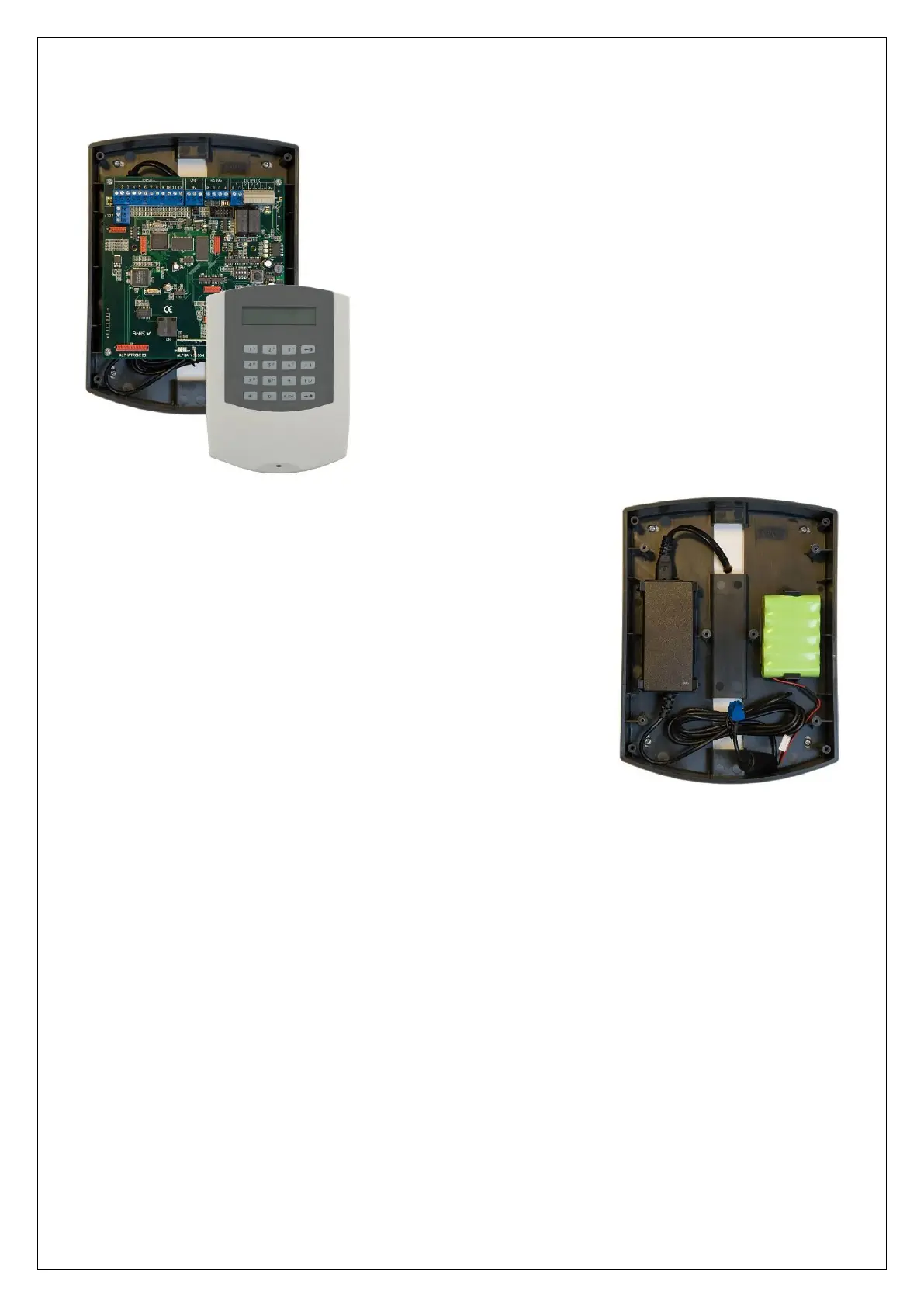
The AlphaVision ML comes with a switching power supply 230VAC/16VDC, 1,9A and a NiMH batterypack
(min. 1600mAh, for grade 2 a 2700mAh batterypack is required) .
The switching power supply must be fixed with dubble-sided tape to the back of the casing. If the switching
power supply needs to be replaced at any point the switching power supply must be fixed with new dubble-
sided tape.
When placing the batterypack the batterypack should be fixed with dubble-sided tape to the back casing of
the AlphaVision ML.
In the metal cabinet, the primary side of the switching power supply is equipped with a fuse terminal block.
Connect a 230VAC power supply voltage. When connecting the 230VAC power supply you should also
connect earth (ground) to the middle terminal of the connector. The middle terminal of the connector is
also connected to the metal.



 To Next Page