Installer manual AlphaVision ML Rev. 3.60 01-01-2015 57
Enroll wireless zones
Wireless detectors are enrolled through the menu "Enroll wir. zones". To enroll wireless detectors the
AlphaVision ML must be equipped with a wireless expansion module.
First select the desired zone number using the and keys or just typing in the 2-digit zone number.
Once the desired zone number has been selected press the <#/OK> button to get into the following
programming options:
o Enroll wireless zones
o Erase wireless zones
To enroll a wireless detector select the option "ENROLL WIR. ZONE" and then press the <#/OK> button. The
top line of the display "ENROLL WIR. ZONE" and the bottom line "ENROLL…”.
Now activate the desired wireless detector by activating the tamper contact. Through the "Wireless options'
menu you can choose whether enrolling is done by transmitting an alarm and/or tamper message or
exclusively by a tamper alarm. The internal buzzer of the keypad will sound once the wireless detector is
enrolled. If the component has been successfully enrolled, you will hear 3 short beeps and on the display a
black asterisk (*) will appear after the text "ENROLL WIR. ZONE".
To check whether the wireless detector is properly enrolled, the tamper switch can be opened again. The
three short beeps will be heard again.
If the wireless detector is already enrolled into a different location then the error beep will be heard. The
error is a long beep of about 3 seconds.
If the black asterisk (*) on the top line of the display is already present before enrolling the component, this
indicates that there is already a wireless detector enrolled into this zone. Select another zone to enroll the
new detector.
If the wireless component must be erased from memory, choose the option ERASE WIR.DETECT and then
press the <# / OK> button. The display will show ERASE WIR.DETECT?. By now pressing the <#/OK> button
again the zone wireless detector will be erased from the memory.
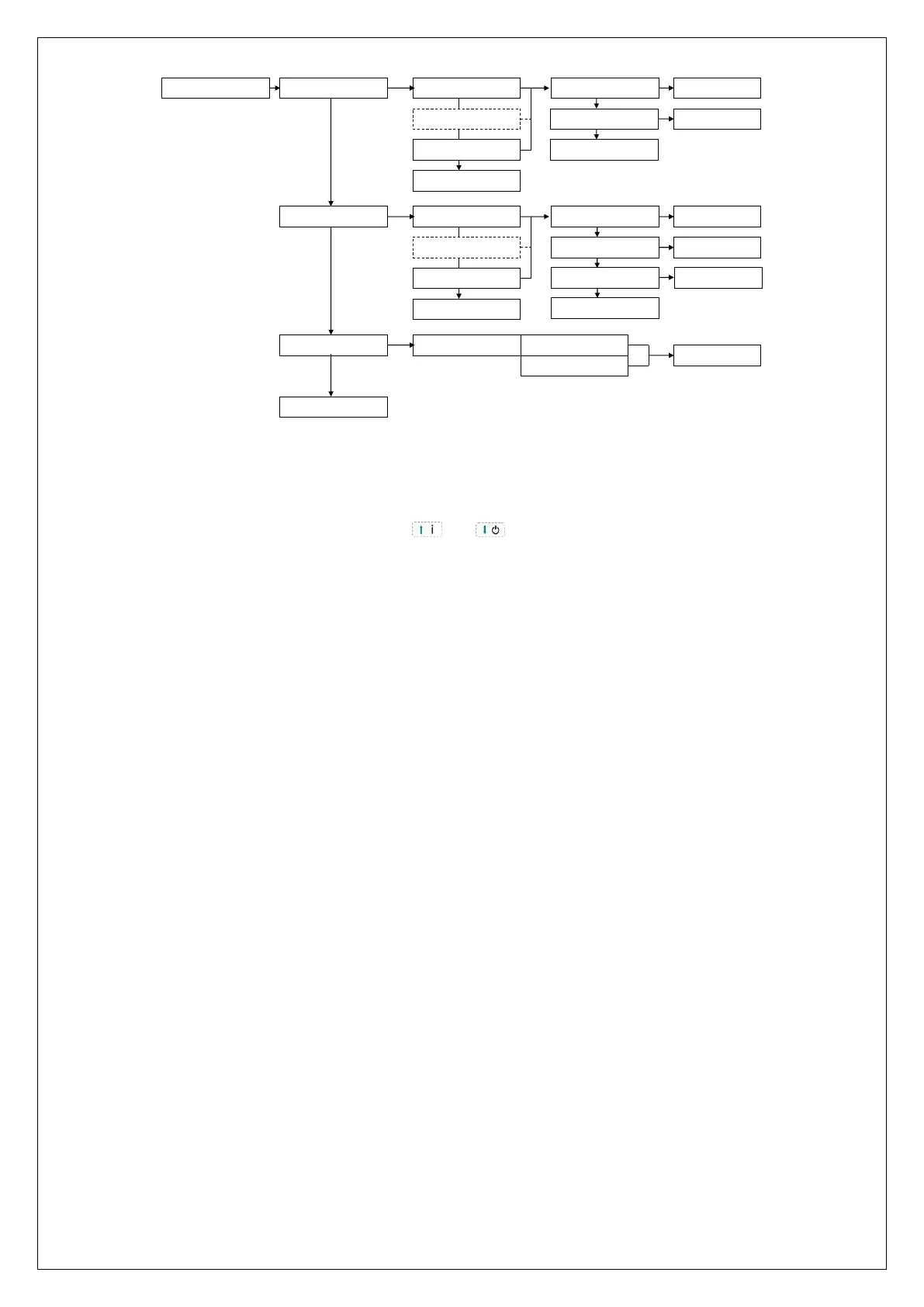
ENROLL WIR. ZONES
ENROLL WIR. KEYF.
TO PREV. MENU ?
ZONE 13
ZONE n
ZONE 44
TO PREV. MENU ?
ENROLL WIR. ZONES
KEYFOB 1
KEYFOB n
KEYFOB 8
TO PREV. MENU ?
ENROLL WIR. KEYFOB
ENROLL
WIRELESS OPTIONS ENROLL WIR.AL/SB ALARM/TAMPER
TAMPER
ERASE WIR. ZONES
TO PREV. MENU ?
ERASE WIR. KEYFOB
TO PREV. MENU ?
SAVED
WIR. ZONE ERASED
SAVED
WIR.KEYF.ERASED
SAVED
KEYFOB NAME
CHANGE NAME:



 To Next Page