Installer manual AlphaVision ML Rev. 3.60 01-01-2015 122
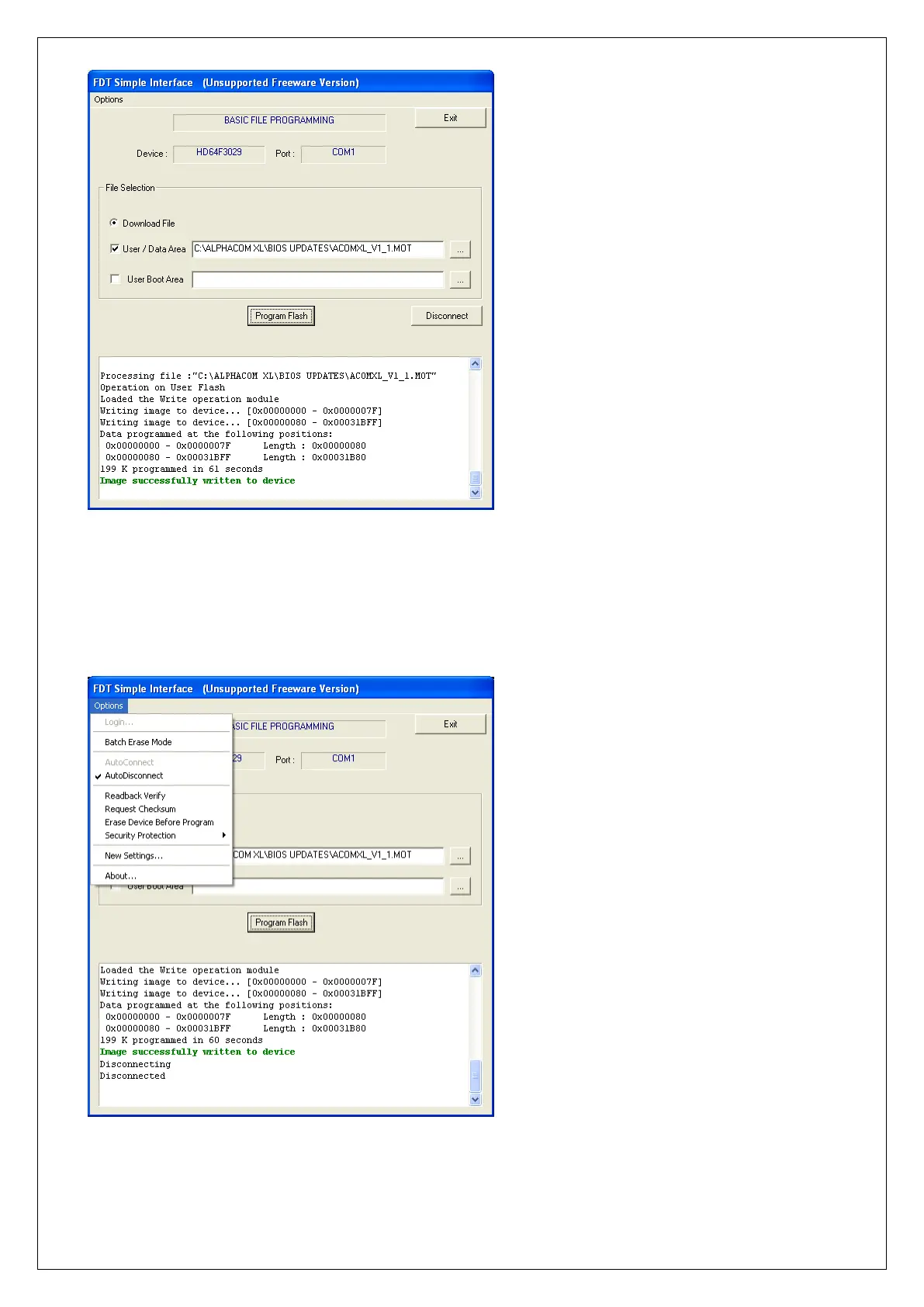
When the new firmware has been flashed successfully into the microprocessor of the AlphaVision ML a
green text Image successfully written to device will appear in the text box. Now press Disconnect.
Tip: the Disconnect procedure can also be done automatically. Select in the options screen the
‘AutoDisconnect’ box. If this option is not selected the Disconnect button will be displayed next to the
Program Flash button.



 To Next Page