11-8 Measurements Using Comparison Table Display Vector Voltmeter, Option 15
11-12 PN: 10580-00289 Rev. K Vector Network Analyzer MG
11-8 Measurements Using Comparison Table Display
The Vector Voltmeter procedure includes a convenient table display for comparing up to
twelve cables. With this feature, the user can save the first cable measurement as a reference,
can view the differences among the other cables, and can output a final report showing both
absolute and relative values of all the cables. The following steps describe an overview of the
procedure for using this feature.
1. Press the Table function hard key.
2. The setup procedure, including calibration, is the same as Step 4 through Step 9. in the
procedure described in section “Simple Measurement Using CW Display” on page 11-5.
Specify CW Frequency and perform the appropriate 1-port or 2-port calibration.
3. After calibration, press the Table function hard key.
4. Preset the Vector Voltmeter Mode for relative measurements by pressing the
Clear Reference soft key.
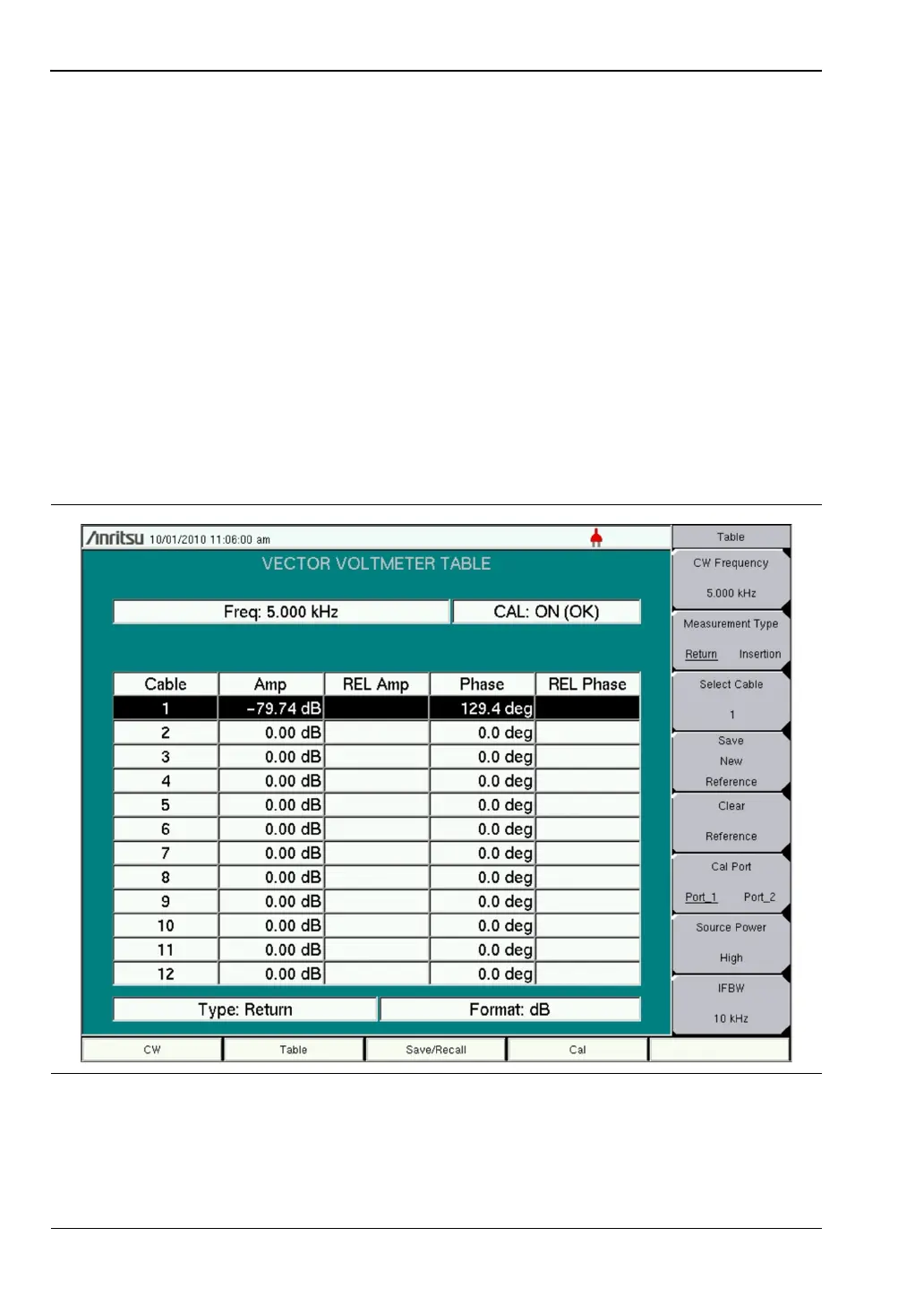
5. Connect the DUT for measurement. The display appears similar to that shown in
Figure 11-6.
6. Save the measurement result of the first DUT by pressing the Save New Reference soft
key.
Figure 11-6. Vector Voltmeter Measurement Table – MS20xxC VNA Master













 To Next Page