Field Measurements 5-10 Phase Measurements
Vector Network Analyzer MG PN: 10580-00289 Rev. K 5-19
The example in this figure may not match the display on your instrument.
2-Port Phase Measurement
The following example compares the phase of two cables using a 2-port phase measurement.
Figure 5-10 shows a typical 2-Port Phase measurement (Insertion Loss). This screen display
may not match the display on your instrument.
Procedure
1. Press the Measure function hard key and then press the Measurement Type soft key and
select 2-Port Phase.
2. Press the Freq/Dist function hard key and set the Start Frequency and Stop Frequency.
3. Press the Sweep function hard key and then the Data Points soft key to set the number
of data points (the larger the number of data points, the longer the maximum distance,
at the expense of a slower sweep speed).
4. Press the Shift key, then the Calibrate (2) key.
5. Press the Start Cal soft key and perform a 2-port OSL calibration at VNA Port 1 and
VNA Port 2.
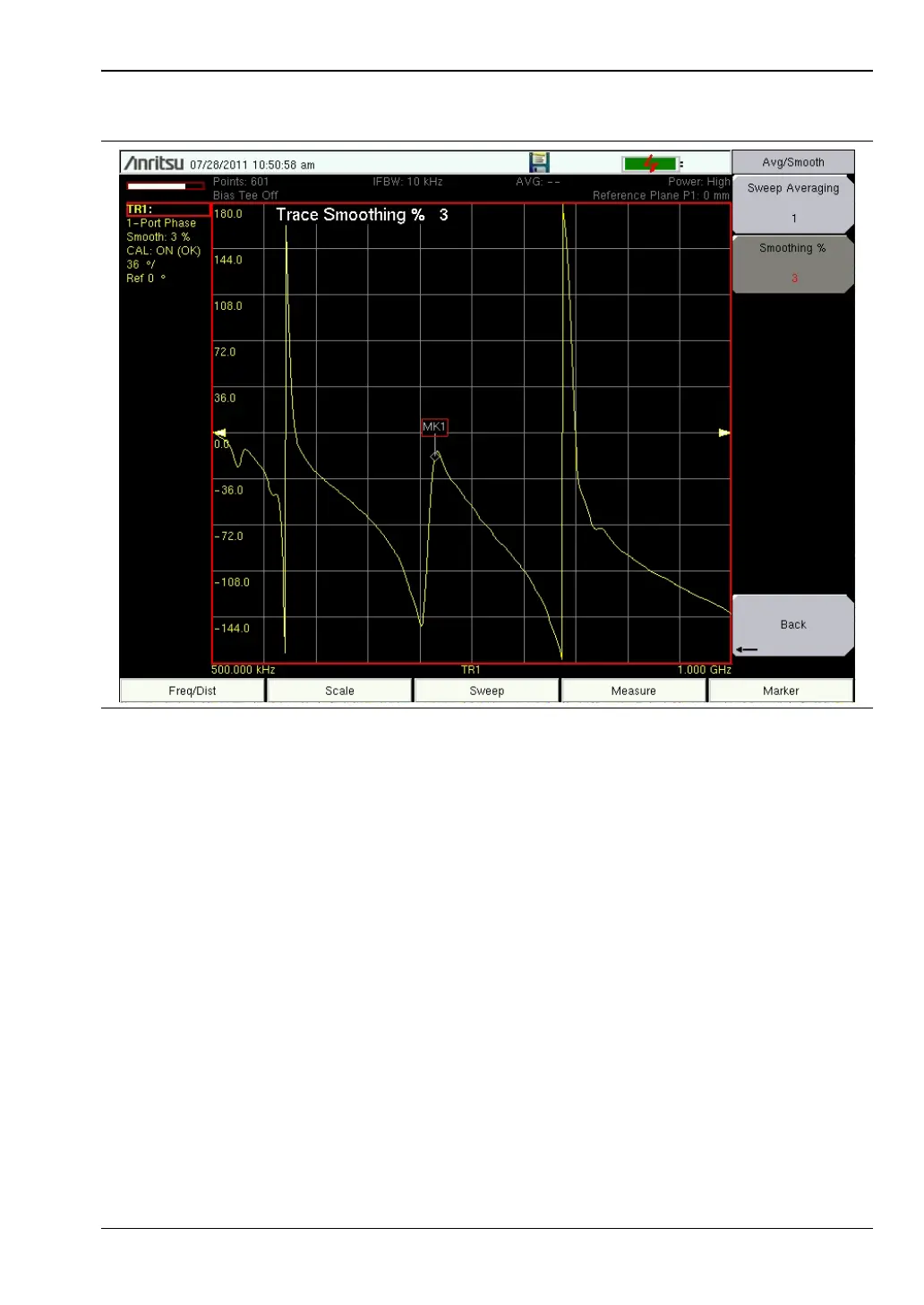
Figure 5-9. Return Loss, 1-Port Phase Measurement













 To Next Page