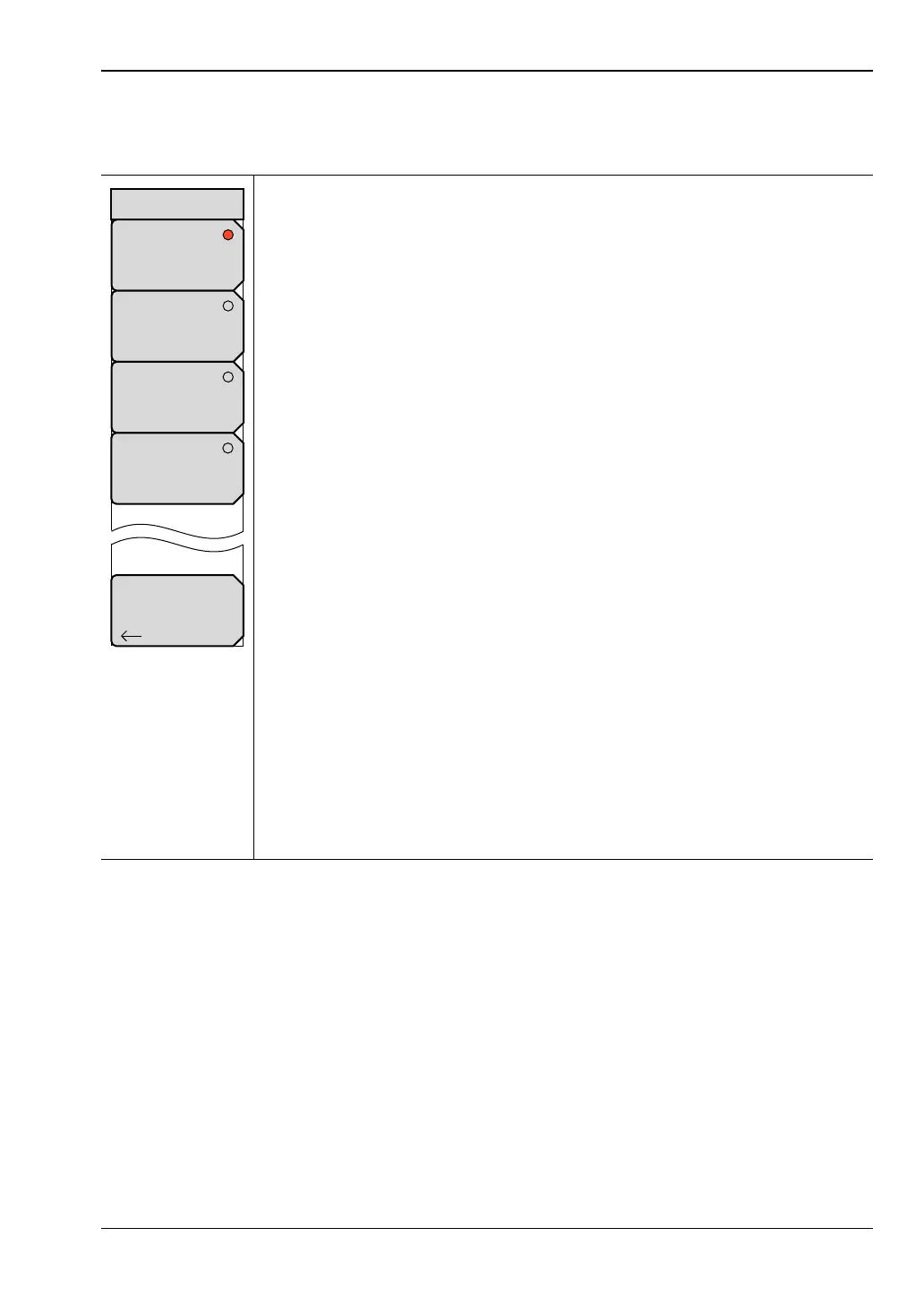
VNA View Menus 6-3 Domain Setup Menus
Vector Network Analyzer MG PN: 10580-00289 Rev. K 6-5
Setup Domain Menu
Key Sequence: Freq/Time/Dist > Domain Setup
Setup Frequency: Press this soft key to open the Frequency menu and to
use those soft keys to set start, stop, and center frequencies and frequency
span. Choosing Setup Frequency sets the domain (x-axis) of the active trace
to Frequency (just as the “Domain Selection” soft key does in the “Measure
Menu” on page 6-46).
Setup Time: Press this soft key to open the “Time Menu” and to set the start
and stop times, the start and stop frequencies, windowing, and gating.
Choosing Setup Time sets the domain (x-axis) of the active trace to Time (just
as the “Domain Selection” soft key does in the Measure menu).
Setup Distance: Press this soft key to open the “Distance Setup Menu” and
to set the Start and Stop distances, the start and stop frequencies, windowing,
and gating. The Start and Stop distances are set in meters (m),
centimeters (cm), or millimeters (mm). If the Application Options menu is
used to set units in feet rather than meters, the distance settings are in feet (ft)
only. Choosing Setup Distance sets the domain (x-axis) of the active trace to
Distance (just as the “Domain Selection” soft key does in the Measure menu).
Setup FGT: Press this soft key to open the Frequency Gated by Time (FGT)
menu and to use those soft keys to set start, stop, and center frequencies,
and to set frequency span and gating. Choosing Setup FGT sets the domain
(x-axis) of the active trace to Frequency (just as the “Domain Selection” soft
key does in the Measure menu). Note that the frequency data are not the
measured frequency data (as in the Setup Frequency case), but they are time
or distance domain data that are gated and converted back into the frequency
domain. When the trace is in the Time domain and then set to FGT, the
frequency data are generated by converting the gated time domain data.
When the trace is in the Distance domain and then set to FGT, the frequency
data are generated by converting the gated distance domain data. If the trace
was set to Frequency and then converted to FGT directly, then the instrument
defaults to converting the gated distance domain data.
Back: Press this soft key to return to the previous menu.
Figure 6-3. Setup Domain Menu
Back
Setup
Time
Setup
Frequency
Setup
Distance
Setup Domain
Setup
FGT













 To Next Page