178
5.1.2.2. IPv6
5.1.2.2.1. Windows XP
The following procedure is only for a Windows XP PC in which TCP/IP Version 6 is not installed.
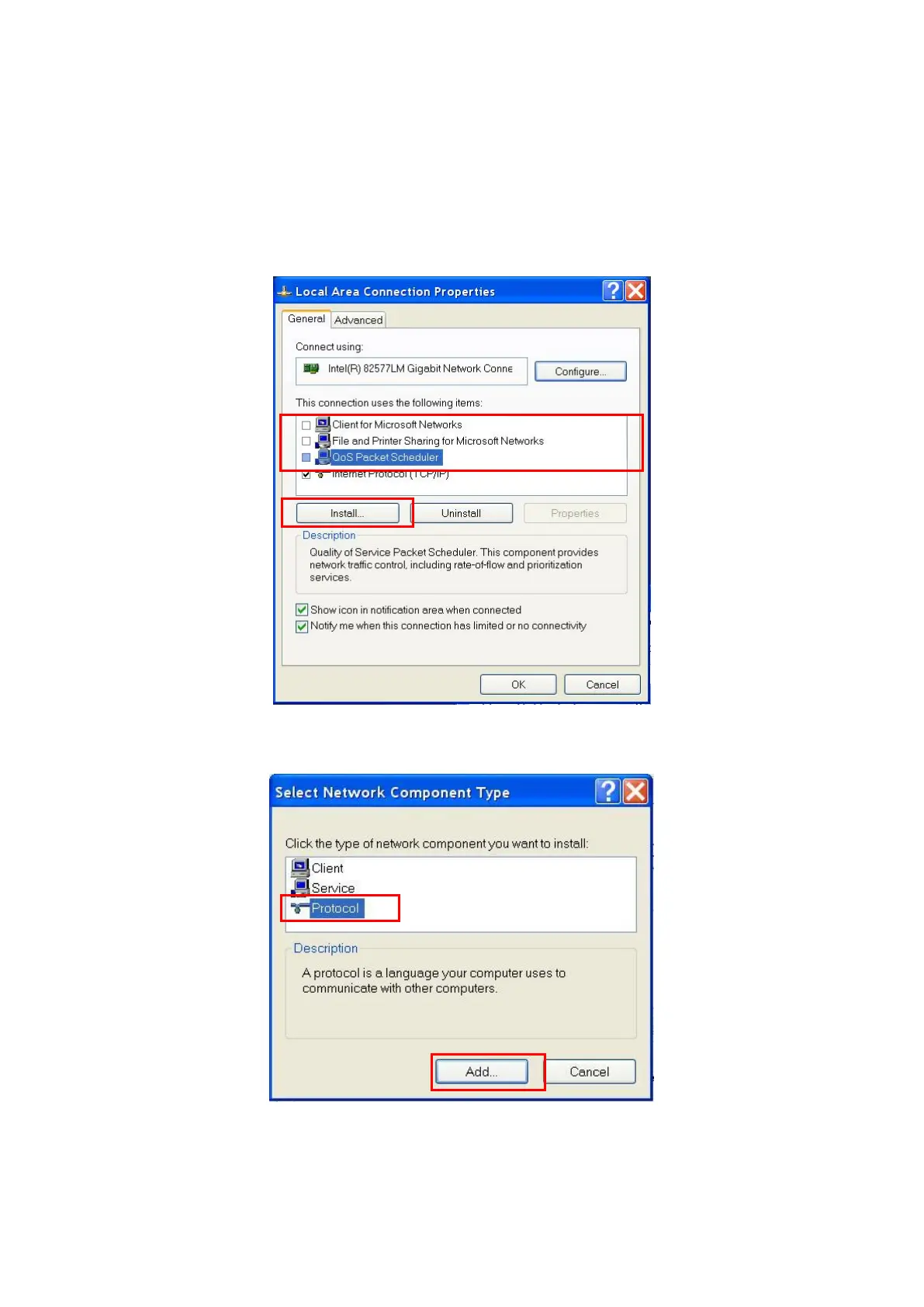
1. Open the Local Area Connection properties screen of the server/client PC and uncheck the following items.
Microsoft Client for Network
Microsoft File and Printer sharing for Network
QoS Packet Scheduler
Figure 5.1.2.2.1-1 Local Area Connection Properties Screen (Windows XP)
2. Click the [Install] button to open the following Network Component Type Selection screen.
Figure 5.1.2.2.1-2 Network Component Type Selection Screen (Windows XP)
3. Select [Protocol] and click the [Add] button to open the following Network Protocol Selection screen.














 To Next Page