179
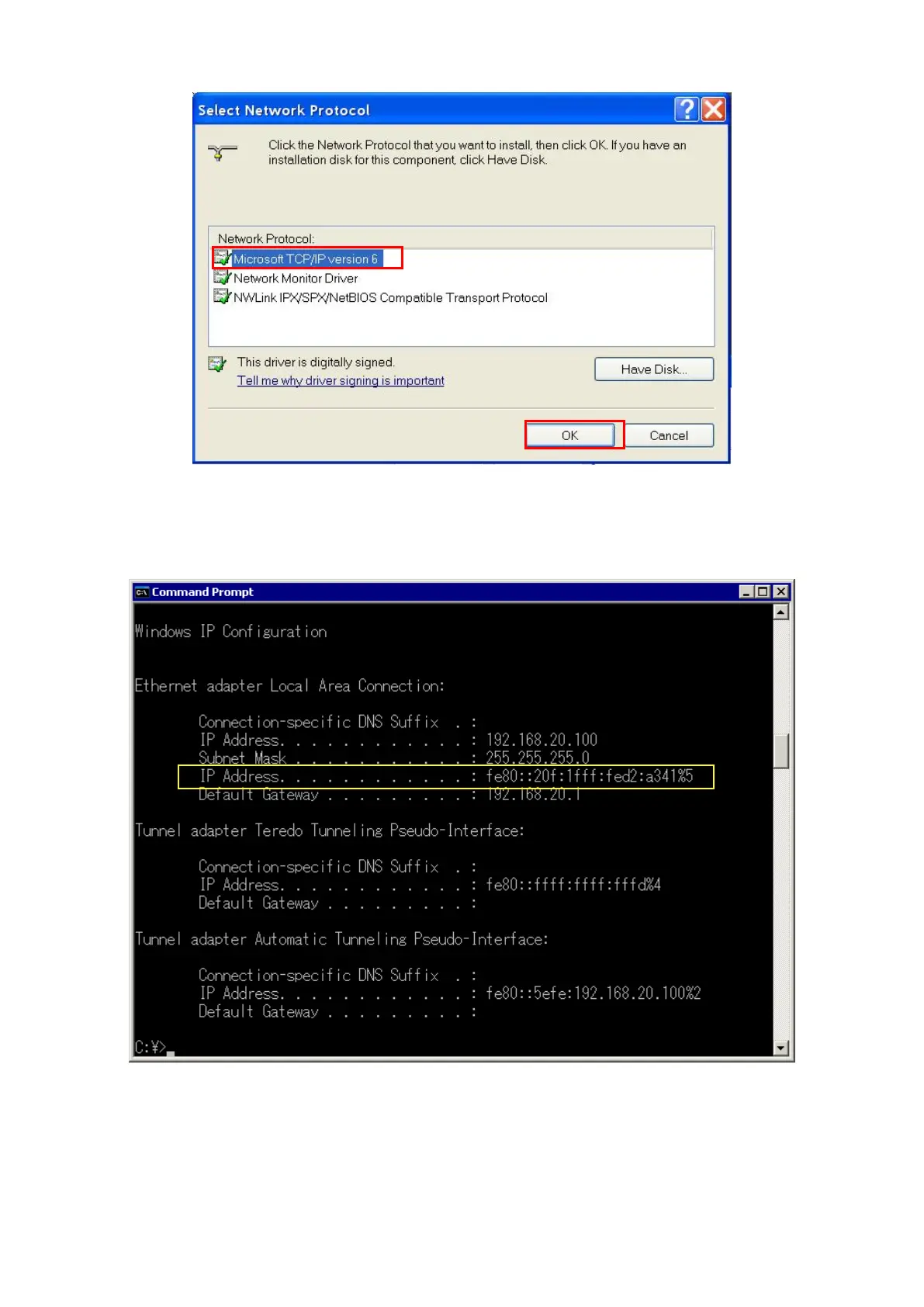
Figure 5.1.2.2.1-3 Network Protocol Selection Screen (Windows XP)
4. Select [Microsoft TCP/IP version 6] and click the [OK] button to complete the TCP/IP version 6 installation.
5. Open the Windows Command Prompt application.
6. Run the “ipconfig” command to check the server PC IP configuration.
Figure 5.1.2.2.1-4 Server PC IP Configuration Screen
7. Run the “netsh int ipv6 show int” command and confirm the Index No. (Idx) allocated to the Local Area
Connection. This Index No. is required at the next step to set the IP address.














 To Next Page