182
5.1.2.2.2. Windows 7/Vista
Set TCP/IP of Application Server PC.
NOTE:
The TCP/IP version 6 installation procedure is not required.
Disable the Windows firewall.
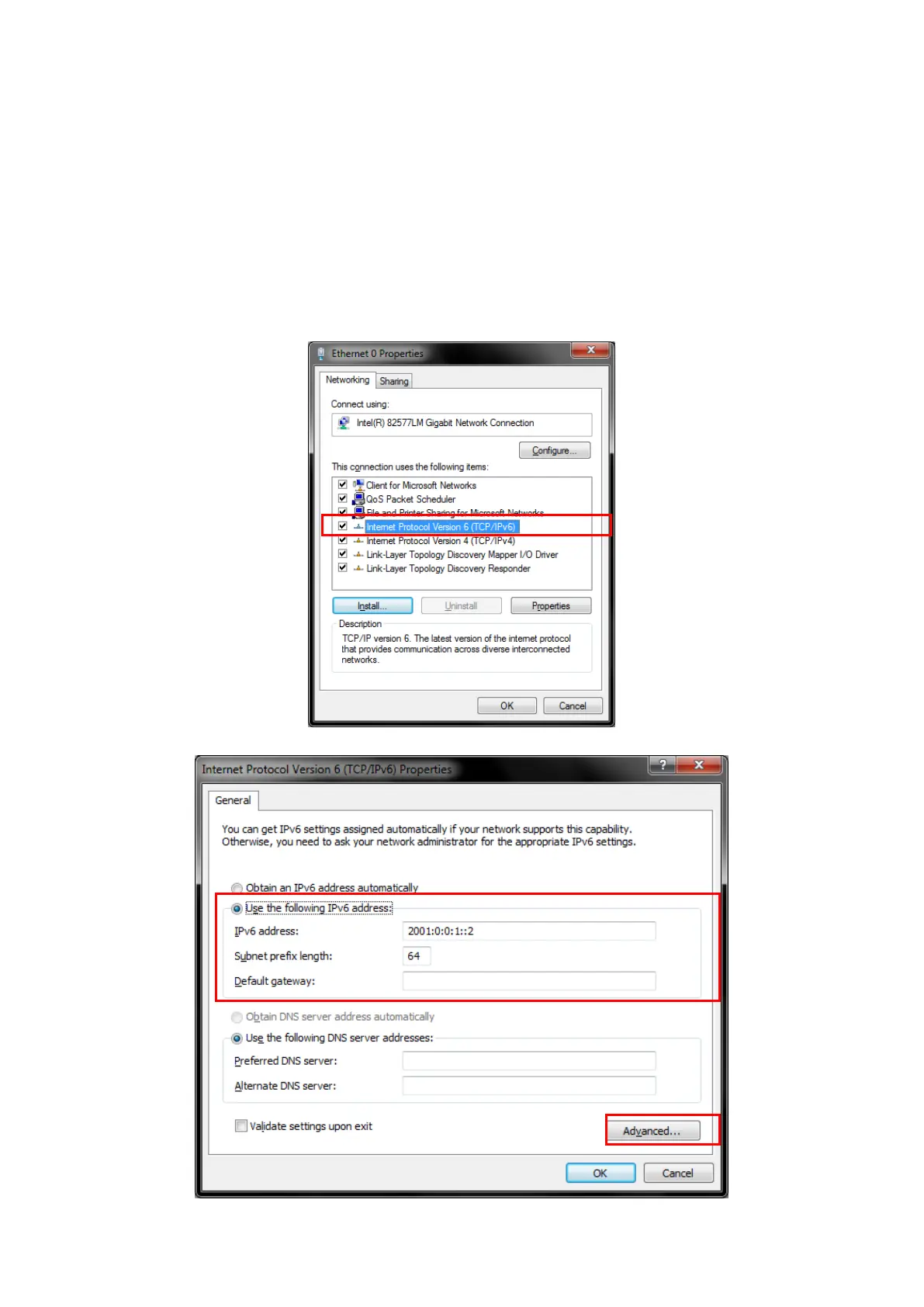
1. Open the Local Area Connection properties screen of the server/client PC and uncheck the following items.
Microsoft Client for Network
Microsoft File and Printer sharing for Network
QoS Packet Scheduler
2. Double-click [Internet Protocol Version 6 (TCP/IPv6)] to open the Internet Protocol Version 6 (TCP/IPv6)
properties screen.
Figure 5.1.2.2.2-1 Local Area Connection Properties Screen (Windows 7)














 To Next Page