• If VLAN_1 (VID=1) is configured as "Untagged" on port 3 on switch "X," it must also be configured as
"Untagged" on port 7 on switch "Y." Make sure that the VLAN ID (VID) is the same on both switches.
• Similarly, if VLAN_2 (VID=2) is configured as "Tagged" on the link port on switch "A," it must also be configured
as "Tagged" on the link port on switch "B." Make sure that the VLAN ID (VID) is the same on both switches.
Duplicate MAC addresses across VLANs
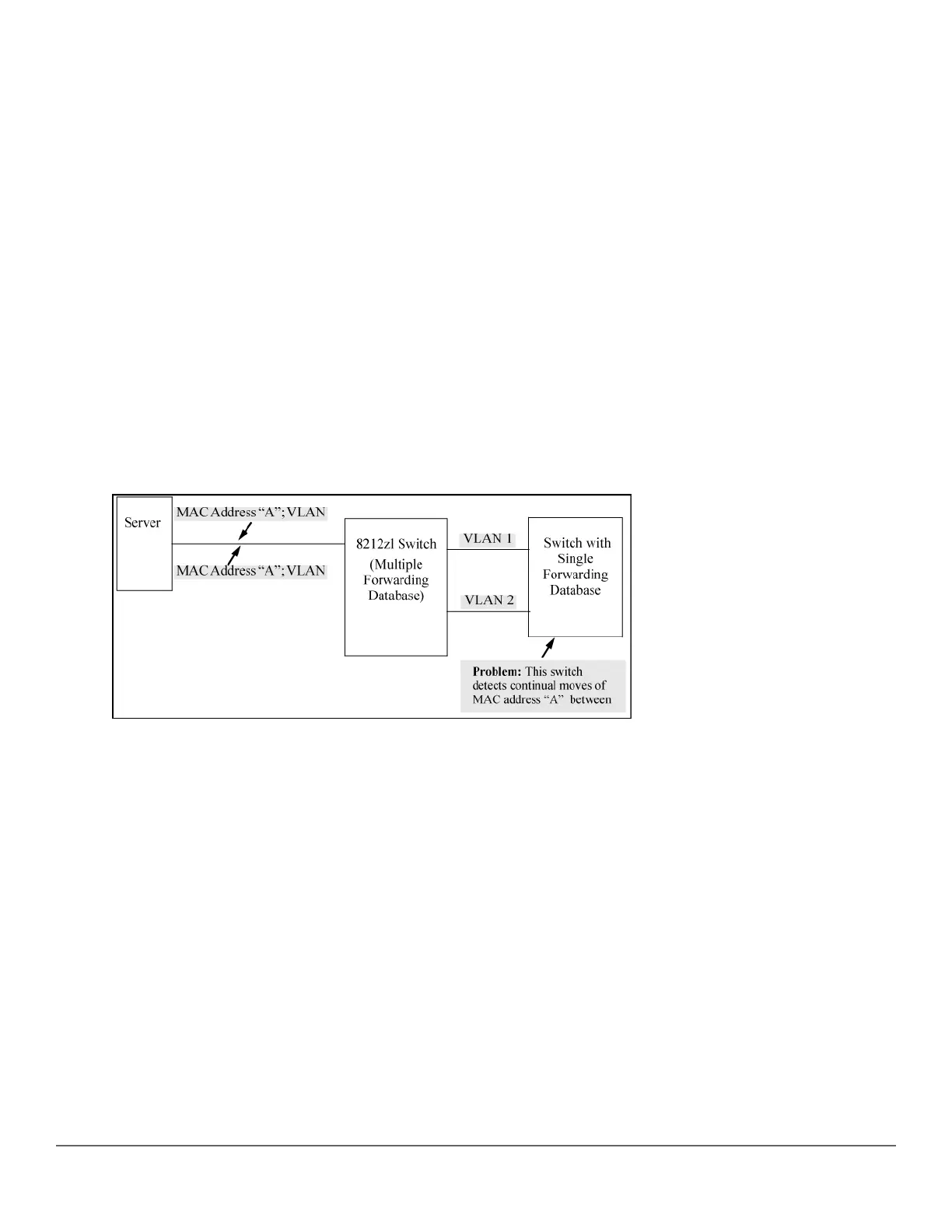
The switches operate with multiple forwarding databases. Thus, duplicate MAC addresses occurring on different
VLANs can appear where a device having one MAC address is a member of more than one 802.1Q VLAN, and
the switch port to which the device is linked is using VLANs (instead of MSTP or trunking) to establish redundant
links to another switch. If the other device sends traffic over multiple VLANs, its MAC address consistently
appears in multiple VLANs on the switch port to which it is linked.
Be aware that attempting to create redundant paths through the use of VLANs causes problems with some
switches. One symptom is that a duplicate MAC address appears in the Port Address Table of one port and then
later appears on another port. While the switches have multiple forwarding databases and thus do not have this
problem, some switches with a single forwarding database for all VLANs may produce the impression that a
connected device is moving among ports because packets with the same MAC address but different VLANs are
received on different ports. You can avoid this problem by creating redundant paths using port trunks or spanning
tree.
Figure 59: Example: of duplicate MAC address
Fan failure
When two or more fans fail, a two-minute timer starts. After two minutes, the switch is powered down and must be
rebooted to restart it. This protects the switch from possible overheating.
Hewlett Packard Enterprise recommends that you replace a failed fan tray assembly within one minute of
removing it.
Viewing transceiver information
This features provides the ability to view diagnostic monitoring information for transceivers with Diagnostic Optical
Monitoring (DOM) support. The following table indicates the support level for specific transceivers:
Chapter 16 Troubleshooting 321














 To Next Page