NOTE:
To respond to a ping test or a link test, the device you are trying to reach must be IEEE 802.3-
compliant.
Ping test
A test of the path between the switch and another device on the same or another IP network that can respond to
IP packets (ICMP Echo Requests). To use the ping (or traceroute) command with host names or fully
qualified domain names, see
DNS resolver on page 383.
Link test
A test of the connection between the switch and a designated network device on the same LAN (or VLAN, if
configured). During the link test, IEEE 802.2 test packets are sent to the designated network device in the same
VLAN or broadcast domain. The remote device must be able to respond with an 802.2 Test Response Packet.
Executing ping or link tests (WebAgent)
To start a ping or link test in the WebAgent:
1. In the navigation pane, click Troubleshooting.
2. Click Ping/Link Test.
3. Click Start.
4. To halt a link or ping test before it concludes, click Stop.
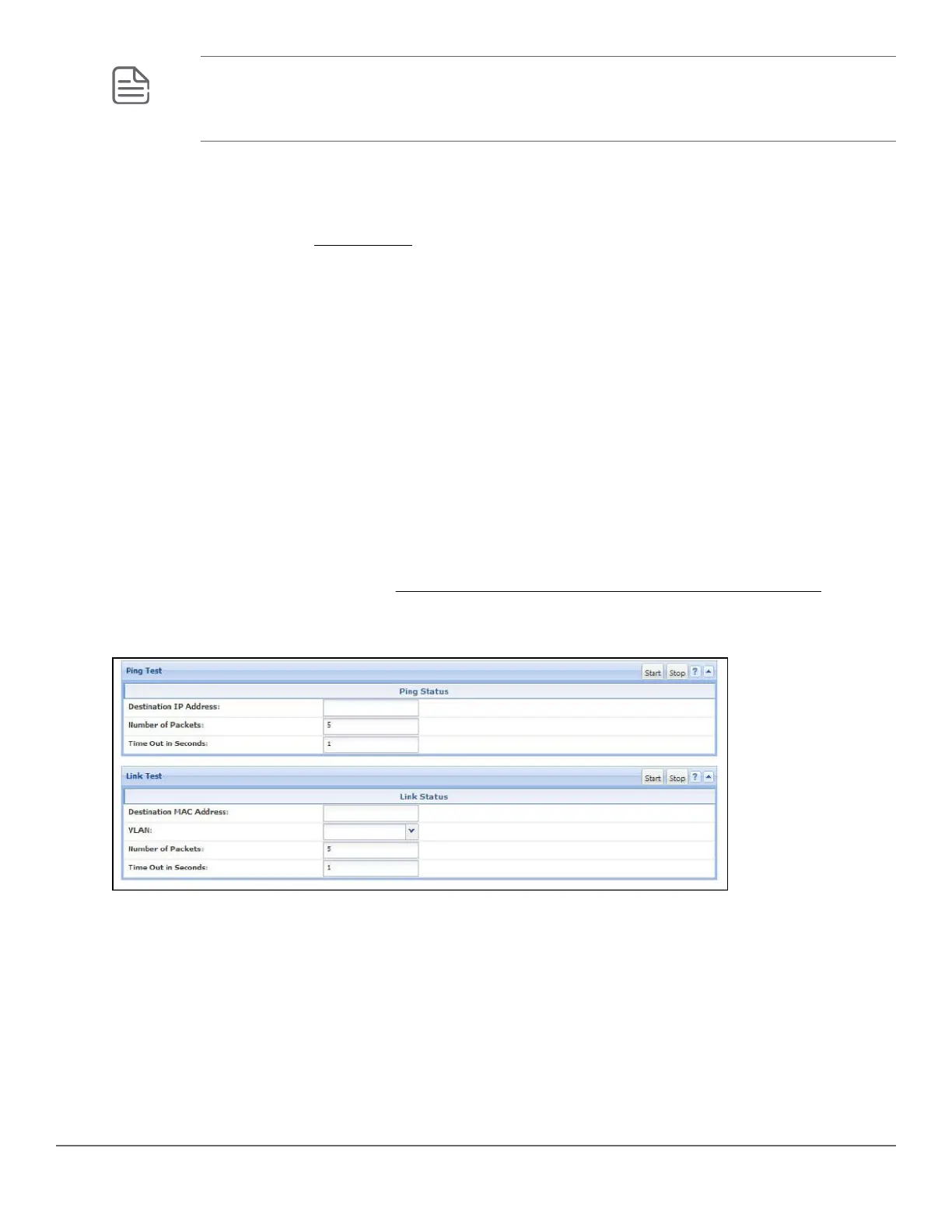
For an Example: of the text screens, see Figure 65: Ping test and link test screen on the WebAgent on page
369.
Figure 65: Ping test and link test screen on the WebAgent
Destination IP Address is the network address of the target, or destination, device to which you want to test a
connection with the switch. An IP address is in the X.X.X.X format where X is a decimal number between 0 and
255.
Number of Packets to Send is the number of times you want the switch to attempt to test a connection.
Timeout in Seconds is the number of seconds to allow per attempt to test a connection before determining that
the current attempt has failed.
Chapter 16 Troubleshooting 369














 To Next Page