3 Commissioning Procedure
Mk8 MM Manual Page | 103
3.9 Setpoint Schedule
3.9.1 Setpoint Schedule Overview
Some application require variable heat output level during different hours of the day or different days of the
week or both, for example different production levels or building heating requirements, the user might want to
have the setpoint to vary during the day or during the days of the week or both.
Setpoint Schedule allows the user to configure the setpoint to vary during the day or the week or both. It can
be setup on the MM screen in Online Changes mode once the MM has been commissioned
Setpoint Schedule is an MM Expansion Feature that requires the purchase of an unlock code (part #
MK8100), this must be uploaded to the MM via Autoflame Download Manager software, please see
Autoflame Software Guide for more details.
3.9.2 Configuring Setpoint Schedule
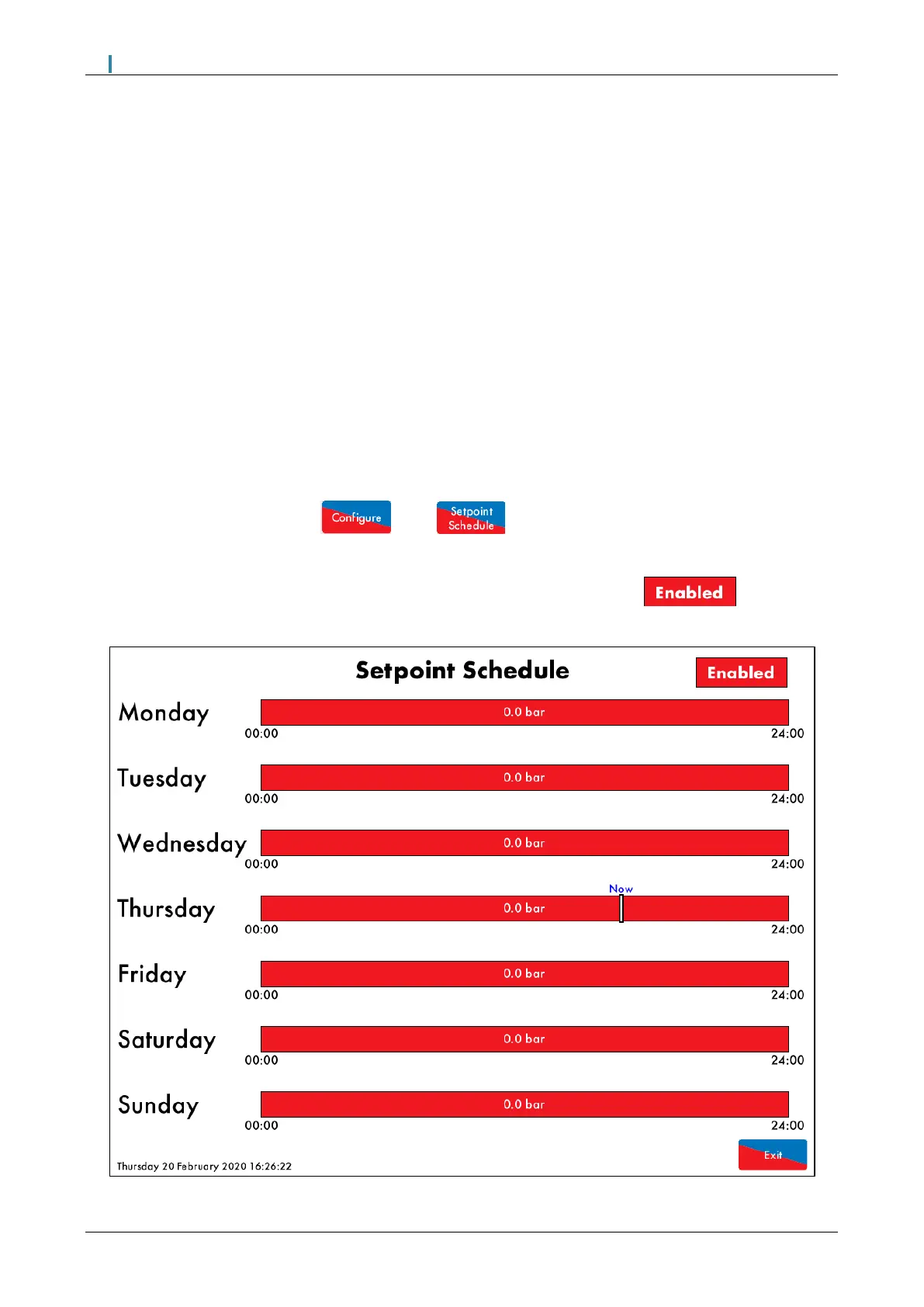
From the main MM screen, press then , enter the Online Changes password to access
the Setpoint Schedule setup screen.
Press the Disable button on the top right corner of the screen, this will turn to to enable the
user to make changes to the schedule.
Figure 3.9.2.i: Setpoint Schedule screen

 To Next Page
 Loading...