DISPLA Y FUNCTIONS 163
MO T ORISED PO T RA MPS 3
52)UP TIME 4
ENTRY MENU LEVEL 1
DISPLA Y FUNC TIONS 2
R
DISPLAY FUNCTIONS 2
SOFTW ARE VERSIO N
DISPLAY FUNCTIONS 2
REDUCED MENU ENABLE
DISPLAY FUNCTIONS 2
PASSW ORD C ONTROL 3
DISPLAY FUNCTIONS 2
LANGU A GE SELEC T
R
R
R
DISPLA Y FUNC TIONS 2
PASSW ORD C ONTROL 3
PASSW ORD C ONTROL 3
ENTER PASSWORD 4
PASSW ORD C ONTROL 3
ALTER PA SS W ORD 4
R R
R
11 DISPLAY FUNCTIONS
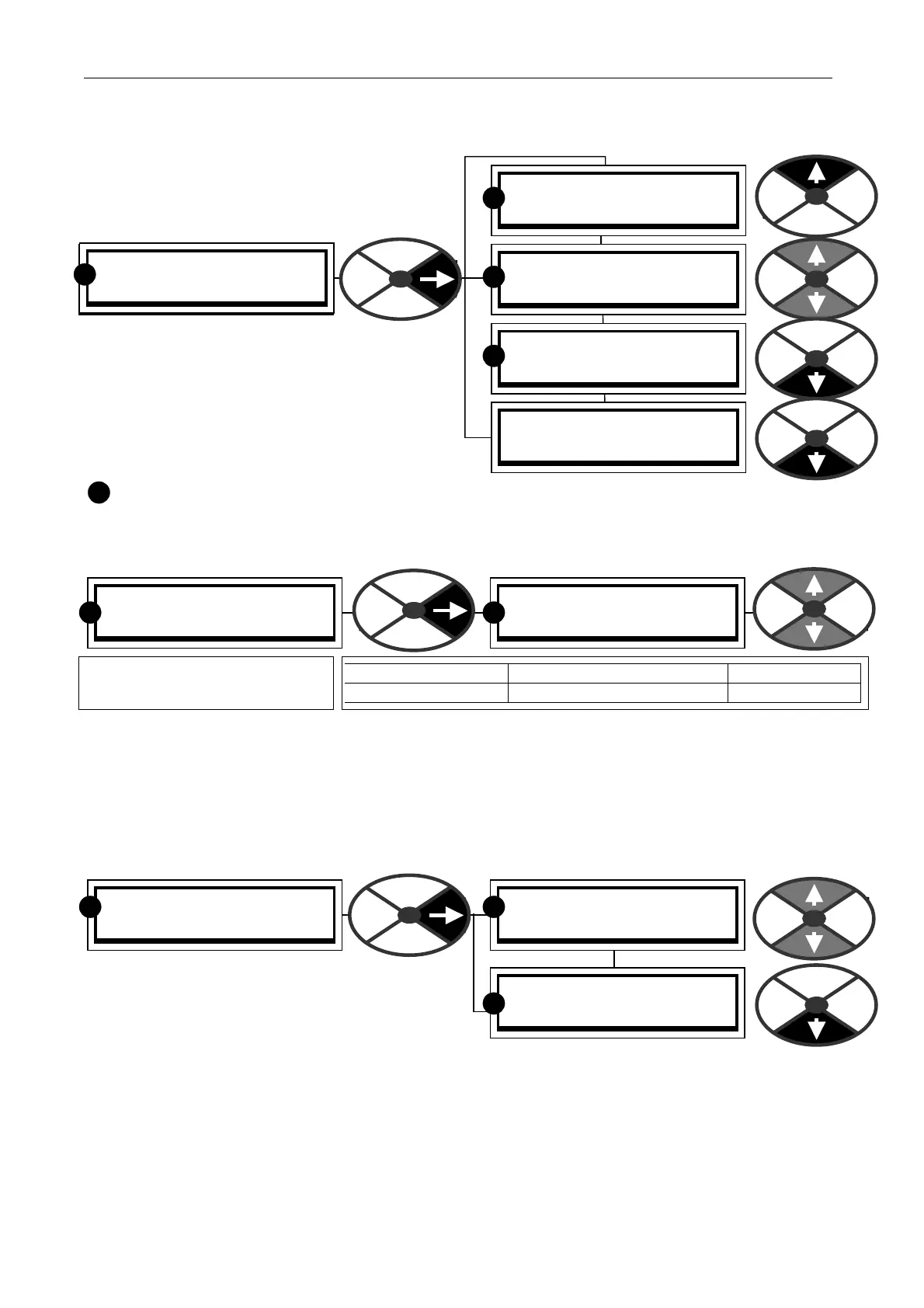
This menu is used to alter the display
presentation.
The REDUCED MENU shows only the commonly
used selections and enables more rapid travel
around the tree structure. There are 2 sets of
reduced menu parameter values that can be
selected. See 6.1.17 C ALIBRA TION / Motor 1 or
2 select PIN 20 .
If you see this symbol in the manual, this indicates that the window is in the reduced and full menu.
11.1 DISPLAY FUNCTIONS / Reduced menu enable
See 6.1.17 C ALIBRA TION / Motor 1 or 2 select PIN 20
11.2 DISPLAY FUNCTIONS / PASSWORD CONTROL
The password will prevent accidental alteration by unauthorised users. It does not protect against sabotage.
It allo ws a password to be required prior to parameter changes. The default passw ord and power up entry are
both 0000. So a PL/X that has not had a password alteration is al ways unlocked.
An altered password is not retained after removal of the control supply unless a PARA METER SA VE has been
actioned. If a parameter change is tried without a valid passw ord entry then the message ENTER PASS W ORD
will flash as the up/do wn keys are
pressed. See also 13.1 3.2 DRIVE PERSON ALITY /
Recipe page PIN 677. Each recipe page may have
its ow n pass word, but it is recommended that the
same pass word is used for every page to avoid
confusion. A file copied using parameter exchange will carry the pass word from the source page. If that file
is transmitted to another drive unit, the password will be carried with it. This requires careful housekeeping.
If you forget the password then enter 4591 and the existing pass word is show n in ALTER PASSWORD.
Note. PL PILOT, PORT 1 FUNCTION and 187)PORT1 BAUD RA TE are not subject to password control.
Hence it is also possible to overcome the problem of forgetting passw ords by using the PL PILOT config tool
to save the recipe. It may then be re-loaded after the pass word has been restored to 0000 on recipe page
NORM AL RESET using a 4-KEY RESET. See 5.1.3 Restoring the drive parameters to the default condition.
R
DISPLAY FUNCTIONS 2
REDUCED MENU ENABLE
REDUCED MENU ENABLE
DISABLED
PARA METER RANGE DEF AULT
REDUCED MENU ENABLED or DIS ABLED DIS ABLED
Enables the reduced menu
display format.
R R



 To Next Page